
Have you ever noticed your GPU fans spinning nonstop and wondered if that’s normal? You might be asking yourself, “Are GPU fans always on?” It’s a question that matters because your graphics card’s cooling system plays a big role in keeping your computer running smoothly.
If you’re worried about noise, heat, or even the lifespan of your hardware, understanding how your GPU fans work can give you peace of mind. Keep reading, and you’ll learn exactly when your GPU fans should be running, why they might stay on, and what you can do if something feels off.
Your computer’s health depends on it!
Gpu Fan Basics
GPU fans help keep your graphics card cool. They stop the card from getting too hot. Heat can cause problems or make the card slow. Fans spin to move air and lower the temperature.
Understanding how these fans work helps you know why they run at certain times. It also explains why some fans stop when the card is cool. Let’s explore the main parts of GPU cooling.
Purpose Of Gpu Fans
Gpu fans keep the graphics card from overheating. They push hot air away from the card. This helps the card work well and last longer. Without fans, the card may shut down or get damaged.
Fans turn on when the card heats up. They slow down or stop when it cools down. This saves energy and reduces noise. Fans are important to keep your GPU safe and fast.
Types Of Gpu Cooling Systems
There are different types of cooling for GPUs. The most common is the air cooling system. This uses fans and heatsinks to move heat away.
Some GPUs use liquid cooling. This type moves heat with liquid instead of air. It is quieter and can cool better but costs more.
Hybrid cooling combines fans and liquid cooling. It offers strong cooling with less noise. Each cooling type has its own benefits and fits different needs.

Credit: www.oceantele.com
When Gpu Fans Activate
GPU fans do not run all the time. They turn on only when needed. This helps save energy and reduce noise. The fans start working based on the GPU’s temperature and how much work it is doing.
Understanding when GPU fans activate can help you know how your computer manages heat. It also shows why your PC might be quiet sometimes and louder at other times.
Temperature Thresholds
GPU fans usually start spinning after the GPU reaches a certain temperature. This temperature is called the threshold. Many GPUs have a threshold around 50 to 60 degrees Celsius.
Below this temperature, fans often stay off. The GPU can cool itself without extra help. When the temperature goes above the threshold, fans kick in to cool it down fast.
This system helps keep the GPU safe from overheating. It also stops fans from running unnecessarily and making noise.
Idle Vs Load Conditions
GPU fans behave differently during idle and load conditions. Idle means the GPU is not doing much work. Load means the GPU is working hard, like during gaming or video editing.
When idle, the GPU temperature stays low. Fans may not spin or run very slowly. This keeps your PC quiet and saves power.
Under load, the GPU temperature rises quickly. Fans spin faster to cool it down. The speed of the fans changes based on the heat level.
This balance helps protect the GPU and keeps your system running smoothly.
Factors Influencing Fan Activity
Gpu fan activity depends on several important factors. These factors decide if the fans run all the time or only when needed. Understanding these can help you know how your gpu behaves during use.
Each factor works together to control fan speed and timing. This keeps your gpu cool and quiet without wasting energy or causing noise.
Gpu Model And Design
Different gpu models have unique fan designs. Some use one fan, others use two or three. Some newer models have fans that stop spinning at low temperatures. This design saves power and reduces noise. Older or budget models often run fans continuously to keep the gpu cool.
Software And Firmware Controls
Gpu fans respond to software and firmware settings. Drivers and gpu control apps can set fan speed based on temperature. Many allow custom fan curves. These curves tell fans to speed up or slow down at certain temperatures. Updates to firmware may change fan behavior to improve cooling or reduce noise.
Ambient Temperature Effects
Room temperature affects gpu fan activity. Higher room heat makes the gpu work harder to stay cool. Fans run faster and longer in warm environments. Cooler rooms help keep fans off or at low speed. Good airflow inside the computer case also helps keep temperatures down.
Advantages Of Variable Fan Speeds
Variable fan speeds in GPUs offer several benefits. They adjust based on the temperature and workload. This means the fan runs faster only when needed and slows down during light use. This smart control improves the user experience in multiple ways.
Noise Reduction
Variable fan speeds cut down on noise. Fans run slower when the GPU is cool. This makes your computer quieter. You hear less fan noise during simple tasks like browsing or watching videos.
When the GPU heats up, the fan speeds up to cool it down. This balance keeps noise low but protects the hardware.
Energy Efficiency
Fans use less power at lower speeds. Variable control saves energy by not running fans at full speed all the time. This reduces electricity use and heat output.
Saving power is good for your computer’s overall efficiency. It also helps lower your electricity bill.
Extended Fan Lifespan
Fans last longer with variable speeds. Running at full speed constantly wears out fan parts faster. Slower speeds reduce stress on the fan motor and blades.
This leads to fewer fan replacements and less maintenance over time. Your GPU stays cooler and quieter for longer periods.
Troubleshooting Fan Issues
Troubleshooting GPU fan issues helps keep your graphics card cool and working well. Fans protect your GPU from damage by managing heat. Problems with the fan can cause your computer to overheat or shut down. Knowing what to check can save time and money.
Fan Not Spinning When Expected
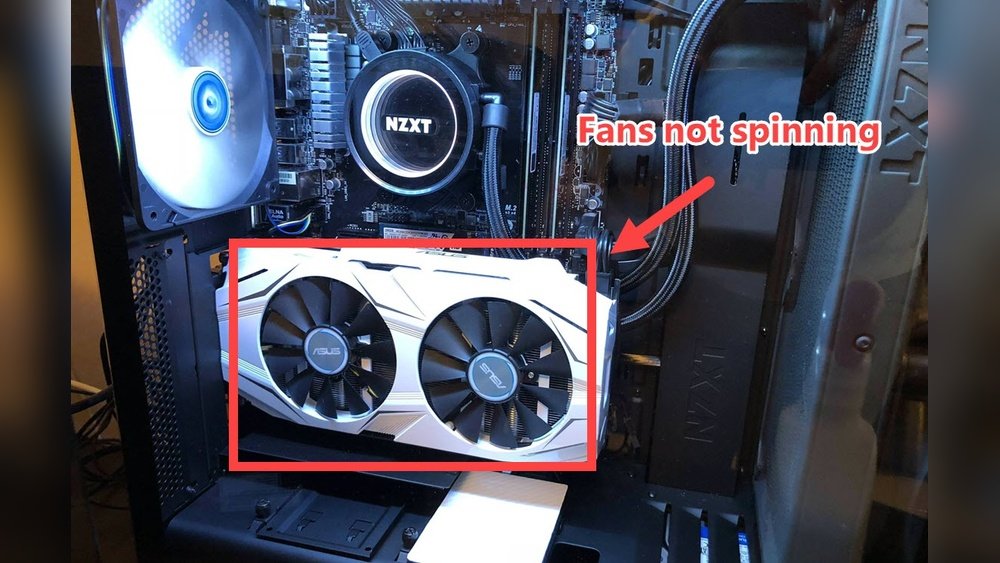
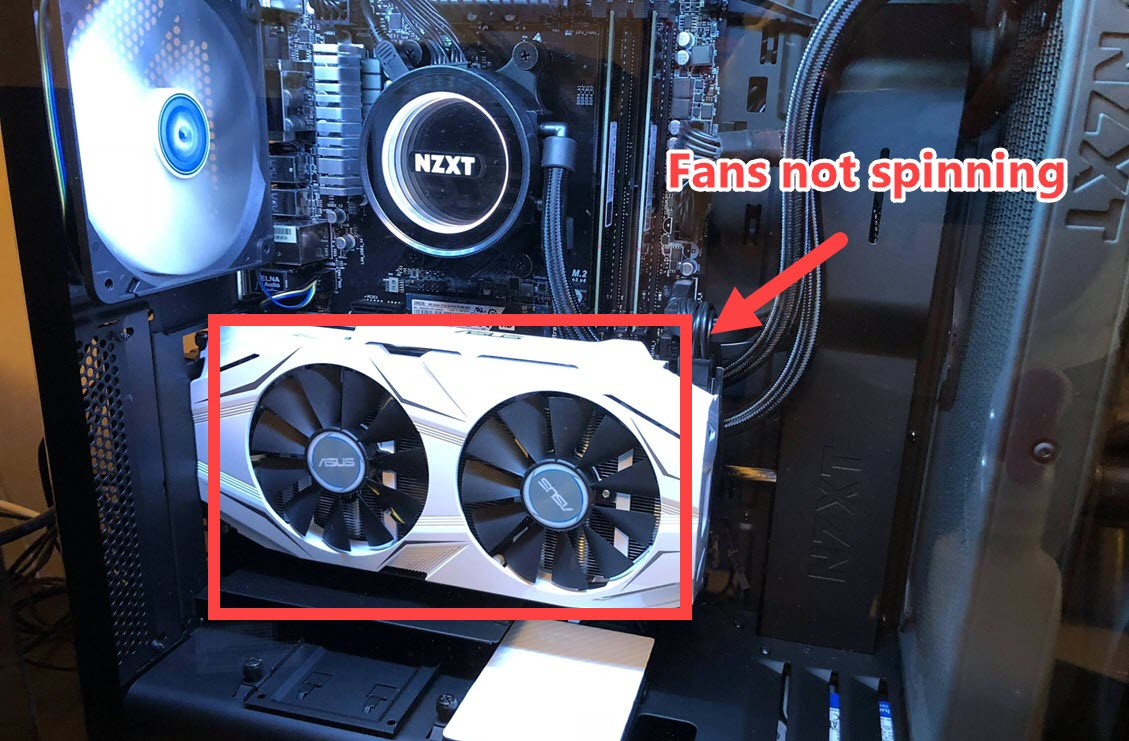
Sometimes, the GPU fan does not spin at all. This can happen if the GPU is cool and the fan stays off by design. But if the GPU is hot and the fan still does not spin, there could be a problem.
Check the fan connection first. Make sure the fan cable is plugged in. Clean any dust blocking the fan blades. Use software to monitor GPU temperature and fan speed. If the fan never spins, it might be broken and need replacement.
Fan Running Constantly
If your GPU fan runs all the time, it may indicate overheating or a faulty sensor. The fan might be set to full speed in your GPU software or BIOS. Try adjusting fan curves or reset the settings to default.
Excessive dust buildup can cause the fan to work harder. Clean your GPU gently with compressed air. Check your PC case for good airflow. Poor airflow makes the fan run constantly to cool the GPU.
Overheating Concerns
Overheating can damage your GPU and cause crashes. Dust buildup and poor airflow are common causes. Check your GPU temperature regularly using monitoring tools.
Make sure your PC case has enough fans to push hot air out. Replace thermal paste on the GPU if it is old. Proper cooling extends your GPU’s life and improves performance.
Credit: www.drivereasy.com
Customizing Fan Settings
Customizing fan settings on your GPU helps control its temperature and noise. Fans usually run faster when the GPU is hot and slow down when it cools. Changing these settings lets you find the right balance for your needs. You can use software tools or apps to adjust fan speed and behavior.
Using Gpu Software Tools
Most GPUs come with their own software for fan control. These tools let you set fan speeds based on temperature. You can create custom fan curves, so fans speed up gradually. The software is easy to use and safe for your hardware.
Third-party Fan Control Apps
Third-party apps offer more control and options for fan settings. Programs like MSI Afterburner and SpeedFan work with many GPUs. These apps allow detailed fan curve adjustments and monitoring of GPU stats. They give more flexibility than some default software.
Balancing Cooling And Noise
Fans running fast keep the GPU cool but can be noisy. Slower fans reduce noise but may increase temperature. Custom fan settings help find a middle ground. Set fans to run quiet during light use and faster under load. This keeps your GPU safe and your space comfortable.

Credit: www.oceantele.com
Frequently Asked Questions
Do Gpu Fans Run Continuously?
No, GPU fans don’t always run. They activate only when the GPU reaches a certain temperature to cool it down efficiently.
Why Do Gpu Fans Sometimes Stay Off?
GPU fans stay off during low usage or low temperature to reduce noise and save energy.
Can Gpu Fans Stop Working Completely?
If GPU fans stop working, it could indicate a hardware issue needing immediate attention to prevent overheating.
How Do Gpu Fans Know When To Start?
GPU fans use temperature sensors to detect heat and start spinning when the GPU reaches a preset temperature.
Conclusion
GPU fans run based on temperature needs. They turn on to cool the graphics card. When the GPU is cool, fans may stop spinning. This helps save energy and reduce noise. Some GPUs keep fans running slowly all the time.
Knowing how your GPU fan works can help you spot problems. Keep your system clean to avoid overheating. A healthy GPU means better performance and longer life. Fans are not always on, but they work when needed. Simple and smart cooling keeps your PC safe.
