How to Clean Thermal Paste off Cpu Pins: Easy & Safe Methods
If you’ve ever taken apart your computer or upgraded your CPU, you know how tricky it can be to deal with thermal paste. But what happens when that paste gets on your CPU pins?
It’s a delicate problem that can cause serious issues if not handled right. You might be wondering how to clean thermal paste off CPU pins without damaging them. Don’t worry—this guide will walk you through simple, safe steps to get your CPU pins spotless and ready to work perfectly.
Keep reading, because a small mistake here can cost you big time, and you deserve to get it done the right way.
Why Clean Thermal Paste From Cpu Pins
Cleaning thermal paste from CPU pins is a crucial step when maintaining or upgrading a computer. Thermal paste helps transfer heat from the CPU to the cooler. But if it gets on the pins, it can cause problems. Pins are sensitive and must stay clean for the CPU to work properly.
Dirty CPU pins can block signals or cause poor connections. This affects the entire computer’s performance. Knowing why to clean thermal paste from these pins helps avoid damage and keeps your PC running smoothly.
Risks Of Dirty Cpu Pins
Thermal paste on CPU pins can cause electrical shorts. This may damage the motherboard or the CPU itself. Dirty pins can also lead to corrosion over time. This weakens the connections and causes hardware failure. Dust and paste together make cleaning harder. The longer paste stays on pins, the greater the risk.
Impact On Performance
Dirty pins cause unstable connections between CPU and motherboard. This leads to random crashes and freezes. The CPU may not receive correct power or signals. It results in slow processing and errors. Your computer may fail to boot. Clean pins ensure stable and fast CPU performance. This keeps the system reliable and responsive.
Tools Needed For Cleaning
Cleaning thermal paste off CPU pins needs the right tools. Using proper materials keeps the pins safe. It helps avoid damage and ensures a clean job.
Choosing the right tools makes the process easier. It also prevents accidental bending or breaking of the pins. Prepare everything before starting to clean.
Recommended Cleaning Materials
Use isopropyl alcohol with 90% or higher purity. It dissolves thermal paste without harming the metal pins.
Soft lint-free cloths or microfiber cloths work best. They clean gently without leaving fibers behind.
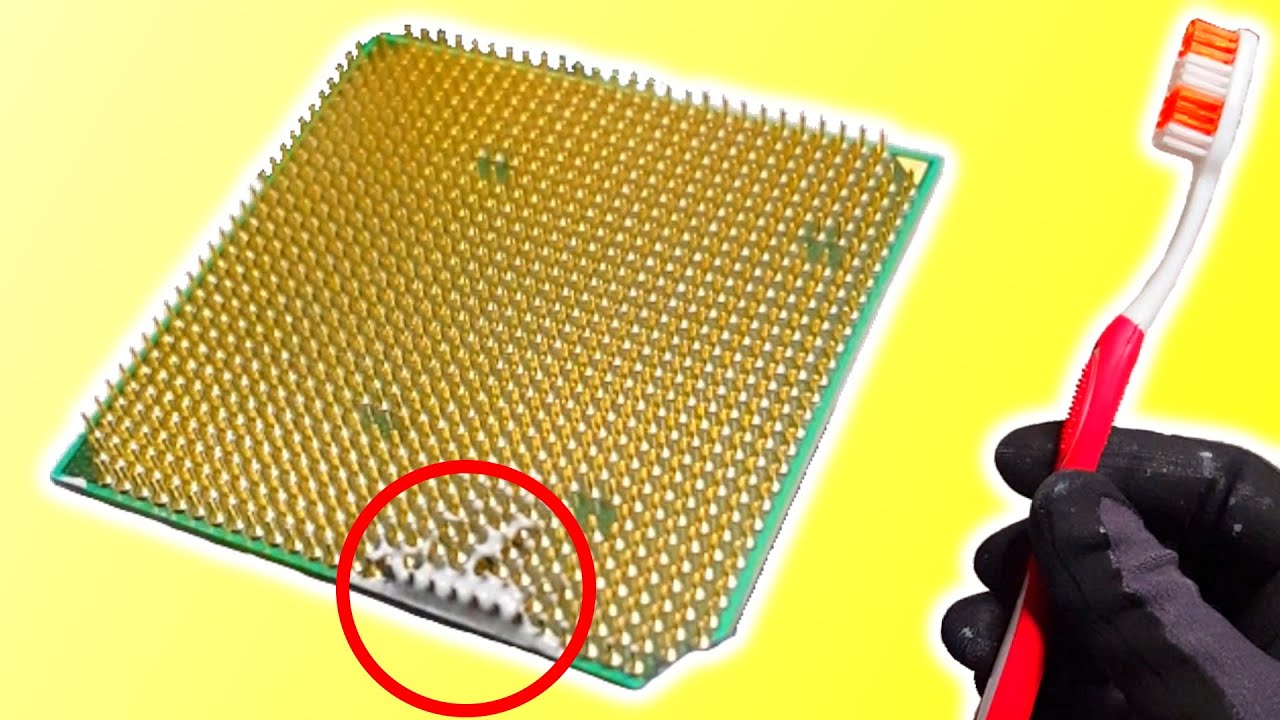
A small, soft-bristled brush can reach tight spaces. A toothbrush with soft bristles is a good option.
Use cotton swabs for precise cleaning in small areas. Make sure they are clean and dry before use.
Avoiding Harmful Substances
Do not use water or household cleaners. They can cause corrosion or leave residue on pins.
Avoid paper towels or rough fabrics. They may scratch or leave fibers on the pins.
Stay away from acetone or nail polish remover. These chemicals can damage the CPU pins or socket.
Never use sharp tools or metal objects. They can bend or break the delicate pins easily.
Step-by-step Cleaning Process
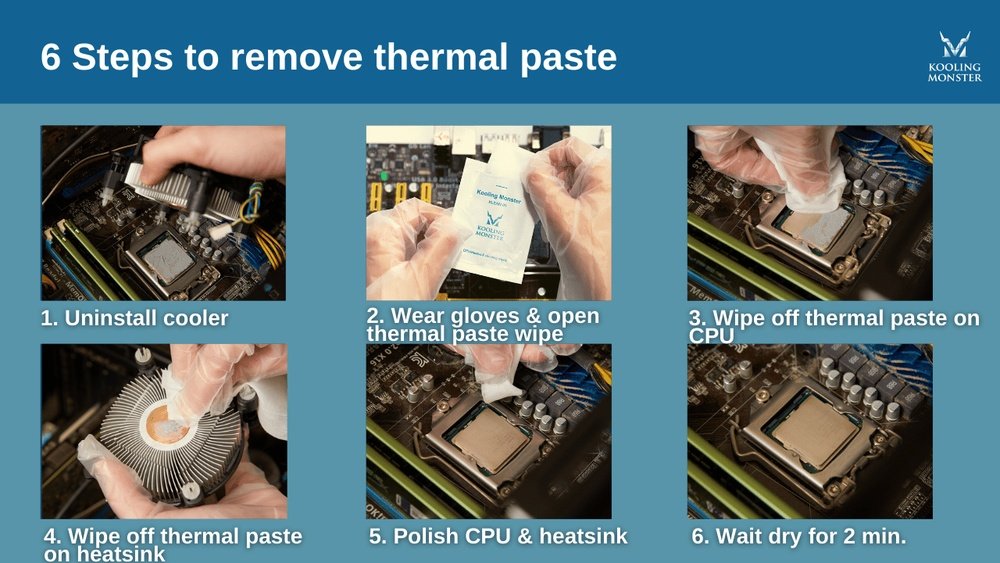
Cleaning thermal paste off CPU pins is a delicate task. It requires care and the right tools. Follow this step-by-step process to clean your CPU safely. This helps keep your computer running well.
Preparing Your Workspace
Find a clean, flat surface to work on. Make sure the area is well-lit. Gather all needed tools: isopropyl alcohol, a soft brush, lint-free cloth, and a magnifying glass. Avoid static by working on an anti-static mat or grounding yourself. Keep the CPU away from dust and dirt.
Removing Thermal Paste Gently
Dampen a lint-free cloth or cotton swab with isopropyl alcohol. Gently wipe the thermal paste from the pins. Do not press hard or bend the pins. Use a soft brush to remove paste from tight spaces. Repeat until the pins look clean but avoid soaking the CPU.
Drying And Inspecting Pins
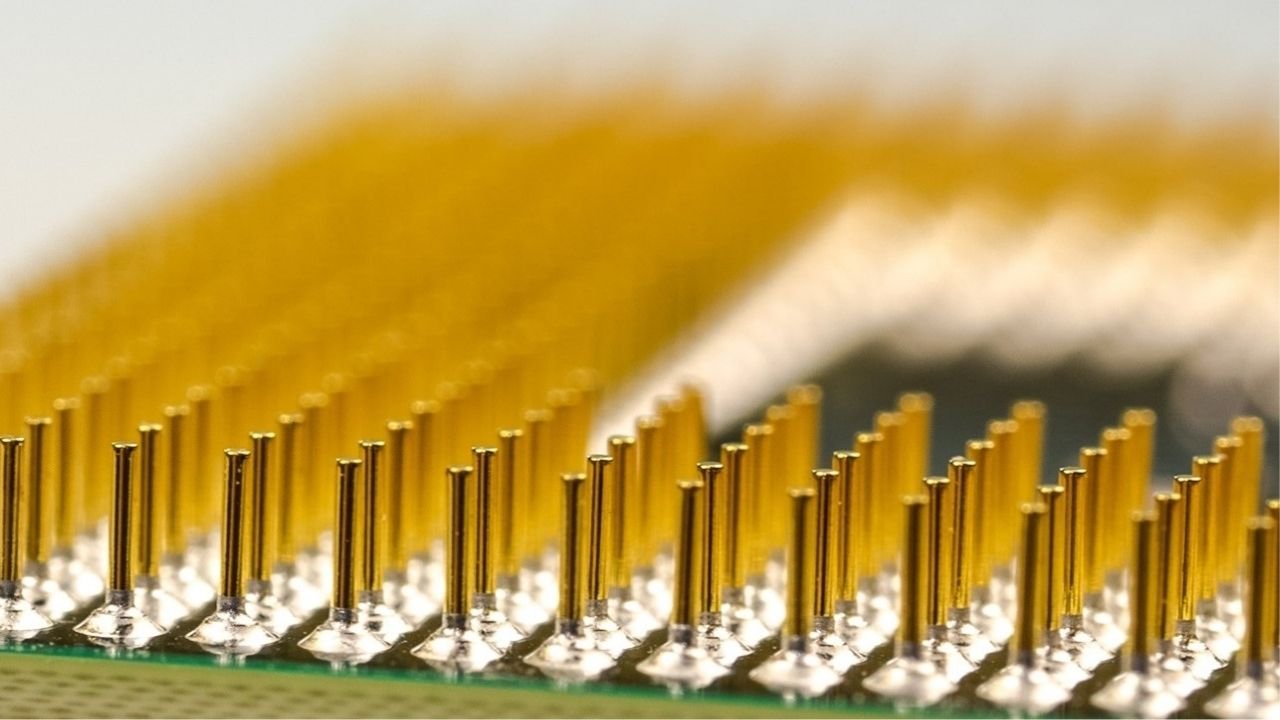
Let the CPU air dry completely. Check the pins carefully with a magnifying glass. Look for leftover paste or bent pins. If you see bent pins, straighten them with a small tool. Make sure no dust or fibers remain on the pins before reinstalling the CPU.
Credit: koolingmonster.com
Safe Cleaning Techniques
Cleaning thermal paste off CPU pins requires care. Pins are very fragile. Using harsh tools or chemicals can bend or break them. Safe cleaning techniques protect the pins and keep your CPU working well. Use gentle methods to remove paste without damage. Here are some simple ways to clean the paste safely.
Using Isopropyl Alcohol
Isopropyl alcohol is the best liquid for cleaning thermal paste. Use 90% or higher concentration. Dab a small amount on a soft cloth or cotton swab. Gently wipe the paste off the pins. Alcohol dissolves the paste quickly and evaporates fast. This avoids moisture damage. Do not pour alcohol directly on the CPU. Always use it sparingly.
Employing Soft Brushes
A soft brush helps reach tight spaces between pins. Use a small, clean paintbrush or a new toothbrush with soft bristles. Lightly brush the pins to remove paste bits. Do this after applying isopropyl alcohol. The brush cleans residues without bending pins. Avoid hard or metal brushes that can cause damage. Soft brushes keep the cleaning safe and effective.
Alternative Methods
Sometimes, cleaning needs extra care. Use a lint-free microfiber cloth for gentle wiping. Compressed air can blow away loose particles without touching pins. Avoid sharp tools like knives or needles. They can easily bend or break pins. Patience is key. Clean slowly and carefully for the best results.
Common Mistakes To Avoid
Cleaning thermal paste off CPU pins requires care and attention. Many make simple mistakes that can damage the CPU or leave residue behind. Avoiding these errors ensures a clean and safe CPU ready for use.
Applying Excessive Force
Pressing too hard can bend or break delicate CPU pins. Use gentle movements with light pressure. Let the cleaning material do the work. Force can cause permanent damage and affect CPU performance.
Using Abrasive Materials
Avoid rough cloths or scrubbing pads. They can scratch or remove the thin metal coating on pins. Use soft, lint-free cloths or cotton swabs instead. Abrasive materials harm the CPU and make cleaning harder.
Skipping Proper Drying
Wet pins can cause short circuits when powered on. Always let the CPU dry completely before reinstalling. Use a dry cloth to remove excess liquid. Give it time to air dry in a safe place.
Credit: www.youtube.com
Maintaining Cpu Pins After Cleaning
Maintaining CPU pins after cleaning is important to keep your processor working well. Clean pins can be easily damaged if not handled properly. Taking care of them after cleaning helps avoid connection problems. It also extends the life of your CPU. Simple steps can protect the pins from dirt and damage.
Storage Tips
Store the CPU in a safe place after cleaning. Use an anti-static bag to prevent static damage. Place it in a padded container to avoid bending pins. Keep the CPU away from dust and moisture. Avoid stacking heavy items on top of it. Proper storage reduces the risk of physical damage.
Regular Inspection
Check the CPU pins often to spot any issues early. Look for bent or dirty pins before installing the CPU. Use a magnifying glass for a closer view. Clean gently if you see dirt or residue. Early checks prevent bigger problems later. Regular inspections keep your CPU in good shape.
Credit: www.reddit.com
Frequently Asked Questions
How Do I Safely Remove Thermal Paste From Cpu Pins?
Use isopropyl alcohol (90% or higher) and a soft brush. Gently clean the paste without bending pins. Avoid harsh chemicals or excessive force to prevent damage.
Can I Use Household Items To Clean Thermal Paste?
Avoid household cleaners like acetone or water. Isopropyl alcohol is the safest option. It evaporates quickly and won’t harm CPU pins.
How Long Does It Take To Clean Cpu Pins?
Cleaning usually takes 5 to 10 minutes. Ensure careful, gentle strokes to avoid bending pins. Rushing can lead to damage or incomplete cleaning.
What Tools Are Best For Cleaning Thermal Paste Off Pins?
Use a soft toothbrush or anti-static brush and isopropyl alcohol. Avoid metal tools or anything abrasive. A microfiber cloth can help with final wipes.
Conclusion
Cleaning thermal paste off CPU pins takes care and patience. Use gentle tools like a soft brush or cloth. Avoid bending or damaging the pins while cleaning. Work slowly and check your progress often. Keeping pins clean helps your CPU run cooler and last longer.
This simple step can improve your computer’s performance. Remember, careful cleaning protects your hardware investment. Take your time, and your CPU will thank you.