

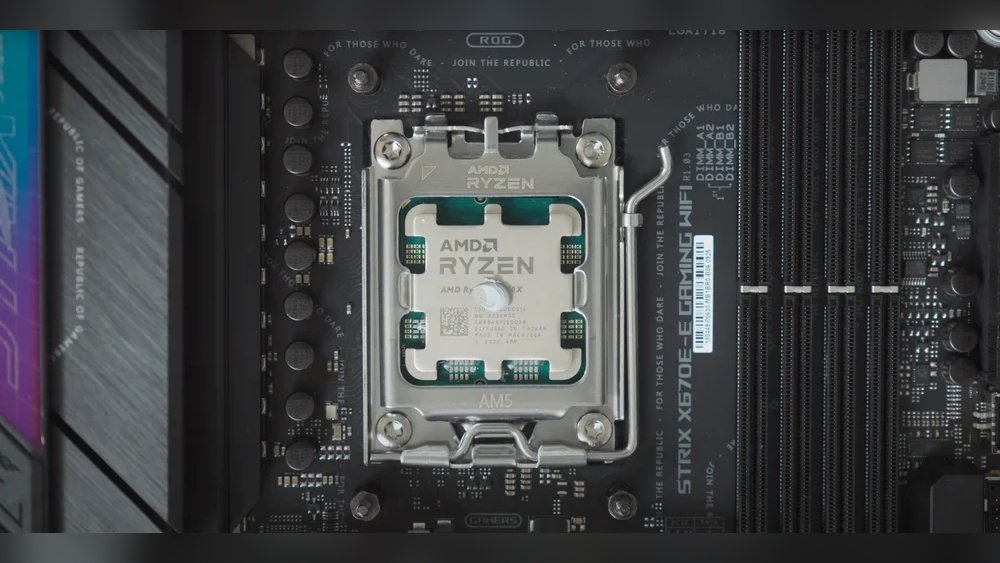
If you’ve ever opened up your computer or built your own PC, you might have heard about thermal paste. But how much thermal paste should you actually use on your CPU?
Using too little can cause your processor to overheat, while using too much won’t make your computer run faster—and can even make things worse. You’ll discover the exact amount of thermal paste you need, why it matters, and simple tips to get it just right.
Keep reading to make sure your CPU stays cool and runs smoothly every time.

Credit: www.youtube.com
Role Of Thermal Paste
Thermal paste plays a crucial role in keeping your CPU cool. It fills tiny gaps between the CPU and the heat sink. These gaps trap air, which does not conduct heat well. Thermal paste helps move heat from the CPU to the heat sink efficiently. Without it, the CPU can overheat and slow down or get damaged.
Applying the right amount of thermal paste is important. Too little paste will not cover all gaps. Too much paste can cause poor heat transfer and mess inside the computer. Understanding its role helps you maintain your CPU’s health and performance.
Heat Transfer Basics
Heat moves from hot to cold. The CPU generates heat when it works. This heat must move to the heat sink and then to the air. Thermal paste acts as a bridge for heat. It fills air pockets that block heat flow. This allows heat to move faster and keeps the CPU cooler.
Importance In Cpu Cooling
Good CPU cooling prevents damage and extends life. Thermal paste improves cooling by helping heat move away. It stops the CPU from getting too hot. Cooler CPUs run faster and more stable. Proper paste use is key to effective cooling.
Credit: www.tomshardware.com
Types Of Thermal Paste
Thermal paste plays a key role in keeping your CPU cool. Different types of thermal paste offer various benefits. Choosing the right one affects how well your CPU performs and stays safe.
Metal-based Compounds
Metal-based thermal pastes contain tiny metal particles. These pastes conduct heat very well. They offer excellent cooling for high-performance CPUs. Metal-based pastes can be slightly conductive, so careful application is important. They are popular among gamers and PC builders who need strong cooling.
Ceramic-based Compounds
Ceramic-based pastes use ceramic particles to transfer heat. These pastes do not conduct electricity. They are safe to use and easy to apply. Ceramic compounds provide good cooling for most everyday CPUs. This type is popular for general use and beginner PC builders.
Silicone-based Compounds
Silicone-based pastes are simple and affordable. They offer basic heat transfer and are easy to spread. These pastes work well for low to mid-range CPUs. Silicone compounds may dry out faster than other types. They suit users who need basic protection without high cost.
Amount Of Thermal Paste
Applying the right amount of thermal paste on a CPU is very important. Too much or too little can harm your computer’s cooling. Thermal paste helps fill tiny gaps between the CPU and the cooler. This improves heat transfer and keeps the CPU cool. Understanding the correct quantity ensures your system runs smoothly and stays safe.
Recommended Quantity
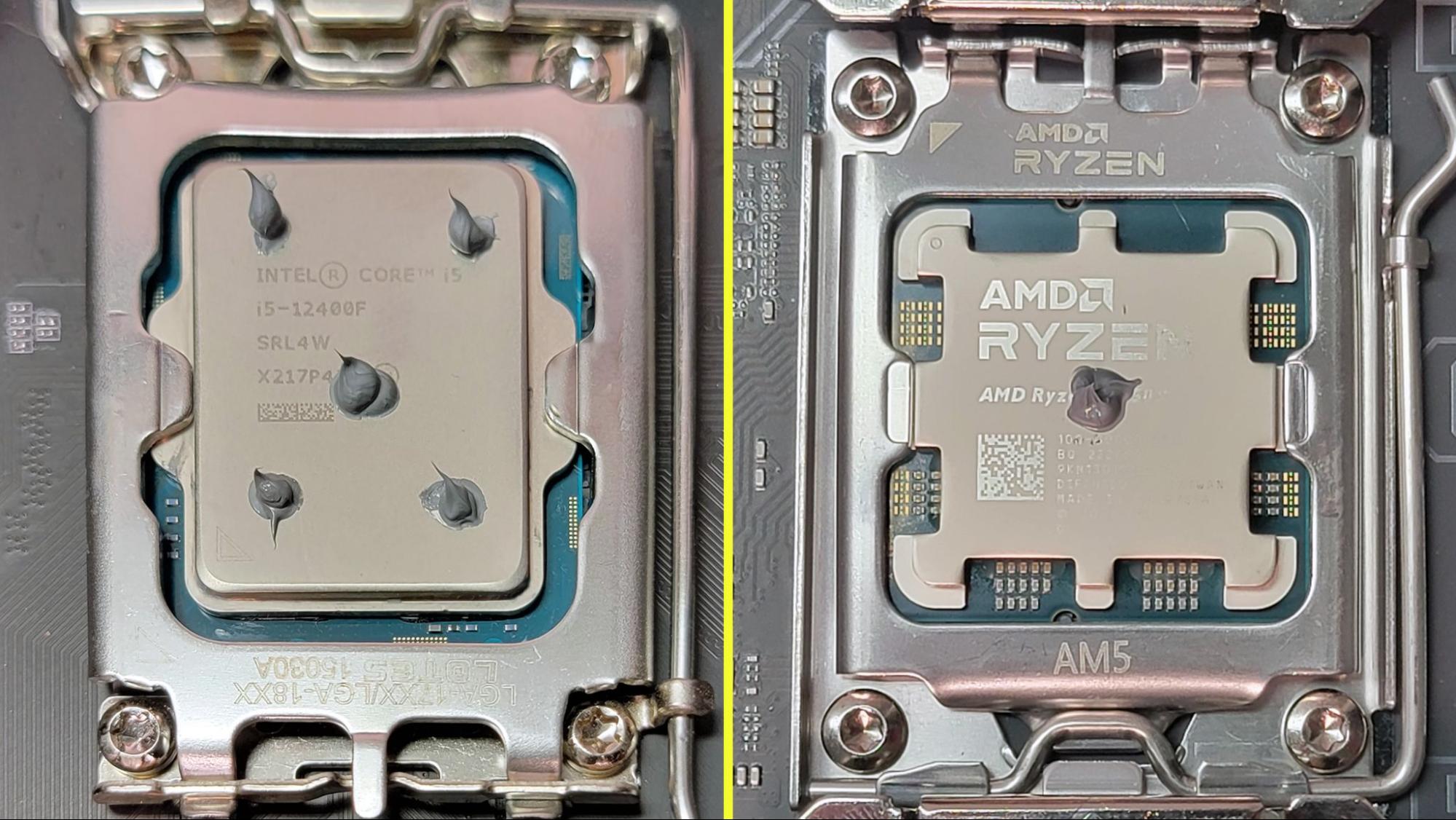
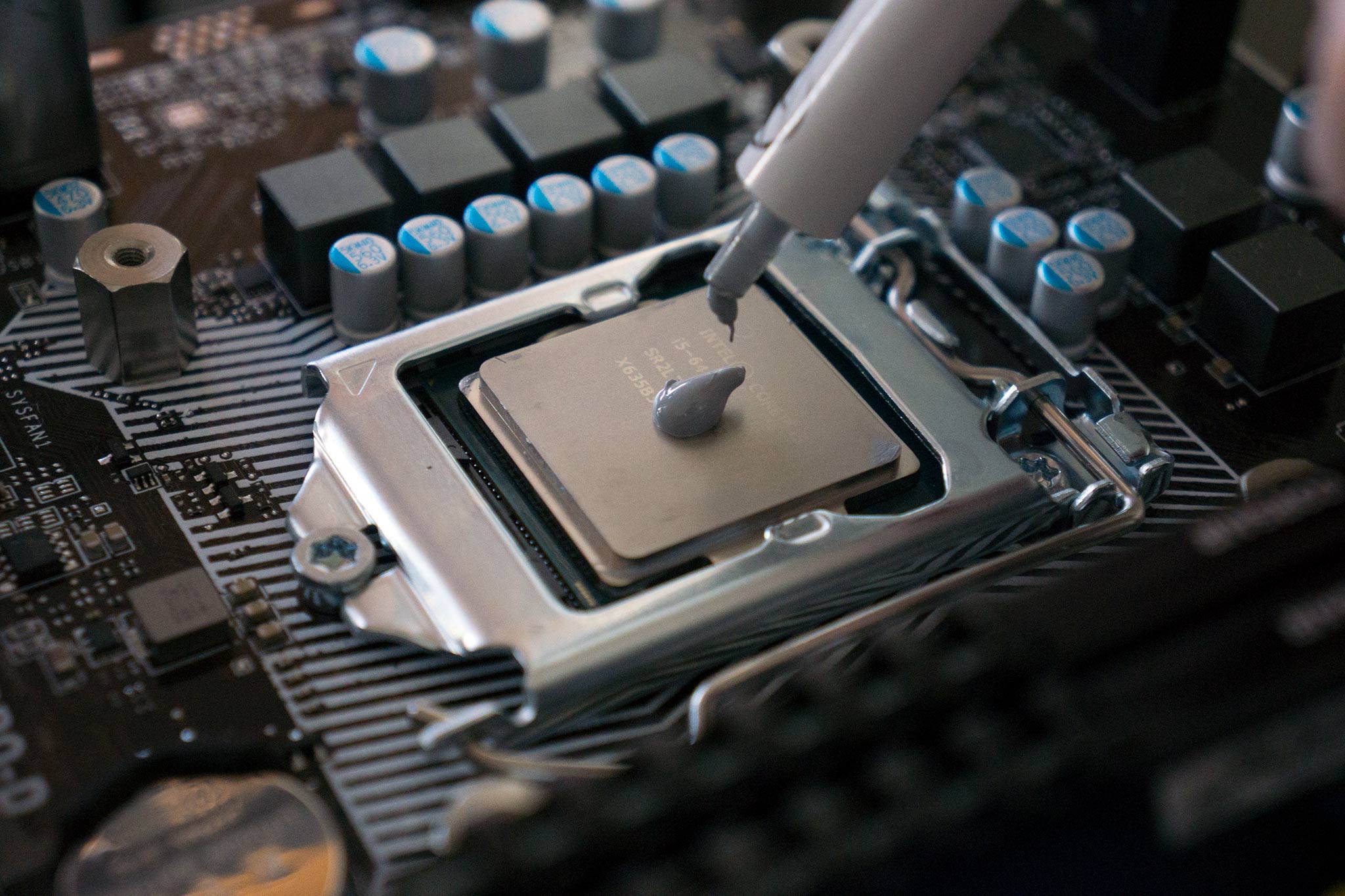
Use a small pea-sized drop of thermal paste in the center of the CPU. This amount spreads evenly when the cooler is placed on top. Avoid spreading the paste yourself. The pressure from the cooler will do it better. The goal is to cover the CPU surface thinly and completely.
Consequences Of Too Much Paste
Using too much paste can create thick layers. This blocks heat transfer instead of helping it. Excess paste can spill over the CPU edges. It may cause electrical shorts if it reaches other parts. Too much paste also wastes material and makes cleanup harder.
Consequences Of Too Little Paste
Too little paste leaves gaps between the CPU and cooler. Air pockets reduce heat transfer efficiency. The CPU can overheat and slow down or shut off. Insufficient paste also causes uneven cooling. This risks damage to the CPU over time.
Applying Thermal Paste
Applying thermal paste is a key step in building or maintaining a PC. It helps the CPU stay cool by improving heat transfer between the processor and the cooler. Using the right amount and applying it correctly can prevent overheating and improve performance.
Preparation Steps
Start by cleaning the CPU surface. Use isopropyl alcohol and a lint-free cloth. Remove old thermal paste completely. Let the surface dry before applying new paste. Prepare your tools and thermal paste tube ready.
Application Techniques
Place a small pea-sized dot of paste in the center of the CPU. Avoid spreading it with fingers or tools. The pressure from the cooler will spread the paste evenly. Make sure the paste covers the CPU but does not spill over the edges.
Common Mistakes To Avoid
Applying too much paste can cause poor heat transfer. Too little paste leaves air gaps that reduce cooling. Avoid touching the paste with your hands to keep it clean. Do not reuse old paste or mix different brands.
Factors Affecting Paste Amount
Applying the right amount of thermal paste on a CPU is important for proper heat transfer. Different factors influence how much paste you need. Understanding these factors helps avoid too much or too little paste, both of which can harm performance.
Cpu Size And Design
The size of the CPU affects the amount of thermal paste needed. Larger CPUs require more paste to cover the surface evenly. Some CPUs have unique shapes or heat spreaders. These designs need careful paste application to ensure full contact.
Cooler Type
The type of cooler used also changes the paste amount. Stock coolers may need less paste than high-performance coolers. Larger or heavier coolers apply more pressure, spreading the paste thinner. Small coolers might need a thicker layer to fill gaps.
Environmental Conditions
Room temperature and humidity affect thermal paste behavior. In hot environments, paste may dry faster, needing a bit more. In cold or dry places, paste stays stable longer. Proper paste amount helps keep the CPU cool despite these changes.
Signs Of Improper Application
Applying thermal paste correctly is vital for your CPU’s health. Wrong amounts or uneven spreading cause problems. Knowing the signs helps fix issues early. Watch your CPU closely after applying thermal paste. It tells you if the paste is working well or not.
Overheating Issues
One clear sign of bad thermal paste application is overheating. Your CPU temperature rises quickly under normal use. Fans spin faster to cool down the chip. The system might shut down suddenly to prevent damage. Overheating harms your computer and lowers performance.
Thermal Throttling
Thermal throttling happens when the CPU slows down to cool off. This reduces your computer speed noticeably. Programs take longer to open or run. The CPU reduces power to avoid overheating. This often means the thermal paste layer is too thin or too thick.
Physical Inspection Tips
Turn off your PC and open the case carefully. Check the CPU and heatsink connection. Look for dried or uneven thermal paste. Too much paste can spill over the edges. Too little paste leaves parts of the CPU uncovered. Clean and reapply if the paste looks wrong.
Maintaining Thermal Paste
Maintaining thermal paste on your CPU is key for good computer performance. Thermal paste helps move heat from the CPU to the cooler. Over time, the paste can dry out or get less effective. Keeping it fresh ensures your CPU stays cool and works well.
When To Reapply
Check your CPU temperature regularly. High temperatures may mean the paste is old. Reapply thermal paste every 2 to 3 years. Also, reapply if you remove the CPU cooler. This keeps the heat transfer smooth and efficient.
Cleaning Old Paste
Remove old paste carefully with isopropyl alcohol and a soft cloth. Avoid using water or harsh chemicals. Clean both the CPU and cooler base well. Let the surfaces dry before applying new paste. This step prevents dirt from blocking heat flow.
Storage Tips
Store thermal paste in a cool, dry place. Keep the cap tightly closed to avoid drying. Use the paste within the expiration date. Proper storage keeps the paste fresh and ready for use.
Credit: www.windowscentral.com
Frequently Asked Questions
How Much Thermal Paste Should I Apply On My Cpu?
Apply a pea-sized amount of thermal paste in the center of the CPU. This amount ensures optimal heat transfer without spillage.
Can Too Much Thermal Paste Harm My Cpu?
Yes, excess thermal paste can cause overheating or short circuits. Use only the recommended amount to avoid damage.
How Often Should I Replace Thermal Paste On My Cpu?
Replace thermal paste every 2 to 3 years or when temperatures rise. This maintains efficient heat dissipation and CPU performance.
Does The Type Of Thermal Paste Affect Cpu Cooling?
Yes, high-quality thermal paste improves heat transfer better than generic types. Choose a reputable brand for effective cooling.
Conclusion
Applying the right amount of thermal paste is key for good CPU cooling. Too much paste can cause overheating and messy cleanup. Too little paste reduces heat transfer and harms performance. A small pea-sized dot in the center usually works best.
Spread it evenly by pressure when installing the cooler. Always check your CPU and cooler instructions for guidance. Proper paste use helps keep your computer running cool and stable. Simple care prevents future problems and extends CPU life. Take your time and do it right.
