What Pc Parts Should Beginners Buy First: Essential Guide to Start Right
Are you ready to build your very first PC but don’t know where to start? Choosing the right parts can feel overwhelming, especially with so many options out there.
But don’t worry—this guide will help you focus on the essential components you need first. By picking the right pieces, you’ll save money, avoid headaches, and create a solid foundation for your new computer. Keep reading, and you’ll discover exactly what PC parts you should buy first to make your build smooth and successful.

Credit: www.amazon.com
Choosing The Right Processor
Choosing the right processor is a key step for any beginner building a PC. The processor acts like the brain of your computer. It handles all the instructions and tasks. Picking the right one affects your PC’s speed and ability to run programs smoothly.
There are many processors available. Each has different features and prices. Understanding the basics helps you make a smart choice. Focus on the brand, the number of cores, speed, and your budget.
Intel Vs Amd
Intel and AMD are the two main processor brands. Intel processors often have strong single-core performance. They work well for everyday tasks and some games. AMD processors usually offer more cores at a lower price. This makes them good for multitasking and creative work.
Both brands have models for beginners. Choose based on what fits your needs best.
Core Count And Speed
Processors have multiple cores. More cores help your PC do many things at once. For basic use, four cores are enough. For gaming or video editing, six or more cores work better.
Processor speed is measured in gigahertz (GHz). Higher speed means faster performance. Balance core count and speed based on your tasks.
Budget Considerations
Set a clear budget before buying a processor. Prices vary from budget-friendly to high-end models. Spend more only if you need extra power for heavy tasks.
Entry-level processors work well for most beginners. Save money for other important parts like RAM and storage.
Selecting A Compatible Motherboard
Selecting a compatible motherboard is an important step for beginners building a PC. The motherboard connects all parts and allows them to work together. Choosing the right one ensures your PC runs smoothly and lets you upgrade later. Understanding key motherboard features helps make a smart choice. Focus on socket types, form factors, and expansion slots to find the best fit for your needs.
Socket Types
The socket is where the CPU fits on the motherboard. Different CPUs need different socket types. For example, Intel and AMD use different sockets. Make sure the motherboard socket matches your CPU model. Choosing the wrong socket means the CPU will not fit or work. Check the CPU’s specifications before buying a motherboard.
Form Factors
Form factor refers to the size and shape of the motherboard. Common types include ATX, Micro-ATX, and Mini-ITX. Larger motherboards usually have more features and slots. Smaller ones fit in compact cases but may have fewer options. Pick a form factor that matches your PC case size. This ensures the motherboard fits well inside the case.
Expansion Slots
Expansion slots allow you to add extra parts like graphics cards and sound cards. The most common slot is PCI Express (PCIe). More slots mean more upgrade options in the future. Check how many and what type of slots the motherboard has. This helps you plan for additional components or upgrades.
Picking The Ideal Ram
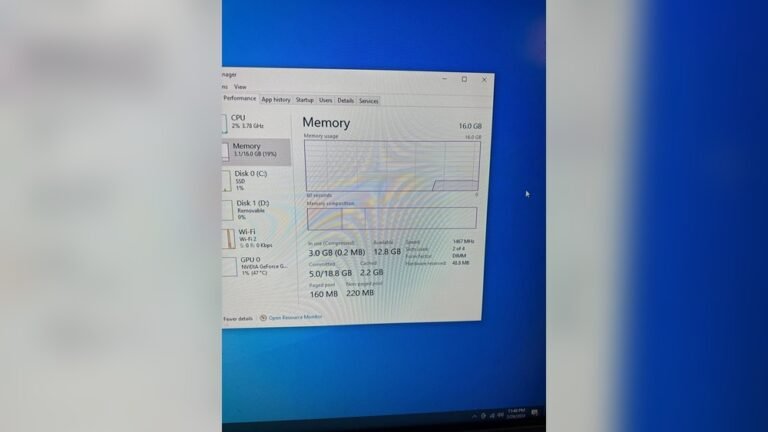
Choosing the right RAM is important for any new PC builder. RAM affects how fast your computer works and how many programs it can run at once. Picking the correct RAM can make your computer feel smooth and responsive. It helps your system run apps, games, and tasks without slowing down. Understanding RAM basics helps you avoid buying parts that don’t fit your needs.
Capacity Needs
RAM capacity means how much memory your computer can use at one time. For beginners, 8GB of RAM is a good start. It handles everyday tasks like web browsing, streaming, and light gaming well. For heavier tasks like video editing or gaming, 16GB is better. More RAM lets your computer run many apps without lag. Too little RAM makes your system slow and unresponsive.
Speed And Latency
RAM speed shows how fast data moves between RAM and the CPU. Higher speed means quicker data transfer. Most beginner PCs work fine with RAM speeds between 2400MHz and 3200MHz. Latency is the delay before data starts to transfer. Lower latency means faster response. Choose RAM with a balance of good speed and low latency for smooth performance.
Dual Channel Benefits
Dual channel means using two RAM sticks together. It doubles the data paths between the CPU and RAM. This improves overall system speed and multitasking. Using two sticks of the same size and speed is best. It helps your computer run faster than a single RAM stick. For beginners, dual channel offers better value and performance.
Storage Options For Beginners
Choosing the right storage is important for beginners building a PC. Storage holds your files, games, and programs. It affects how fast your computer loads and runs. Understanding the types of storage helps you pick what suits your needs best.
Hdd Vs Ssd
HDD stands for Hard Disk Drive. It uses spinning disks to store data. HDDs offer large space for less money. They are slower and make noise when working.
SSD means Solid State Drive. It stores data on chips like a USB stick. SSDs are faster and quieter than HDDs. They cost more but improve computer speed greatly.
Nvme Drives
NVMe drives are a type of SSD. They connect directly to the motherboard. This makes them much faster than regular SSDs. NVMe drives load games and programs very quickly. They are a bit more expensive but worth it for speed.
Storage Capacity
Storage capacity is how much data your drive can hold. For beginners, 500GB to 1TB is a good start. This size stores many games, photos, and videos. Choose larger capacity if you keep many files or big games.
Think about your needs and budget. Balance between speed and space helps create a smooth experience.
Graphics Card Essentials
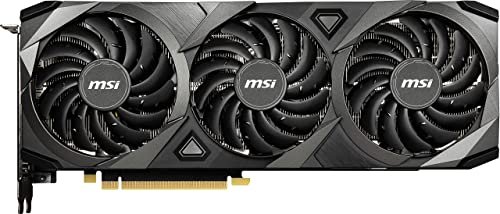
Choosing the right graphics card is key for building a PC. It affects how your computer shows images and runs software. Beginners should understand the basics about graphics cards. This helps in picking the right part for their needs.
Graphics cards come in different types and price ranges. Knowing the difference helps avoid spending too much or buying the wrong card. This section explains important points about graphics cards for beginners.
Integrated Vs Dedicated
Integrated graphics come built into the CPU. They share memory with the main system. These cards are good for simple tasks like browsing or watching videos.
Dedicated graphics cards have their own memory and power. They perform better in games and heavy tasks. Dedicated cards cost more but offer higher performance.
Gaming Vs Productivity
Gaming graphics cards focus on fast frame rates and smooth visuals. They handle complex 3D graphics well. These cards work best for playing video games.
Productivity cards target tasks like video editing and 3D modeling. They support special software features and higher accuracy. These cards improve work speed and quality.
Budget-friendly Choices
Entry-level dedicated cards offer decent performance without high cost. They suit casual gamers and general users. Examples include models from Nvidia GTX 1650 or AMD Radeon RX 6500 XT.
Integrated graphics remain a good option for very tight budgets. They save money and power. Upgrading to a dedicated card is possible later.
Credit: digibuggy.com
Power Supply Unit Basics
The Power Supply Unit (PSU) is a key part of any computer. It gives power to all other parts. Without a good PSU, the computer cannot work well. Beginners should understand some basics before buying one. This helps avoid problems and saves money.
Wattage Requirements
Wattage shows how much power the PSU can give. Each PC part needs a certain amount of power. Add all parts’ needs to find total wattage. Choose a PSU with a bit more wattage than needed. This keeps the system stable and safe.
Efficiency Ratings
Efficiency ratings tell how well the PSU uses power. Higher efficiency means less power waste and less heat. Look for ratings like 80 Plus Bronze, Silver, or Gold. These are good signs of quality and save electricity.
Modular Vs Non-modular
Modular PSUs let you attach only the cables you need. This reduces clutter inside the computer case. Non-modular PSUs have all cables fixed in place. Modular types are easier to manage but cost more. Beginners may find non-modular PSUs simpler to use.
Choosing A Suitable Pc Case
Choosing a suitable PC case is an important first step for beginners building a computer. The case holds all the parts together and protects them. It also affects how well your PC runs and how it looks on your desk. Picking the right case means thinking about size, airflow, and style.
Size And Compatibility
PC cases come in different sizes like mini, mid, and full tower. Match the case size with your motherboard size. Check if your graphics card and other parts fit inside. Small cases save space but limit upgrades. Bigger cases offer more room and better cooling options.
Airflow And Cooling
Good airflow keeps your PC cool and stable. Look for cases with front, top, and rear fan mounts. Some cases have mesh panels to improve air intake. Proper cooling helps parts last longer and perform better. Avoid cases with poor ventilation or blocked airflow paths.
Aesthetics And Features
Choose a case that matches your style. Cases come in many colors and designs. Some have clear side panels to show internal parts. Extra features include USB ports, cable management, and dust filters. Pick a case with the features you find useful and easy to use.
Essential Peripherals For New Builds
Essential peripherals complete a new PC build. These devices let you use your computer fully and comfortably. Picking the right peripherals helps beginners enjoy their new setup.
Monitors
A good monitor shows clear images and colors. Choose a size that fits your desk and needs. A 24-inch screen suits most beginners well. Look for at least 1080p resolution for sharp visuals. Avoid screens with too much glare. A monitor with an adjustable stand makes viewing easier.
Keyboards And Mice
Keyboards and mice are your main tools for control. A simple keyboard with comfortable keys is best for beginners. Wired or wireless options work fine. A mouse with good grip and sensitivity improves accuracy. Basic optical mice are easy to use and reliable. Try to pick devices that feel good in your hands.
Speakers And Headsets
Sound quality matters for games, videos, and calls. Small speakers can fill a room with clear sound. Headsets with microphones help during online chats. Choose headsets with soft ear pads for comfort. Volume control on the device is a useful feature. Test sound devices to find clear and balanced audio.
Credit: www.crucial.com
Frequently Asked Questions
What Pc Parts Are Essential For Beginners?
Beginners should start with a CPU, motherboard, RAM, storage, and power supply. These parts form the core of any PC build. They ensure basic functionality and upgrade options for future improvements.
How Much Should Beginners Spend On Pc Parts?
Beginners should set a budget between $300 and $600. This range covers quality parts without overspending. It balances performance and cost for entry-level builds.
Which Cpu Is Best For Beginner Pc Builders?
AMD Ryzen 5 and Intel Core i5 are ideal for beginners. They offer strong performance and compatibility with budget motherboards. These CPUs handle gaming and general use well.
Do Beginners Need A Dedicated Graphics Card?
A dedicated graphics card is optional for beginners focused on basic tasks. Integrated graphics suffice for browsing and office work. Gamers or creators should consider a GPU for better visuals.
Conclusion
Choosing the right PC parts first makes building easier. Start with a good processor and enough RAM. Pick a reliable motherboard that fits your needs. Don’t forget a quality power supply for safety. A solid-state drive helps your computer run faster.
These parts form the base of your PC. You can add more later as you learn. Take your time and enjoy the process. Building your own PC is rewarding and fun.