How to Choose Motherboard for Pc Build: Ultimate Buyer’s Guide 2026
Choosing the right motherboard for your PC build can feel overwhelming. It’s the heart of your computer, connecting all the parts you need to run smoothly.
But with so many options, how do you pick the one that fits your needs without wasting money or time? This guide will help you understand exactly what to look for, so you can build a powerful, reliable PC that works perfectly for you.
Keep reading, and you’ll gain the confidence to make the best choice for your next build.
Credit: www.laptopoutlet.co.uk
Key Motherboard Features
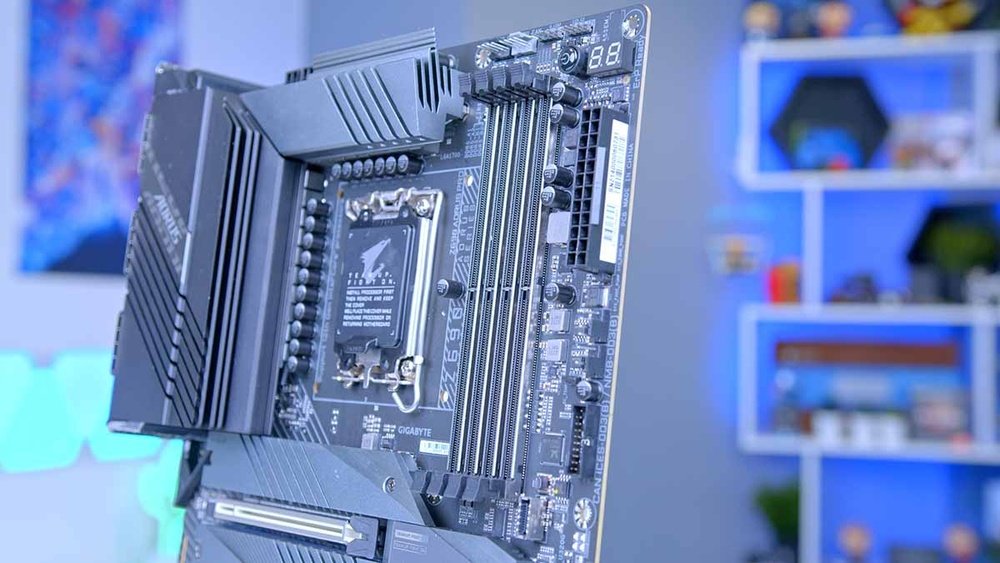
Choosing the right motherboard is crucial for building a reliable PC. It connects all parts and controls communication. Understanding key features helps pick the best fit for your needs. These features affect performance, compatibility, and upgrade options.
Form Factors And Sizes
Motherboards come in different sizes called form factors. The most common are ATX, Micro-ATX, and Mini-ITX. ATX boards offer many slots and ports. Micro-ATX is smaller but still has good features. Mini-ITX is compact and fits small cases. Choose a size that fits your case and has enough slots for your devices.
Chipset Types
The chipset controls how your motherboard works with other parts. It affects speed, features, and upgrades. Different chipsets support different CPUs and technologies. Higher-end chipsets have more USB ports and better support for multiple graphics cards. Select a chipset that matches your processor and offers needed features.
Cpu Socket Compatibility
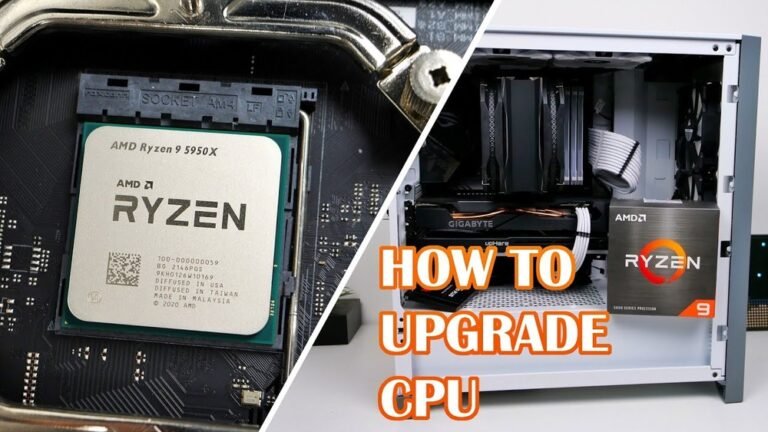
The CPU socket is where the processor fits into the motherboard. Each CPU type has a specific socket design. Intel and AMD use different socket types. Make sure your motherboard socket matches your CPU model. This ensures proper connection and optimal performance.
Performance And Expansion
Choosing the right motherboard affects your PC’s speed and future upgrades. A good motherboard balances strong performance and room to grow. It supports fast memory, powerful graphics, and many storage devices. Understanding key features helps you pick the best one for your build.
Ram Slots And Maximum Capacity
RAM slots determine how much memory your PC can hold. More slots let you add more RAM sticks. Check the maximum capacity the motherboard supports. More RAM means better multitasking and faster apps. Make sure the motherboard supports the RAM speed you want.
Pcie Slots And Graphics Support
PCIe slots connect graphics cards and other add-ons. Look for enough slots for your graphics card and future devices. The version of PCIe affects data speed. Newer versions offer faster communication with the GPU. This improves gaming and creative work performance.
Storage Options And Connectivity
Storage options include SATA and M.2 slots for SSDs and hard drives. More slots mean you can add more storage devices. Check for USB ports and networking options. Fast USB and Ethernet ports improve device connection and internet speed. Good connectivity keeps your PC flexible and efficient.
Connectivity And Ports
Connectivity and ports are vital parts of any motherboard. They determine how many devices you can connect to your PC. Good connectivity means better communication between your PC and external devices. It affects speed, convenience, and compatibility with gadgets. Choosing a motherboard with the right ports is important for daily use and future upgrades.
Usb And Thunderbolt Ports
USB ports allow you to connect many devices like keyboards, mice, and drives. Most motherboards have several USB ports of different types. USB 3.0 and USB 3.1 offer fast data transfer. USB-C is a newer, reversible port that supports charging and video. Thunderbolt ports provide even faster speeds and can connect to multiple devices at once. A motherboard with enough USB and Thunderbolt ports helps you use all your gadgets easily.
Networking Capabilities
Networking features let your PC connect to the internet and other devices. Most motherboards come with Ethernet ports for wired connections. Some also support Wi-Fi for wireless access. Look for motherboards with fast Ethernet speeds, like 1Gbps or more. Wi-Fi 6 support is useful for better wireless performance. Good networking options help you enjoy smooth online gaming and quick downloads.
Audio And Video Outputs
Audio ports let you connect headphones, speakers, and microphones. Look for motherboards with multiple audio jacks and good sound quality. Some offer surround sound support for a better experience. Video outputs connect your monitor or TV. Common types are HDMI, DisplayPort, and DVI. Choose a motherboard with the right video ports for your display needs. This ensures clear visuals and easy setup.
Build Quality And Durability
Build quality and durability are key for a reliable motherboard. A strong motherboard supports your PC for years. It handles power and heat well. This prevents crashes and hardware damage. Choosing a durable motherboard saves money and time.
Quality parts and smart design make a difference. Focus on power phases, cooling, and materials. These elements show how well the motherboard lasts and performs.
Power Phases And Vrm Quality
Power phases deliver stable electricity to the CPU. More phases mean smoother power flow. This helps avoid sudden drops or spikes. VRMs control power delivery and keep temperatures low. High-quality VRMs protect your CPU from damage. A good VRM setup ensures better performance and stability.
Cooling Solutions
Motherboards produce heat during use. Good cooling stops overheating and slows wear. Look for heat sinks on VRMs and chipset. Fans or thermal pads improve heat transfer. Efficient cooling keeps components safe. This extends the motherboard’s lifespan and reliability.
Material And Component Quality
Strong materials resist wear and tear. Look for solid capacitors and chokes. These parts handle heat and last longer. PCB layers affect durability and signal quality. Thicker PCBs reduce bending and breakage risks. Quality soldering and clean layouts prevent faults. These details improve overall durability and performance.
Special Features
Special features on a motherboard can improve your PC’s performance and look. These features help you get more from your build. They also make your computer easier to use and customize. Choosing the right special features depends on your needs and budget.
Overclocking Support
Overclocking lets your CPU run faster than normal. Not all motherboards support overclocking. Find a motherboard with strong power delivery and cooling options. This keeps your system stable during overclocking. Some boards also offer easy tools to adjust speeds in BIOS.
Rgb And Aesthetics
RGB lighting adds color and style to your PC. Many motherboards come with built-in RGB lights. You can control these lights using software. Choose a motherboard with RGB headers to add more lights. Good lighting helps your PC look unique and match your room.
Bios And Firmware Features
The BIOS controls your motherboard and hardware. A user-friendly BIOS makes setup and tweaks simple. Some motherboards offer advanced BIOS with extra options. Features like BIOS flashback let you update BIOS without a CPU. This keeps your system easy to maintain and upgrade.
Budget And Brand Considerations
Choosing the right motherboard means balancing budget and brand. Your budget sets the limit for features and quality. Brand choice affects reliability and customer service. Both matter for a smooth PC build experience.
Price Ranges And Value
Motherboards come in many price ranges. Basic models cost less but have fewer features. Mid-range boards offer good balance of price and performance. High-end models have extra features for power users. Choose what fits your needs and wallet. Spending more does not always mean better value.
Reputable Brands
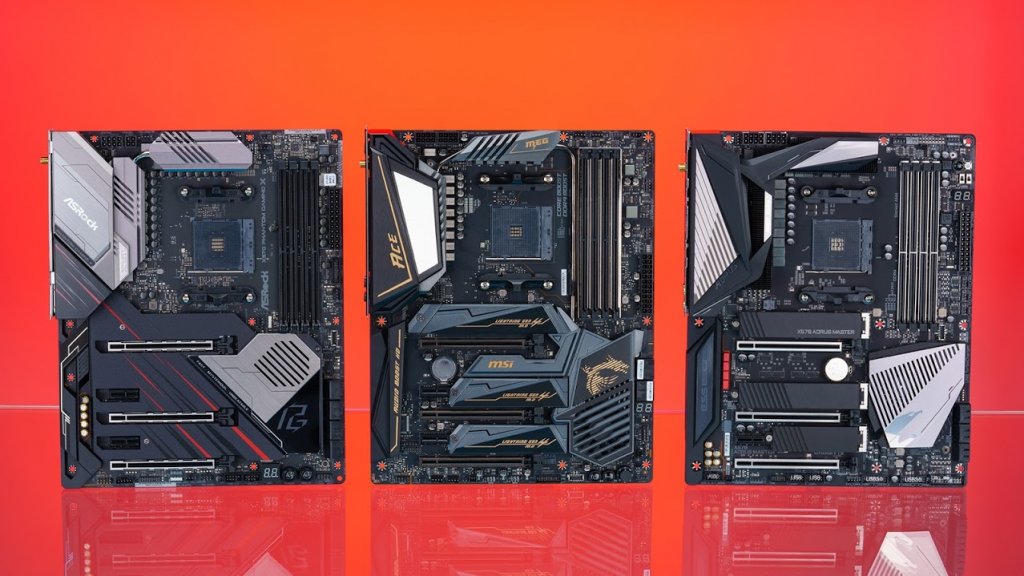
Some brands are known for quality and durability. These brands often release better products and updates. Popular names include ASUS, MSI, Gigabyte, and ASRock. Choosing a well-known brand lowers risks. It ensures better compatibility with other parts.
Warranty And Support
A good warranty protects your investment. Most motherboards come with 1 to 3 years warranty. Check what the warranty covers before buying. Strong customer support helps with setup and problems. Brands with good support save time and stress.
Compatibility Checks
Choosing the right motherboard requires careful compatibility checks. This step ensures all parts work well together. It prevents errors and saves money. Understanding compatibility helps build a stable PC that runs smoothly.
Matching Cpu And Motherboard
The motherboard must support your CPU type. Check the CPU socket on the motherboard. It must match the CPU socket exactly. Also, verify the chipset supports your CPU model. This ensures proper communication between CPU and motherboard. Using the wrong socket or chipset causes failure to boot.
Case Compatibility
Motherboards come in different sizes like ATX, Micro-ATX, and Mini-ITX. Your PC case must fit the motherboard size. Check the case specifications for supported motherboard sizes. Also, confirm the motherboard’s ports align with the case openings. This allows easy cable connections and airflow inside the case.
Future Upgrade Paths
Think about future upgrades before choosing a motherboard. Check for extra RAM slots and PCIe slots. This gives room to add more memory or graphics cards later. Look for support of newer technologies like faster USB or M.2 slots. A motherboard with upgrade options saves money in the long run.
Credit: smartbuy.alibaba.com
Tips For Final Selection
Choosing the right motherboard is a key step in building your PC. It affects performance and future upgrades. Focus on what matters most to your needs. Use smart tips to make the best final choice. This section guides you through important points to consider.
Prioritizing Features
Decide which features are essential for your build. Check the CPU socket to match your processor. Look at RAM slots and maximum memory supported. Consider expansion slots for extra cards like graphics or sound cards. Make sure it has enough USB ports for your devices. Look for built-in Wi-Fi if you want wireless internet. Choose motherboards with good power delivery for stability.
Reading Reviews And Benchmarks
Read multiple reviews from trusted sources. See how the motherboard performs in real tests. Pay attention to stability and temperature reports. Look for user feedback about durability and issues. Compare benchmarks to find the fastest and most reliable models. Avoid boards with frequent problems or poor support.
Where To Buy
Buy from reputable stores or online shops. Check if the seller offers a warranty and return policy. Compare prices to get a fair deal. Avoid used or unknown sellers to reduce risk. Local stores may help with quick returns or support. Confirm the motherboard’s model and specifications before purchase.
Credit: www.newegg.com
Frequently Asked Questions
What Factors Should I Consider When Choosing A Motherboard?
Consider CPU compatibility, RAM support, expansion slots, form factor, and connectivity options. These ensure your build meets performance and upgrade needs effectively.
How Does Motherboard Size Affect Pc Building?
Motherboard size dictates case compatibility and component layout. Choose between ATX, Micro-ATX, or Mini-ITX based on space and expansion preferences.
Why Is Chipset Important For Motherboard Selection?
The chipset controls communication between components. It affects features, performance, and compatibility with CPUs and peripherals, making it critical for your build.
Can I Upgrade My Motherboard Later?
Upgrading a motherboard often requires reinstalling the OS and may need new compatible parts. Plan your build to minimize frequent upgrades.
Conclusion
Choosing the right motherboard shapes your PC’s performance and future upgrades. Check compatibility with your CPU, RAM, and other parts. Think about the size that fits your case. Don’t forget the number of ports and slots you need. Quality and brand matter for long-term use.
Take your time to compare features and prices. A good motherboard helps your PC run smoothly and last longer. Simple choices lead to better results. Build smart, and enjoy your custom PC.