What Does Power Supply Do in a Pc: Essential Functions Explained
Have you ever wondered what keeps your PC running smoothly every time you press the power button? The answer lies in a crucial but often overlooked component: the power supply.
Without it, your computer wouldn’t even turn on. But what exactly does a power supply do in your PC, and why is it so important for your system’s performance and safety? Keep reading to uncover the vital role this small device plays in making sure your computer works reliably, and learn how it affects your overall computing experience.
This knowledge could save you from costly mistakes and help you choose the right power supply for your needs.
Credit: www.velocitymicro.com
Role Of Power Supply In A Pc
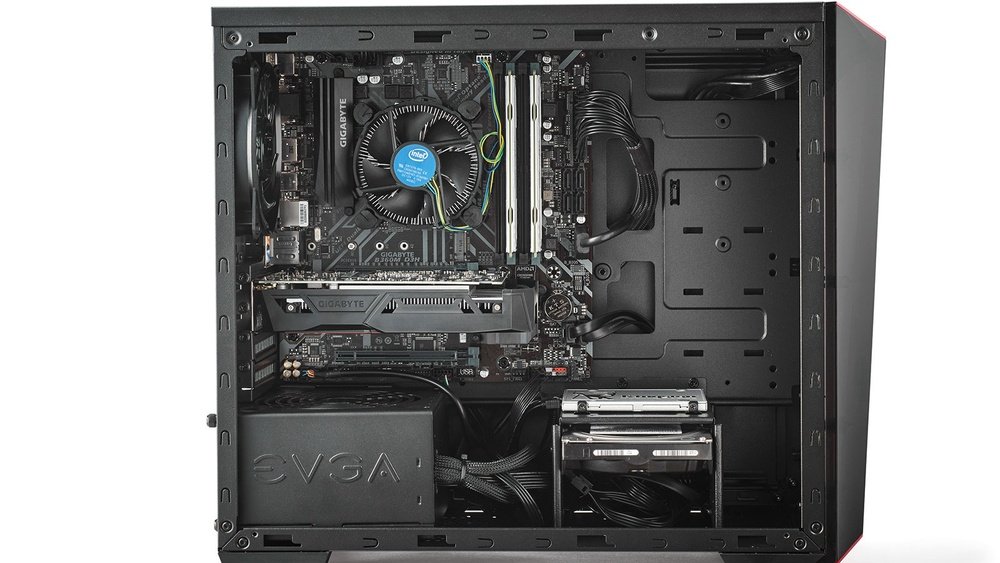
The power supply is a key part of any computer. It gives power to all the parts inside the PC. Without it, the computer cannot start or run properly.
This small box inside the PC turns electricity from the wall into power the computer can use. It makes sure every part gets the right amount of power. This helps the PC work smoothly and safely.
Converting Ac To Dc Power
Electricity from a wall outlet is called AC power. Computers need DC power to work. The power supply changes AC power into DC power. This change is essential for the computer parts to function.
The power supply uses special circuits to do this conversion. It makes the power safe and stable for the PC parts.
Regulating Voltage Levels
Not all computer parts need the same power amount. The power supply controls voltage levels for each part. It keeps the voltage steady to prevent damage.
If voltage is too high or low, parts can fail or work poorly. The power supply protects the PC by keeping voltage within safe limits.
Key Components Of A Power Supply
The power supply is vital for a PC. It changes the power from your wall outlet into the right type for your computer. Inside the power supply, several key parts work together to make this happen. These parts keep the power steady and safe for your PC’s components.
Transformers And Rectifiers
Transformers change the voltage from high to low or low to high. They make sure the voltage fits what the PC needs. Rectifiers then turn the electric power from AC (alternating current) to DC (direct current). PCs use DC, so this change is very important.
Capacitors And Filters
Capacitors store electric charge and release it when needed. They help smooth out any sudden changes in power. Filters clean the power by removing noise and spikes. This keeps the electricity steady and protects the computer parts from damage.
Power Distribution Inside The Pc
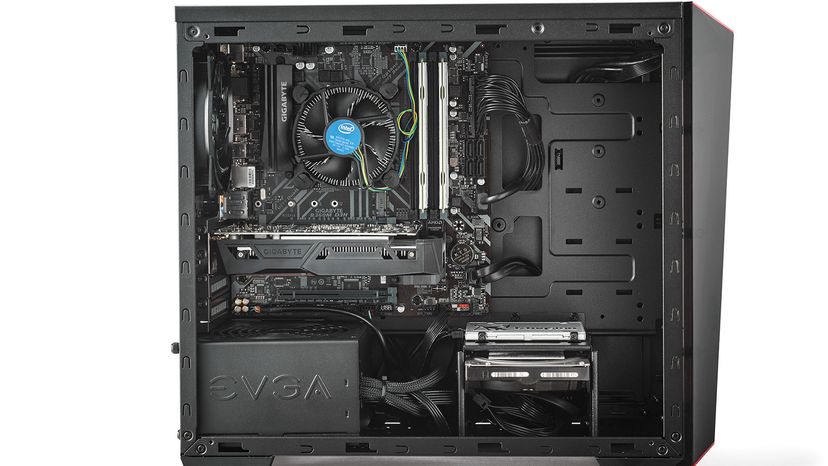
Power distribution inside a PC is essential for its operation. The power supply unit (PSU) takes electricity from the wall and sends it to each part inside the computer. Each part needs a different amount of power to work correctly. The PSU makes sure every component gets the right type and amount of power.
Understanding how power spreads inside helps you see why a good power supply is important. It keeps the PC stable and helps avoid damage to parts.
Supplying The Motherboard
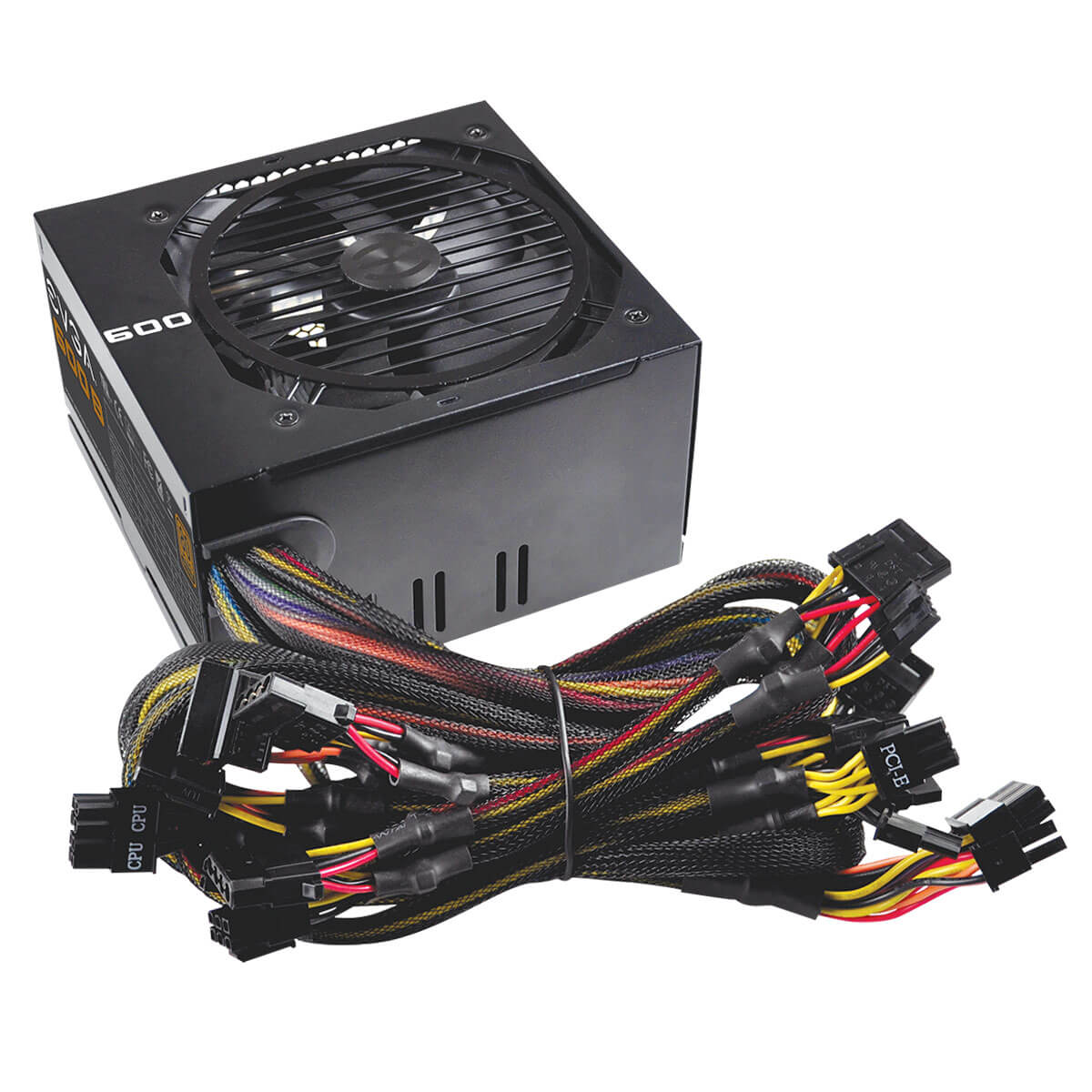
The motherboard is the main circuit board in the PC. It connects all the parts and lets them communicate. The power supply sends power through a large 24-pin connector to the motherboard. This connection provides power to the CPU, memory, and other small components on the board. Without enough power here, the PC won’t start or run well.
Powering Storage Devices
Storage devices like hard drives and SSDs store your data. They need power to spin disks or run memory chips. The power supply uses special cables with SATA or Molex connectors to feed these devices. Proper power ensures your files are safe and your system boots fast.
Feeding The Graphics Card
The graphics card handles images and videos on your screen. It requires a lot of power, especially for gaming or design work. The PSU sends extra power through 6-pin or 8-pin PCIe connectors directly to the graphics card. This power helps the card run smoothly and display high-quality graphics.
Credit: computer.howstuffworks.com
Importance Of Wattage And Efficiency
The wattage and efficiency of a power supply unit (PSU) are critical for a PC’s performance and safety. Wattage tells how much power the PSU can deliver to the computer parts. Efficiency shows how well it uses the electricity from the wall socket. Both factors affect the PC’s stability, energy use, and lifespan.
Choosing the right wattage prevents power shortages or waste. A PSU with low wattage may cause crashes or damage. A too-high wattage PSU can cost more and waste energy. Efficiency ratings help you find a PSU that saves power and stays cooler. A better efficiency rating means less energy loss and lower electricity bills.
Choosing The Right Wattage
Pick a PSU wattage that matches your PC’s needs. Add the power requirements of all parts like CPU, GPU, and drives. Use online tools or guides to estimate total wattage. Choose a PSU with some extra wattage for future upgrades. Too low wattage causes instability and system crashes. Too high wattage means you pay for unused power.
Efficiency Ratings Explained
Efficiency ratings show how much power a PSU converts into usable electricity. The rest is lost as heat. Ratings range from 80 Plus to Titanium. Higher ratings mean less wasted power. For example, 80 Plus Bronze is less efficient than 80 Plus Gold. Efficient PSUs run cooler and reduce electricity costs. Check the rating label before buying a PSU.
Safety Features And Protections
The power supply in a PC does more than just provide power. It also protects the computer from electrical problems. Safety features stop damage to your PC parts. They keep your system stable and secure. These protections help avoid costly repairs and data loss.
Overvoltage And Overcurrent Protection
Overvoltage protection stops too much voltage from reaching the PC. High voltage can burn out parts quickly. The power supply cuts off power if the voltage rises too high. Overcurrent protection works the same way. It limits the amount of electric current sent to the PC. This prevents wires and components from overheating or breaking.
Thermal Management
Heat can damage PC parts and lower performance. Power supplies have built-in fans to keep cool. They also use sensors to check the temperature. If it gets too hot, the power supply slows down or shuts off. This stops heat from causing permanent damage. Good thermal management keeps the PC running safely and smoothly.

Credit: en.wikipedia.org
Signs Of A Failing Power Supply
The power supply unit (PSU) plays a key role in your PC. It sends power to every part inside your computer. When the power supply starts to fail, your PC shows clear signs. Recognizing these signs early can save you from bigger problems. Here are some common signs of a failing power supply.
Common Symptoms
Your PC may shut down suddenly without warning. It might not start at all or take longer to boot. Strange noises like buzzing or clicking can come from the PSU. You may see random restarts during use. Components might feel hotter than usual. Sometimes, the PC freezes or crashes often. Flickering or dim lights on your case are also warning signs.
Impact On Pc Performance
A weak power supply can cause slow performance. Programs may lag or fail to open. Your PC might struggle to handle simple tasks. Graphics and video may stutter or freeze. USB devices can disconnect unexpectedly. The overall system can become unstable. This instability risks damage to internal parts. A failing PSU can harm your PC’s lifespan.
Tips For Selecting A Power Supply
Choosing the right power supply is important for your PC’s performance and safety. The power supply provides energy to every part inside your computer. Picking the wrong one can cause problems or damage your system.
Focus on your needs and think about future changes. This helps you buy a power supply that fits well and lasts longer. Here are two key points to help you decide.
Matching Power Needs
Check the total power your PC parts need. Add up the power requirements of your CPU, GPU, and other components. Choose a power supply that can deliver slightly more power than this total. This prevents overload and keeps your PC stable.
Look for power supply labels showing wattage. Pick a unit with at least 20% extra capacity. This gives room for safe operation and avoids running at full load all the time.
Considering Future Upgrades
Think about adding new parts later, like a better graphics card or more drives. A power supply with extra capacity saves you from buying a new one soon. It also makes installation easier and faster.
Plan ahead for upgrades. Choose a power supply that supports higher power needs. This keeps your PC ready for new components and avoids power shortages down the road.
Frequently Asked Questions
What Is The Main Function Of A Pc Power Supply?
The power supply converts AC electricity from a wall outlet into DC power. It provides stable voltage to all PC components for smooth operation.
How Does A Power Supply Affect Pc Performance?
A reliable power supply ensures consistent power delivery. It prevents crashes and hardware damage, enhancing overall system stability and lifespan.
Why Is Wattage Important In A Pc Power Supply?
Wattage indicates how much power the supply can deliver. Choosing the right wattage prevents overloads and supports all connected components efficiently.
Can A Faulty Power Supply Damage My Computer?
Yes, a faulty power supply can cause voltage spikes or drops. This may damage sensitive components and lead to data loss or hardware failure.
Conclusion
A power supply gives your PC the energy it needs to run. It changes wall electricity into a form your PC can use. Without it, the computer parts cannot work together. Choosing a good power supply helps keep your PC safe and stable.
It supports all your components with steady power. Remember, the power supply is the heart of your PC’s energy system. Understanding this helps you care for your computer better. A reliable power supply means a smoother and longer PC life.
Simple but essential.