What Pc Parts are Required for Office Work: Essential Components Guide
Are you setting up your computer for office work but unsure which parts you really need? Choosing the right PC components can save you time, money, and frustration.
You don’t want to buy expensive gear that goes unused or miss out on essential parts that make your work smooth and efficient. You’ll discover exactly what PC parts are necessary to build a reliable office computer. By the end, you’ll feel confident about making smart choices that fit your work needs perfectly.
Keep reading to unlock the secrets to a hassle-free office setup!

Credit: www.finoptimal.com
Core Components
Core components form the foundation of a PC for office work. They determine how well your computer performs daily tasks. Choosing the right parts helps your work run smoothly and efficiently.
Each component plays a specific role. Together, they create a balanced system that handles emails, documents, and web browsing easily.
Processor
The processor is the brain of your computer. It handles instructions and runs programs. A mid-range processor is enough for office work. It can manage multiple tasks without slowing down.
Look for processors with at least two to four cores. They provide better multitasking and faster response times. Avoid very old or low-speed models to keep your PC responsive.
Memory (ram)
RAM temporarily stores data your PC uses right now. More RAM means your computer can handle more apps at once. For office tasks, 8GB of RAM is usually enough.
This amount supports web browsing, word processing, and spreadsheets smoothly. Less than 8GB may cause slowdowns when many applications run together.
Storage Options
Storage holds your files and programs. Solid State Drives (SSD) are faster than traditional hard drives. They improve startup times and file access speed.
A 256GB SSD is a good starting point for office computers. It provides enough space for documents and software. You can add external drives if you need more storage later.
Motherboard And Power Supply
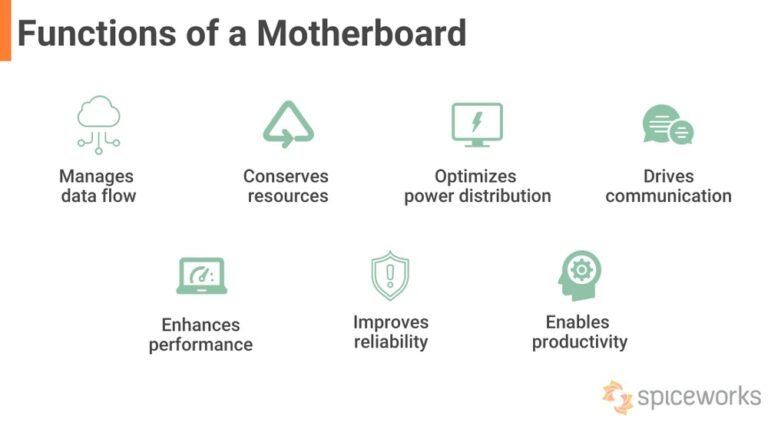
The motherboard and power supply are key parts of any office PC. They work together to keep your computer running smoothly. The motherboard connects all the parts, like the CPU, memory, and storage. The power supply gives the right power to each part. Choosing the right ones helps avoid problems and boosts your PC’s performance.
Choosing The Right Motherboard
The motherboard must fit your CPU type and size. Check the socket type to match your processor. Make sure it has enough slots for RAM and storage devices. USB ports and other connections matter for office use. A simple motherboard with good reliability works best for office tasks.
Power Supply Essentials
The power supply must provide stable power to all components. Choose one with enough wattage for your PC parts. Look for power supplies with good efficiency ratings to save energy. A quiet fan is better for a calm office environment. Quality power supplies prevent damage to your PC and improve lifespan.
Graphics And Display
The graphics and display setup plays a key role in office work. Clear visuals reduce eye strain and improve productivity. Choosing the right graphics and monitor helps you work comfortably for hours. Understanding the difference between integrated and dedicated graphics aids in making the best choice. Picking a suitable monitor ensures crisp and clear display of your tasks.
Integrated Vs Dedicated Graphics
Integrated graphics are built into the computer’s processor. They use less power and work well for basic tasks. Tasks like browsing, emailing, and document editing run smoothly on integrated graphics. Dedicated graphics come as separate cards inside the PC. They have their own memory and offer better performance. These are useful for design or video editing work. For most office tasks, integrated graphics are enough.
Monitor Selection Tips
Choose a monitor with at least 1080p resolution for clear images. A screen size between 21 to 24 inches fits most desks well. Look for monitors with an anti-glare coating to protect your eyes. Adjustable stands help set the screen at a comfortable height. Consider monitors with blue light filters to reduce eye fatigue. A good monitor improves focus and makes work easier.
Input Devices
Input devices are essential for office work. They help you interact with the computer. Choosing the right devices makes tasks easier and faster. This section covers the main input devices needed for office use.
Keyboards
Keyboards allow you to type documents and emails. A comfortable keyboard reduces hand strain. Look for models with quiet keys to avoid distractions. Wired or wireless options work well depending on your desk setup. Basic keyboards with numeric keypads suit most office tasks.
Mice
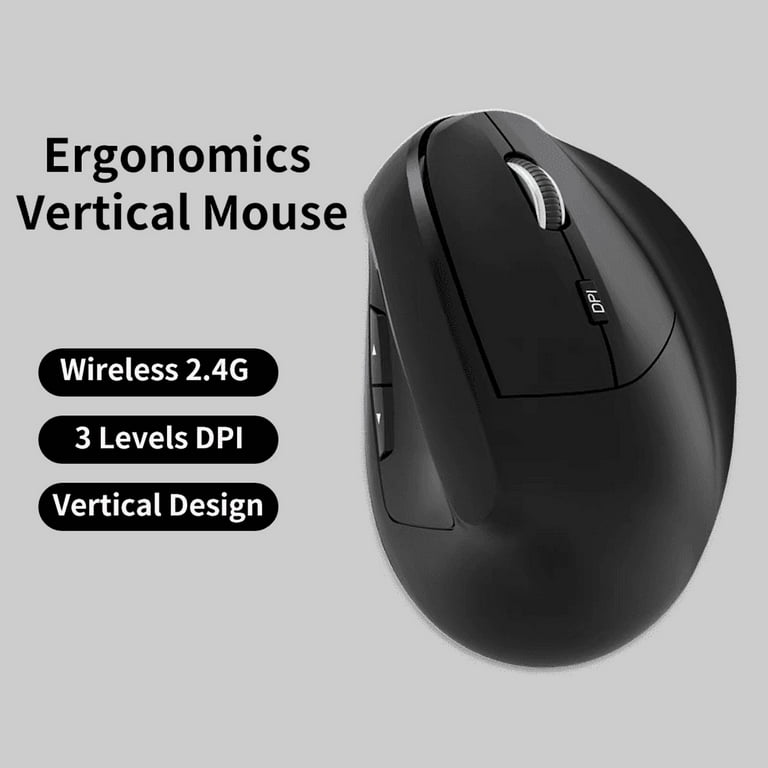
Mice help you navigate the screen quickly. Optical or laser mice offer smooth movement. Wireless mice reduce cable clutter on your desk. Choose a mouse with ergonomic design for comfort during long use. A simple two-button mouse with a scroll wheel works fine for office work.
Additional Accessories
Additional devices can improve productivity. A trackpad offers an alternative way to control the cursor. A document scanner helps convert paper to digital files fast. External numeric keypads assist with number entry. Voice input devices can speed up text input for some users.
Connectivity And Networking
Connectivity and networking are key for smooth office work. Reliable internet access helps you send emails, join video calls, and share files fast. Choosing the right PC parts for networking ensures a steady connection and fewer interruptions. Understanding the options can save time and improve productivity.
Wired Vs Wireless Options
Wired connections use Ethernet cables to link your PC to the internet. They offer stable and fast speeds, ideal for heavy data tasks. No signal drops or interference here.
Wireless options use Wi-Fi to connect without cables. This offers more freedom of movement. But Wi-Fi can be slower and less stable, especially in crowded areas. Consider your office setup before choosing.
Network Cards And Adapters
Network cards, also called NICs, are inside your PC. They connect your computer to a network via cables or Wi-Fi. Most modern PCs have built-in cards for both options.
Adapters help when your PC lacks a proper network card. USB Wi-Fi adapters or Ethernet adapters plug in easily. They provide quick network upgrades without opening your PC.
Credit: www.walmart.com
Cooling And Noise Management
Cooling and noise management are important for office PCs. Good cooling keeps parts safe from heat damage. Quiet operation creates a calm workspace. Both help the computer work smoothly and last longer.
Cooling Solutions
Office computers need effective cooling to stop overheating. Most use air cooling with fans and heat sinks. These parts move heat away from the processor and other chips. Some PCs have extra fans to improve airflow inside the case. Proper placement of these fans helps cool the system better. A clean PC keeps fans working well. Dust can block airflow and raise temperatures. Simple air cooling fits well with office needs. Liquid cooling is rare for office PCs. It is usually more complex and costly.
Maintaining Quiet Operation
Quiet computers reduce distractions in an office. Choose fans with low noise ratings. Larger fans can move air quietly at lower speeds. Use cases with sound-dampening materials to block noise. Solid-state drives (SSDs) replace noisy hard drives. SSDs have no moving parts and run silently. Turn on power-saving modes to reduce fan speed. Regular cleaning prevents dust build-up that causes loud fans. A quiet PC helps maintain focus and comfort.
Budget Considerations
Budget matters a lot when building a PC for office work. Spending too much is not smart, but buying the cheapest parts may cause problems. Finding the right balance helps you get good performance without overspending.
Balancing Performance And Cost
Office tasks like word processing and email do not need powerful parts. A mid-range processor and 8GB of RAM are usually enough. Avoid expensive graphics cards unless your work needs them. Choose a solid-state drive (SSD) for faster startup and file access. These parts offer good speed and save money.
Upgradability For Future Needs
Office needs can grow over time. Buy a motherboard with extra RAM slots and modern ports. This allows easy upgrades later. Pick a power supply that can handle better parts in the future. Upgradable PCs last longer and save money in the long run.
Credit: www.esseg.eu
Frequently Asked Questions
What Are The Essential Pc Parts For Office Work?
Essential PC parts for office work include a CPU, RAM, storage drive, monitor, keyboard, and mouse. These components ensure smooth multitasking, fast data access, and comfortable use during office tasks like document editing and web browsing.
How Much Ram Is Needed For Office Tasks?
For office tasks, 8GB of RAM is generally sufficient. It allows smooth performance in applications like word processing, spreadsheets, and web browsing without lag or slowdowns.
Which Storage Type Is Best For Office Computers?
Solid State Drives (SSD) are best for office computers. SSDs offer faster boot times, quick file access, and improved reliability compared to traditional hard drives.
Is A Dedicated Graphics Card Necessary For Office Work?
A dedicated graphics card is usually not necessary for typical office work. Integrated graphics handle tasks like video conferencing and document editing efficiently.
Conclusion
Choosing the right PC parts makes office work smooth and easy. A good processor and enough RAM help run programs fast. Storage should be enough to save important files safely. A clear monitor and comfortable keyboard improve daily tasks. Don’t forget a reliable power supply and cooling system.
These parts work together for better productivity. Simple and balanced choices fit most office needs well. Build a PC that supports your work without extra cost. Smart decisions save time and reduce frustration every day.