What Storage Type is Best for Beginners: Ultimate Guide to Choose Right
Choosing the right storage type can feel confusing, especially if you’re just starting out. You want something that’s easy to use, reliable, and fits your needs without breaking the bank.
But with so many options available, how do you know which one is best for you? This article will clear up the confusion and guide you step-by-step. By the end, you’ll feel confident picking the perfect storage solution that makes your life simpler and more organized.
Keep reading to discover what works best for beginners like you.

Credit: www.bestmadeco.com
Types Of Storage Devices
Choosing the right storage device is important for beginners. Storage holds your files, photos, videos, and apps. Different types of storage devices offer various speeds, sizes, and prices. Understanding these types helps pick the best one for your needs.
Here is an easy guide to common storage devices. Each type has pros and cons. Knowing them makes your choice clear and simple.
Hard Disk Drives (hdd)
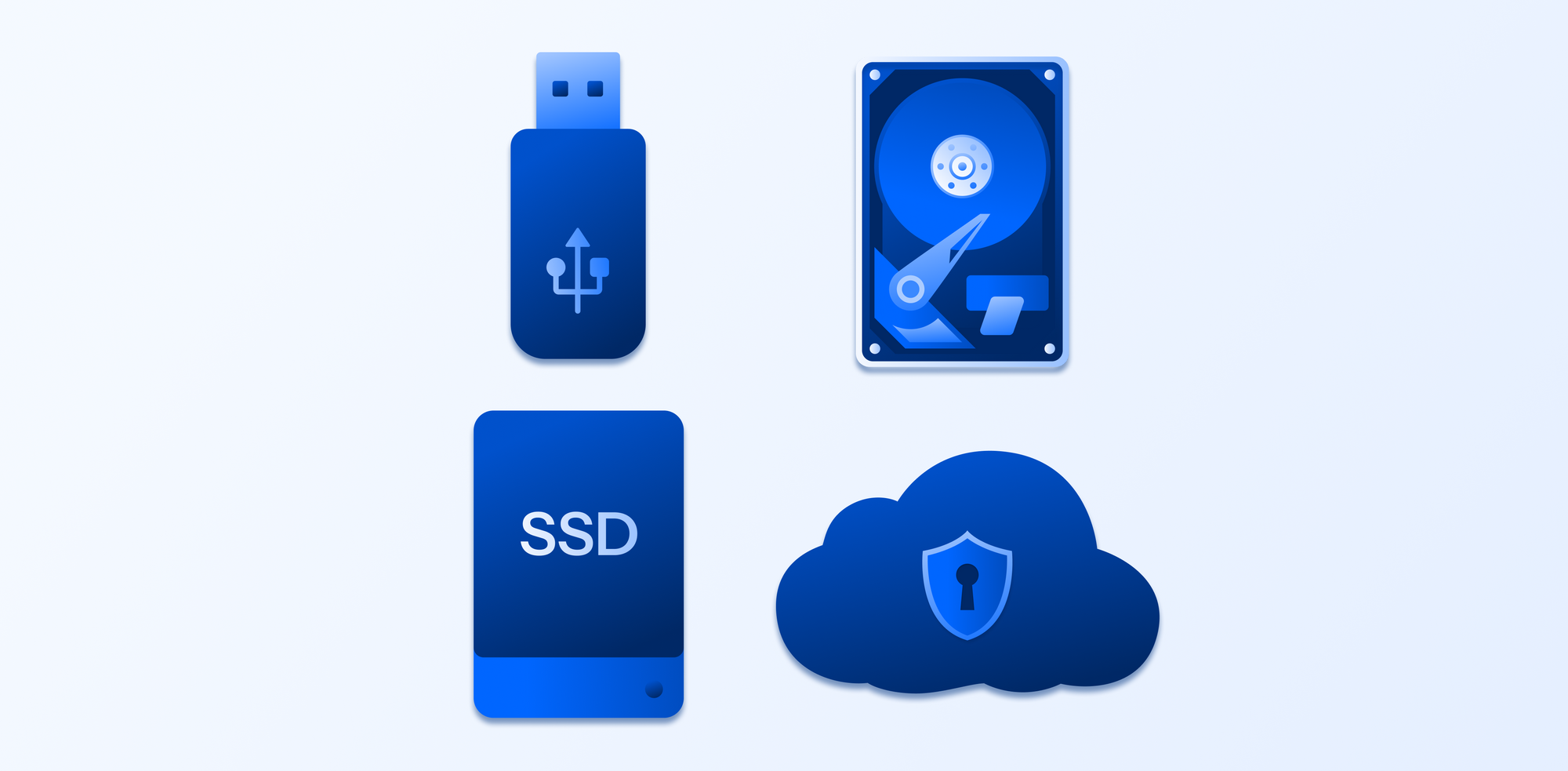
Hard disk drives are the oldest common storage type. They use spinning disks to read and write data. HDDs offer large storage space at a low cost. They are slower than newer types but work well for basic tasks. Good for storing lots of files without spending much.
Solid State Drives (ssd)
Solid state drives use flash memory to store data. SSDs are faster than HDDs and have no moving parts. This makes them more durable and quicker at opening files. SSDs cost more but improve your computer’s speed and performance. Ideal for beginners who want speed and reliability.
Hybrid Drives
Hybrid drives combine HDD and SSD technology. They have a small SSD part to store frequently used files. The rest of the data stays on the larger HDD part. This mix offers better speed than HDD alone. A budget-friendly option with improved performance.
External Storage Options
External storage devices connect to your computer via USB or other ports. They include external HDDs and SSDs. External storage is good for backups and extra space. Easy to carry and use on multiple devices. Great for beginners needing flexible storage.
Cloud Storage
Cloud storage saves your data on internet servers. You access files from any device with internet. No physical device needed, so no risk of losing data from damage. Monthly fees may apply for more space. Useful for sharing files and remote access.
Factors To Consider
Choosing the best storage type for beginners depends on several important factors. These factors help decide which option fits your needs and budget. Understanding them makes it easier to pick the right storage device.
Storage Capacity
Storage capacity means how much data you can save. Beginners usually need enough space for files, photos, and apps. Small capacity devices may fill up fast. Larger capacity gives more room but costs more.
Speed And Performance
Speed affects how fast your device reads and writes data. Faster storage helps load files quickly and runs programs smoothly. Slower devices can make your computer lag. Beginners benefit from balanced speed without high cost.
Durability And Reliability
Durability means how well the storage device lasts over time. Reliable devices keep data safe and work without errors. Some storage types handle drops or shocks better. Beginners need durable options to avoid data loss.
Cost Effectiveness
Cost effectiveness is about getting good value for your money. Some storage types are cheaper but offer less space or speed. Others cost more but last longer. Beginners should find a balance between price and quality.
Portability
Portability means how easy it is to carry the storage device. Portable devices help transfer files between places. Lightweight and small devices suit beginners who move data often. Larger devices stay at one place but store more data.
Common Use Cases
Choosing the right storage type depends on what you will use it for. Different tasks need different storage solutions. Understanding common use cases helps beginners pick the best option. This guide covers everyday computing, gaming, media storage, professional work, and backup solutions. Each type of use has unique storage needs.
Everyday Computing
For daily tasks like browsing, emailing, and light software, standard hard drives work well. They offer enough space at a low cost. Solid-state drives (SSDs) make computers faster and more responsive. Beginners find SSDs easy to use because they improve start-up and load times.
Gaming
Gaming needs fast storage to reduce load times. SSDs are best for this. They help games start quickly and run smoothly. Larger SSDs can hold many games without slowing down. A fast drive improves the gaming experience greatly.
Media Storage
Photos, videos, and music need lots of space. External hard drives offer large storage at a good price. For quick access, internal SSDs are better. Media files can be large, so storage size is very important here.
Professional Work
Work with large files or software requires fast and reliable storage. SSDs provide speed for editing and design tasks. Professionals also need durable drives to avoid data loss. Choosing the right storage keeps work smooth and efficient.
Backup Solutions
Backing up data protects against loss. External hard drives are popular for backups due to their size and price. Cloud storage offers off-site safety and easy access. Combining both methods gives strong protection for important files.

Credit: questsys.com
Comparing Storage Types
Choosing the right storage type can be confusing for beginners. Different storage options offer various benefits and drawbacks. Comparing key factors helps to find the best fit. These include speed, price, lifespan, ease of setup, and compatibility. Each factor affects how well the storage works for daily use.
Speed Comparison
Speed is how fast data moves to and from storage. SSDs (Solid State Drives) are much faster than HDDs (Hard Disk Drives). SSDs load files and programs quickly. HDDs take longer because they use spinning disks. USB flash drives and memory cards offer moderate speeds but vary widely. Faster speed means less waiting time.
Price Per Gigabyte
Price per gigabyte shows how much storage costs. HDDs usually cost less per gigabyte than SSDs. This makes HDDs good for storing large files on a budget. SSDs are more expensive but provide better speed and reliability. USB drives and memory cards cost more for the same storage size. Price affects how much storage you can afford.
Lifespan And Wear
Lifespan means how long storage lasts before failing. HDDs can last many years with care but are sensitive to shocks. SSDs have no moving parts and resist physical damage better. However, SSDs wear out after many writes. USB drives and memory cards also wear with use. Regular backups help protect against data loss.
Ease Of Setup
Ease of setup matters for beginners. External USB drives and flash drives are plug-and-play. They work immediately on most computers. Internal HDDs and SSDs require opening the computer case and installing hardware. This can be tricky for beginners. Many laptops and desktops support easy external storage options.
Compatibility
Compatibility means how well storage works with devices. USB drives and memory cards fit most computers and cameras. SSDs and HDDs need the right connectors and slots inside the computer. Some older devices may not support newer SSDs. Checking device compatibility avoids problems during installation or use.
Tips For Choosing Storage
Choosing the right storage for beginners can feel confusing. Many options exist, each with pros and cons. Simple tips help make the choice easier. Focus on what fits your needs and budget. Think about future use too. These tips guide you to pick wisely.
Assessing Your Needs
Start by thinking about how you will use storage. Will you save photos, videos, or documents? Consider the size and type of files. Decide if speed matters for your tasks. Different storage types suit different uses. Knowing your needs narrows down choices fast.
Balancing Budget And Performance
Storage prices vary widely. Some options cost more but offer better speed. Others are cheaper but slower. Find a balance that fits your budget and offers good performance. Avoid paying extra for features you do not need. Choose storage that works well and saves money.
Considering Future Expansion
Think about your future storage needs. Will your data grow over time? Pick storage that allows easy upgrades or expansion. This saves money and effort later. Choose devices with extra slots or ports. Planning ahead helps avoid storage problems later.
Checking Warranty And Support
Check the warranty length before buying storage. Longer warranties protect your investment. Good customer support helps solve problems quickly. Choose brands known for reliable service. Warranty and support add value and peace of mind.
Credit: blog.internxt.com
Frequently Asked Questions
What Storage Type Is Best For Beginners?
For beginners, SSDs are ideal due to their speed and reliability. They offer faster boot times and quick file access. SSDs are also more durable and energy-efficient, making them user-friendly for those new to storage options.
How Does Ssd Compare To Hdd For Beginners?
SSDs outperform HDDs in speed and durability. HDDs are cheaper but slower and prone to mechanical failure. Beginners benefit from SSDs’ silent operation and quick data access, enhancing overall user experience.
Are External Drives Good For Beginner Storage?
Yes, external drives offer easy plug-and-play storage. They provide extra space without complex setup. Beginners find them convenient for backups and transferring files between devices.
What Storage Size Should Beginners Consider?
Beginners should start with 256GB to 512GB storage. This range balances cost and capacity, enough for everyday files and applications. It avoids overspending while providing sufficient space.
Conclusion
Choosing the right storage type helps beginners save time and avoid trouble. Simple options like SSDs offer speed and reliability. HDDs give more space but work slower. USB drives are easy for small files and quick moves. Think about what you need most: speed, space, or cost.
Start with one type, then explore others later. This way, you learn without feeling lost. Good storage keeps your data safe and ready. Pick what fits your needs today and change as you grow.