How to Calculate Psu Wattage for Pc Build: Ultimate Guide 2026
Building your own PC is exciting, but choosing the right power supply unit (PSU) can feel confusing. If your PSU wattage is too low, your system might crash or fail to start.
Too high, and you could be wasting money and energy. You need the perfect balance to keep your build stable and efficient. In this guide, you’ll learn exactly how to calculate the right PSU wattage for your PC build—step by step, without any confusing jargon.
By the end, you’ll have the confidence to pick a power supply that fits your needs perfectly. Keep reading to power up your PC the smart way!

Credit: www.youtube.com
Why Psu Wattage Matters
Choosing the right PSU wattage is important for your PC build. The power supply unit (PSU) provides electricity to all parts of your computer. Too little power can cause problems. Too much power wastes energy and money. Understanding why PSU wattage matters helps you build a stable and efficient system.
Impact On System Stability
A PSU with too low wattage can cause your PC to crash. It may shut down unexpectedly or restart. This happens because parts do not get enough power. Stability issues can damage hardware over time. A PSU with enough wattage keeps your system running smoothly.
Efficiency And Power Consumption
PSUs work best near their rated wattage. Running at very low or very high load lowers efficiency. Efficient PSUs use less electricity and produce less heat. This saves money on power bills and reduces noise. Choosing the right wattage helps your PC run cooler and quieter.
Credit: gamemaxpc.com
Components That Affect Power Needs
Choosing the right power supply unit (PSU) wattage is key for a stable PC build. Various parts in your computer pull different amounts of power. Knowing these parts helps estimate total power needs. This avoids buying a PSU that is too weak or too strong.
Here are the main components that affect your PSU wattage requirement.
Cpu Power Requirements
The CPU is the brain of your PC. It uses power to run all tasks. Different models have different power ratings, called TDP (Thermal Design Power). Higher TDP means more power needed. Check the CPU specs to find its wattage demand. Overclocked CPUs also require extra power.
Gpu Power Consumption
The graphics card often uses the most power in a gaming or design PC. Each GPU model has a typical power draw listed by the manufacturer. High-end cards need more watts. Multiple GPUs increase power needs significantly. Make sure to add the GPU wattage to your total calculation.
Memory And Storage Devices
RAM sticks and storage drives also use power, but less than CPU or GPU. Each RAM module uses a few watts. SSDs and HDDs consume power during operation. Add the wattage for all memory and storage devices to your total power estimate.
Additional Peripherals
Other parts like fans, RGB lights, and USB devices draw power too. Case fans use small amounts, but multiple fans add up. RGB lighting can increase power needs. External devices connected to USB ports also need power. Include these in your total wattage calculation.
Calculating Total Power Draw
Calculating the total power draw is a key step in building a reliable PC. Knowing the total wattage your components use helps select the right power supply unit (PSU). This prevents power shortages and keeps your system stable. It involves adding the wattage of each part and allowing extra for safety.
Estimating Cpu And Gpu Wattage
The CPU and GPU consume the most power in a PC. Check the manufacturer’s specs for their typical wattage. Use the TDP (Thermal Design Power) as a baseline. High-performance models usually use more watts. Add the CPU and GPU wattage together for a core power estimate.
Adding Power For Other Components
Other parts also need electricity. Include RAM, storage drives, cooling fans, and the motherboard. Each uses a small amount, but they add up. Typically, reserve around 50 to 100 watts for these components. Don’t forget USB devices or LED lighting if you have them.
Factoring In Overclocking
Overclocking pushes your CPU or GPU beyond normal speeds. This raises power demand. Add an extra 20 to 30 percent wattage for overclocked parts. This margin keeps your PC stable during high performance. Overclocking without extra power risks crashes and hardware damage.
Choosing The Right Psu Capacity
Choosing the right PSU capacity is key for a stable PC build. A power supply unit must provide enough energy for all components. Picking a PSU with the correct wattage helps avoid crashes and damage. It also saves electricity and lowers noise from the fan.
Recommended Wattage Margins
Choose a PSU wattage 20-30% higher than your total power need. This margin covers power spikes during heavy use. It also prevents the PSU from running at full load. Running below max load improves efficiency and lifespan.
Considering Future Upgrades
Plan for hardware upgrades like better graphics cards or more drives. A PSU with extra capacity handles new parts without replacement. This saves money and effort later. Estimate future needs and add about 50 watts to your base calculation.
Matching Psu Efficiency Ratings
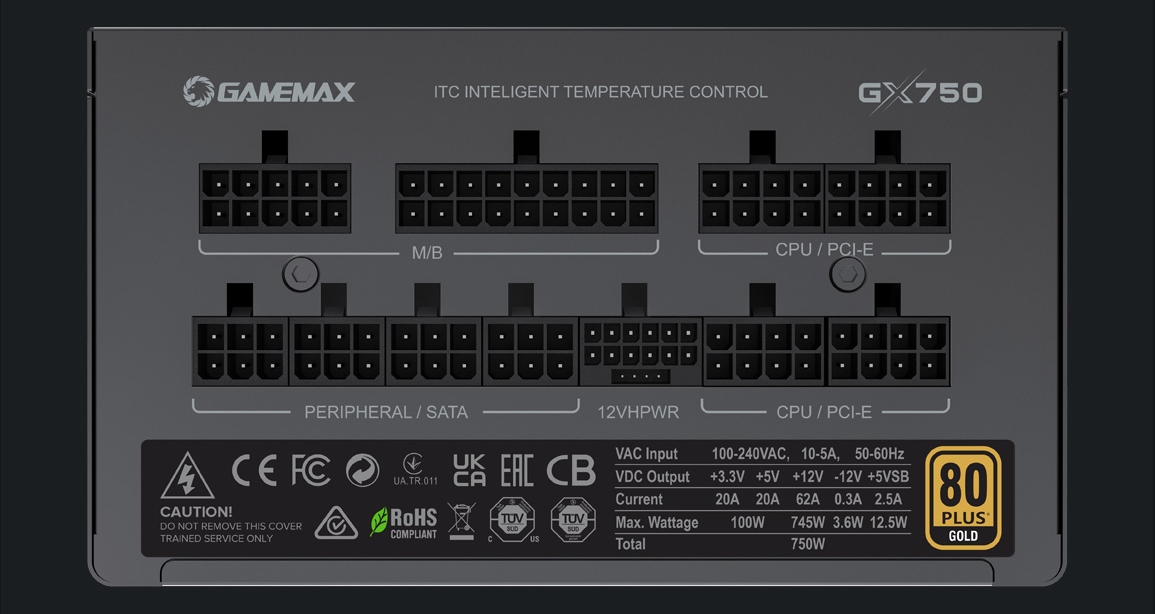
Efficiency ratings show how well a PSU converts power. Look for 80 PLUS certified PSUs for better performance. Higher ratings mean less wasted energy and less heat. An efficient PSU reduces your electricity bill and keeps the PC cooler.
Tools And Resources For Calculation
Calculating the right PSU wattage is easier with good tools and resources. These tools help estimate power needs accurately. They save time and avoid errors in your PC build. Using the right resources ensures your system runs smoothly without power issues.
Online Psu Calculators
Online PSU calculators provide quick power estimates. Enter your components like CPU, GPU, and drives. The calculator sums up their power needs. It adds extra wattage for safety and future upgrades. These calculators are free and easy to use. They offer a simple way to check your PSU wattage needs.
Manufacturer Power Specs
Check the power specs from component makers. CPUs and GPUs list their typical power use in watts. Use these official numbers for accurate calculation. Specs often include peak and average power consumption. Compare these figures to avoid underestimating wattage. Manufacturer specs give reliable data for your calculations.
Software Monitoring Tools
Software tools track your PC’s real-time power use. Programs like HWMonitor show voltage and wattage. They help understand how much power your components need under load. This info helps pick a PSU with enough capacity. Use software data to fine-tune your wattage calculations.
Common Mistakes To Avoid
Choosing the right PSU wattage is crucial for a stable PC build. Many beginners make simple mistakes that cause power issues or waste money. Avoiding these errors saves time and keeps your system safe. Here are common mistakes to watch out for.
Underestimating Power Needs
Many users pick a PSU with too low wattage. This causes system crashes and hardware damage. Always add extra wattage to your total power estimate. Think about future upgrades and extra components. A PSU that barely meets needs can fail under load.
Ignoring Efficiency Ratings
Efficiency affects how much power the PSU wastes as heat. Lower efficiency means higher electricity bills and more heat. Look for 80 Plus ratings like Bronze, Silver, or Gold. Higher efficiency saves energy and keeps your PC cooler. Don’t skip this important detail.
Overlooking Connector Compatibility
PSUs come with different connectors for CPU, GPU, and drives. Not all PSUs support every type of connector. Check your components and PSU connectors before buying. Missing connectors can block your build or force adapters. Compatibility is key for smooth assembly.
Tips For Psu Maintenance And Longevity
Maintaining your PSU helps keep your PC stable and safe. A well-kept power supply lasts longer and works better. Simple care steps prevent damage and avoid costly repairs.
Proper Ventilation And Cooling
Make sure your PSU gets enough air. Avoid blocking its vents with cables or other parts. Use fans to keep air flowing inside the case. Cooler PSUs run more efficiently and last longer.
Regular Cleaning
Dust can build up inside the PSU and cause overheating. Clean the PSU and PC case often with a soft brush or compressed air. Always turn off and unplug your PC before cleaning.
Monitoring Power Delivery
Check if your PSU delivers stable power to your components. Use software tools to monitor voltage and current. Sudden drops or spikes may signal PSU problems. Early detection helps prevent hardware damage.
Credit: www.newegg.com
Frequently Asked Questions
What Is Psu Wattage In Pc Building?
PSU wattage is the total power supply capacity your PC needs. It ensures stable performance by providing enough power to all components.
How Do I Calculate Psu Wattage For My Pc?
Add the wattage requirements of each component. Use an online PSU calculator for accuracy and add 20% extra for safety.
Why Is Choosing The Right Psu Wattage Important?
Choosing the right wattage prevents system crashes and hardware damage. It also improves energy efficiency and prolongs PSU lifespan.
Can A Psu With Higher Wattage Damage My Pc?
No, a higher wattage PSU won’t harm your PC. It only provides the power your components demand, ensuring stable operation.
Conclusion
Calculating PSU wattage helps build a stable PC. Choose a power supply that matches your parts. Avoid low wattage to prevent system crashes. Too high wattage wastes energy and costs more. Always add extra wattage for future upgrades. Use online tools or calculators for easy estimates.
A good PSU keeps your PC running smooth. Take time to check your needs before buying. This step ensures your computer works well every day.