How to Know PSU Quality before Buying: Essential Tips Revealed
Before you spend your hard-earned money on a power supply unit (PSU), you need to be sure it’s worth it. A low-quality PSU can cause serious problems for your computer, from random shutdowns to damaging your components.
But how can you tell if a PSU is good without opening it up? This guide will help you understand the key signs of PSU quality, so you can make the smartest choice for your build. Keep reading to protect your investment and keep your PC running smoothly.
Check The Wattage
Checking the wattage is a key step before buying a power supply unit (PSU). Wattage tells you how much power the PSU can deliver to your computer. Choosing the right wattage helps avoid problems like crashes or damage to parts.
Every PC needs a certain amount of power. Too little wattage means your system may not run well. Too much wattage could mean spending extra money on a PSU you do not need.
Understand Your System’s Power Needs
Look at your CPU, graphics card, and other parts. Each has a power rating in watts. Add these numbers to find the total power your system uses. This helps decide the minimum wattage your PSU should have.
Consider Future Upgrades
Plan for adding more parts later. More RAM or a better graphics card may need more power. Pick a PSU with extra wattage to cover future changes. This saves money and effort later on.
Check Recommended Wattage Ratings
PSU makers often list recommended wattage for different setups. Compare your system’s needs with these recommendations. Choose a PSU that meets or slightly exceeds the suggested wattage. It ensures stable and safe power supply.
Avoid Overloading The Psu
Do not use a PSU with lower wattage than needed. Overloading can cause system crashes or damage parts. It can also reduce the PSU’s lifespan. Always pick a PSU with enough power for your entire system.
Look For Efficiency Ratings
Checking the efficiency rating is a smart way to judge PSU quality. Efficiency ratings show how well a power supply converts electricity from the wall to your PC. Higher efficiency means less power waste and lower electricity bills.
80 Plus Certification Levels
The 80 Plus certification is a standard for PSU efficiency. It certifies that a PSU is at least 80% efficient at different loads. There are several levels: Bronze, Silver, Gold, Platinum, and Titanium.
Bronze is the basic level, offering decent efficiency. Silver and Gold provide better efficiency and less heat. Platinum and Titanium are the top levels, saving the most power.
Choose a PSU with the highest level you can afford. It ensures better quality and performance for your PC.
Why Efficiency Matters
Higher efficiency means your PSU uses less electricity. This lowers your power bills over time. Efficient PSUs also produce less heat. Less heat means quieter fans and longer PSU life.
Efficient power supplies reduce energy waste. This helps the environment by cutting down carbon emissions. A good efficiency rating often means better internal parts. This leads to more stable and reliable power delivery.
Examine Build Materials
Examining the build materials of a PSU helps determine its quality and reliability. Good materials ensure the power supply lasts longer and works safely. Poor materials can cause failure or damage to your computer. Focus on key parts like capacitors, internal components, and cooling systems. These affect performance and durability directly.
Capacitors And Components
Capacitors store and release electricity inside the PSU. High-quality capacitors last longer and handle heat better. Look for capacitors made in Japan or those labeled “solid.” Cheap capacitors may bulge or leak over time. Other components like transformers and coils also affect stability. Strong materials reduce noise and power fluctuations.
Cooling And Fan Quality
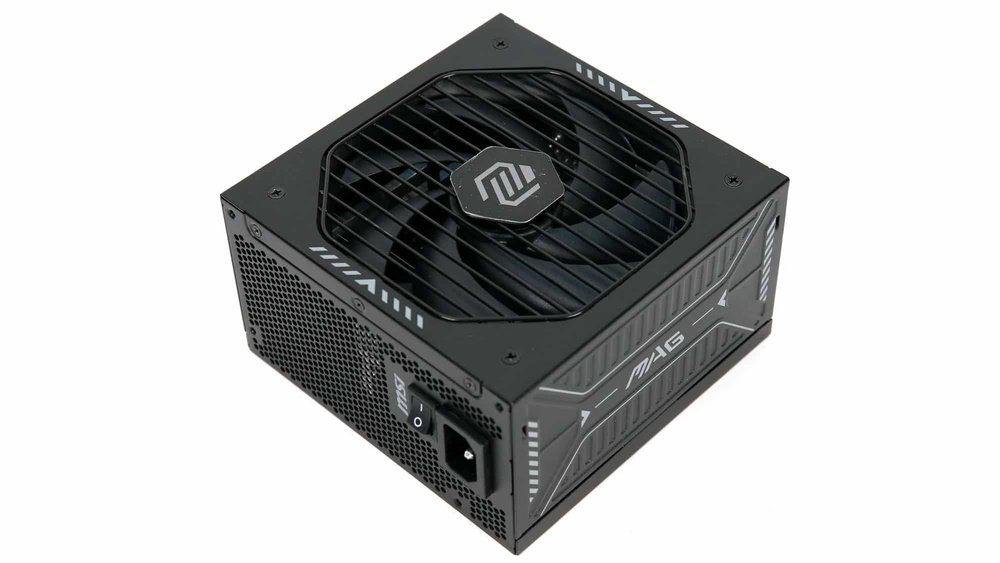
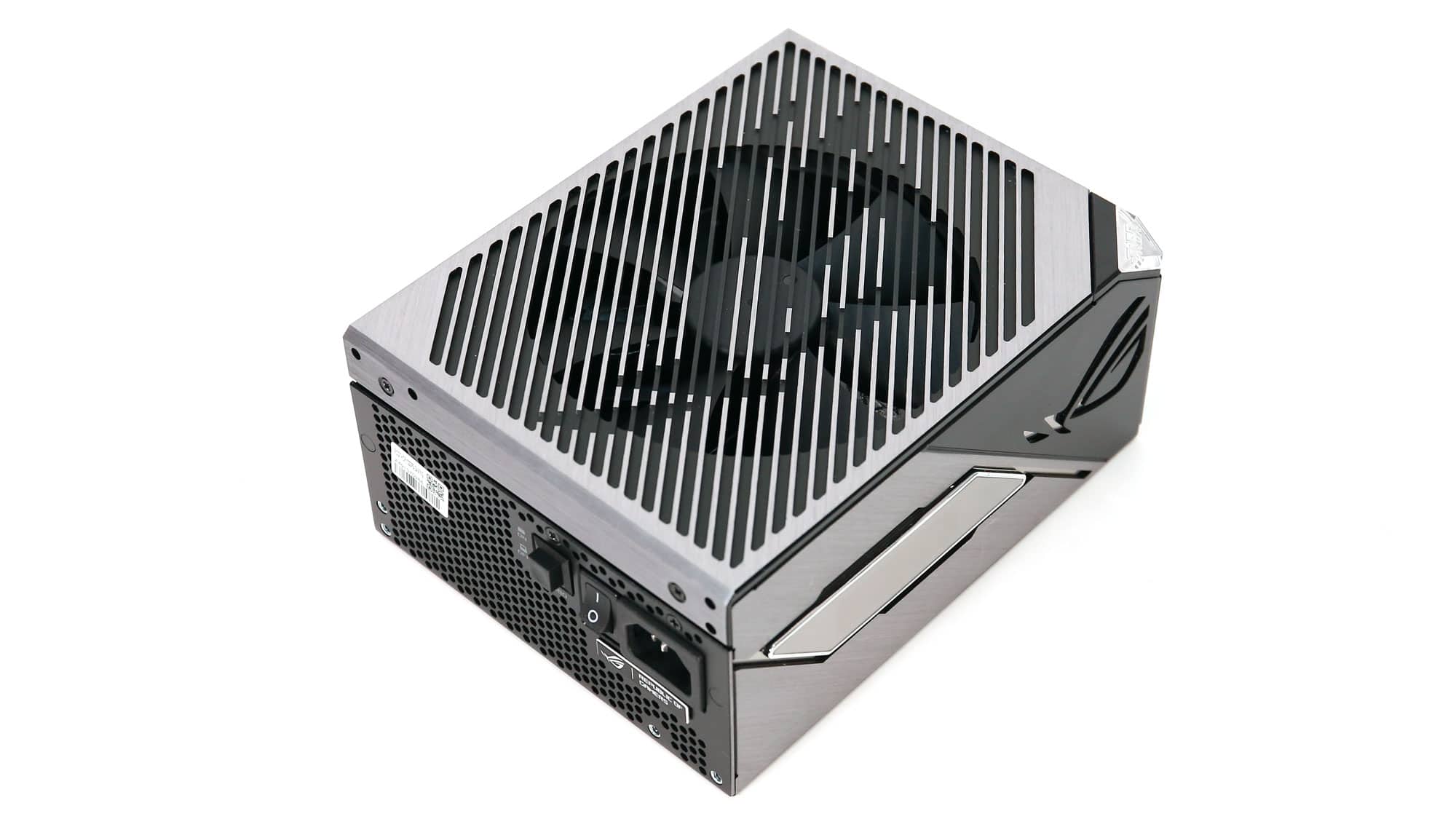
Cooling prevents the PSU from overheating. A good fan runs quietly and moves air efficiently. Check if the fan uses durable bearings, such as fluid or ball bearings. Poor fans can fail early or create noise. Some PSUs have smart fan controls that adjust speed by temperature. This saves energy and extends fan life.
Credit: hwbusters.com
Review Brand Reputation
Reviewing a PSU’s brand reputation helps you avoid bad purchases. A good brand usually means reliable quality and better service. Brands with a strong reputation often use better parts. They also offer warranties that protect your investment. This step is simple but effective for finding a good PSU.
Trusted Manufacturers
Choose power supplies from well-known manufacturers. Brands like Corsair, Seasonic, and EVGA have earned trust over years. These companies follow strict quality controls. Their products often meet industry standards. Buying from trusted makers lowers the risk of failure.
Customer Feedback
Read reviews from real users before buying. Customer feedback shows how the PSU performs in daily use. Look for comments about noise, heat, and durability. Positive feedback means the PSU works well. Negative reviews might highlight common problems. This info helps you pick a reliable unit.
Assess Protection Features
Assessing protection features is key to choosing a good power supply unit (PSU). These features keep your PC safe from electrical damage. They help prevent failures and extend the life of your system. Check the PSU’s protection specs before buying. This step saves you from costly repairs and data loss.
Overvoltage And Overcurrent
Overvoltage protection stops too much voltage from reaching your components. It prevents damage from power spikes. Overcurrent protection limits the current to safe levels. This avoids overheating and stress on parts. A PSU with both protections ensures stable power delivery.
Short Circuit And Thermal Protection
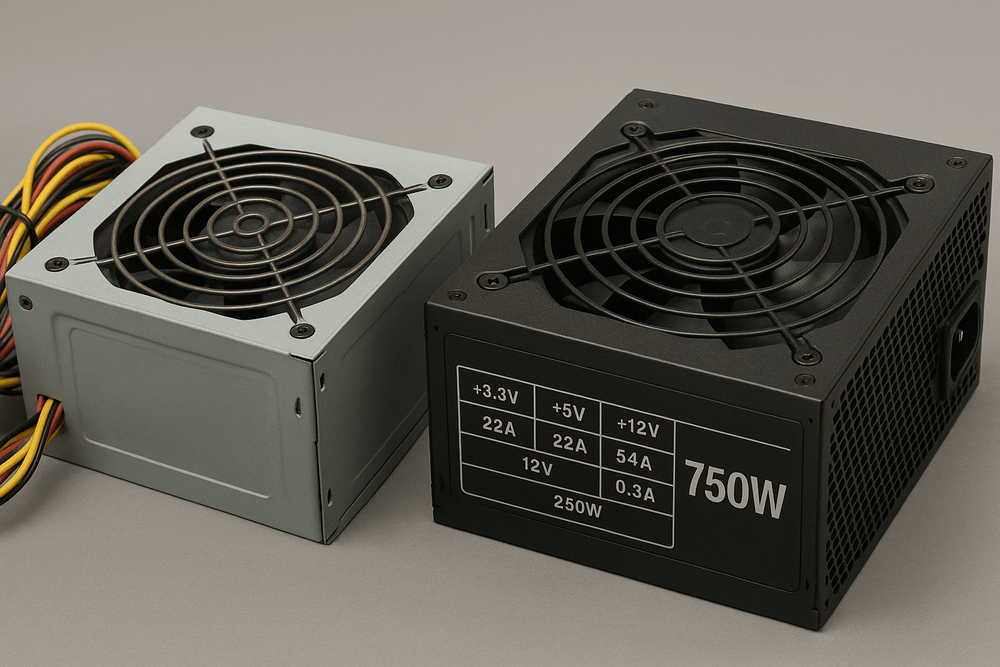
Short circuit protection cuts power instantly if a short occurs. This prevents sparks and fire hazards. Thermal protection shuts down the PSU if it gets too hot. It stops permanent damage from overheating. These features keep your PC and home safe.
Credit: www.darkflash.com
Analyze Warranty And Support
Analyzing warranty and support helps you judge PSU quality. A good warranty shows the brand trusts its product. Support options tell how easily you get help if problems arise. Both factors protect your investment and reduce risk.
Check Warranty Length
Longer warranty means better product confidence. Many quality PSUs offer 5 to 10 years warranty. Short warranty periods may indicate lower reliability. Always compare warranty length before buying.
Understand What Warranty Covers
Read warranty terms carefully. Some warranties cover only parts, not labor. Others cover full replacement or repair. Look for comprehensive coverage to avoid extra costs. Clear and fair terms show a trustworthy brand.
Evaluate Customer Support Options
Good brands provide multiple support channels. Email, phone, and live chat are common. Fast and helpful responses save time and frustration. Check if support is available in your region and language.
Read User Reviews On Support
User feedback reveals real experiences with warranty and support. Positive reviews often mention quick repairs or replacements. Negative reviews may warn about delays or poor service. Use these insights to make a smart choice.
Read Professional Reviews
Reading professional reviews is a smart way to check PSU quality before buying. Experts test power supplies with tools and methods not available to most buyers. Their findings reveal real performance, reliability, and safety. This helps avoid weak or faulty units.
Reviews cover many important aspects. They show how well the PSU handles power load. They also detail noise levels and heat output. These points affect the PSU’s lifespan and your computer’s stability.
Check For Detailed Performance Tests
Good reviews include thorough performance tests. Experts measure voltage stability and efficiency under different loads. Stable voltage means fewer risks to computer parts. High efficiency means less wasted energy and heat.
Look For Long-term Reliability Information
Reliable PSUs last longer without failure. Professional reviews often include stress tests over hours or days. These tests show if the PSU can handle continuous use without problems.
Consider Noise And Cooling Analysis
Noise can be annoying, especially in quiet rooms. Reviews often report fan noise levels and cooling quality. A well-cooled PSU runs cooler and quieter, improving comfort and durability.
Read About Safety Features
Safety features protect your computer from damage. Experts check for over-voltage, over-current, and short-circuit protections. Reviews reveal which PSUs have these essential safeguards.
Compare Different Models
Professional reviews often compare multiple PSUs. This helps you see which models offer the best value and quality. Comparison charts and scores make choosing easier and smarter.
Consider Modular Vs Non-modular
Choosing the right power supply unit (PSU) involves many factors. One key point is deciding between modular and non-modular PSUs. This choice affects your PC building experience and cable management.
Modular PSUs let you connect only the cables you need. Non-modular PSUs have all cables fixed to the unit. Each type has pros and cons. Understanding these helps to pick the best option for your needs.
What Is A Modular Psu?
A modular PSU allows you to attach and detach cables easily. You only use the cables required for your build. This reduces cable clutter inside the case. It improves airflow and cooling. Modular cables are easier to replace if damaged.
What Is A Non-modular Psu?
A non-modular PSU comes with all cables permanently attached. You cannot remove unused cables. This may cause extra cables to lie inside the case. It can block airflow and create a mess. Non-modular PSUs are usually cheaper than modular ones.
Which Is Better For Cable Management?
Modular PSUs offer cleaner cable management. You avoid unused cables cluttering the case. Non-modular PSUs need more effort to organize cables. This may affect system cooling and looks. Good cable management helps keep parts cool and neat.
Cost Differences Between Modular And Non-modular
Non-modular PSUs generally cost less. Modular PSUs have a higher price due to flexibility. Budget plays a role in deciding the type. Both types can be reliable and efficient. Choose based on your budget and needs.

Credit: www.youtube.com
Frequently Asked Questions
How To Check Psu Quality Ratings?
Check the 80 PLUS certification for efficiency and reliability. Higher ratings mean better energy efficiency and performance. Also, look for reputable brand reviews and warranty periods.
What Are Key Psu Specs To Consider?
Focus on wattage, efficiency, modularity, and rail stability. Ensure wattage meets your system needs. Modular designs reduce cable clutter and improve airflow.
Why Is Psu Efficiency Important?
Higher efficiency reduces energy waste and heat output. It leads to lower electricity bills and longer PSU lifespan. Efficient PSUs support stable and reliable system performance.
How To Identify A Reliable Psu Brand?
Choose brands with positive customer feedback and professional reviews. Trusted manufacturers follow strict quality controls and provide good warranty support.
Conclusion
Choosing a good PSU matters for your computer’s safety and performance. Check the wattage, efficiency rating, and brand reputation. Look for reviews and certifications like 80 Plus. Avoid very cheap or unknown models. Trust simple tests and clear information. This helps you get the right power supply without trouble.
Take your time and compare options carefully. A strong PSU keeps your system running smoothly and lasts longer. That’s how you make a smart choice before buying.