What Gpu Specs Matter for Beginners: Essential Guide to Choose Right
Choosing the right GPU can feel overwhelming, especially if you’re just starting out. You might wonder which specs really matter and which ones you can ignore.
The truth is, understanding a few key details can save you time and money—and make sure your computer runs smoothly. You’ll discover exactly what GPU specs to focus on, so you can make confident decisions without the confusion. Keep reading, and you’ll soon know how to pick the perfect GPU for your needs.
Key Gpu Components
Understanding the key GPU components helps beginners choose the right graphics card. These parts affect how well the GPU performs tasks. Each component plays a role in speed, image quality, and smoothness. Knowing these basics makes buying easier and smarter.
Graphics Processing Unit (gpu) Core
The GPU core is the main chip inside the graphics card. It processes all graphics and visual data. More cores usually mean better performance. The core handles tasks like rendering images and running games. Beginners should check the number of cores for better speed.
Video Memory (vram)
VRAM stores images and textures for quick access. It helps the GPU display detailed graphics without lag. More VRAM is useful for high-resolution games or video editing. A card with 4GB VRAM or more suits most beginners. Less VRAM may slow down complex visuals.
Clock Speed And Boost
Clock speed shows how fast the GPU core runs. It is measured in megahertz (MHz). Higher clock speeds mean faster processing. Boost speed is the maximum clock speed under load. Both speeds affect how smooth games and apps run. Beginners should compare these numbers when choosing a GPU.
Memory Bandwidth
Memory bandwidth is the data transfer rate between VRAM and GPU. Higher bandwidth allows faster movement of graphic data. This improves frame rates and reduces lag. It depends on VRAM type and bus width. Beginners benefit from GPUs with wider memory bandwidth for better performance.
Credit: www.sybergaming.com
Performance Factors
Performance factors shape how well a GPU runs in games and apps. They decide speed, quality, and power use. Beginners should know key specs to pick the right card. Understanding these can help avoid confusion and bad choices.
Shader Cores And Cuda Cores
Shader cores and CUDA cores do the math for graphics. More cores mean the GPU can handle more tasks at once. This leads to smoother images and faster rendering. Different brands use different names but the idea is the same. Check the core count to get a sense of performance power.
Ray Tracing And Tensor Cores
Ray tracing cores add realistic light and shadows in games. Tensor cores help with AI tasks and boost visual effects. These cores improve image quality and enhance gameplay. Not all GPUs have them, but they matter for newer games and software. Consider these for better graphics and future-proofing.
Thermal Design Power (tdp)
TDP shows how much heat a GPU produces under load. It also hints at power consumption. A higher TDP means the card needs better cooling and uses more electricity. Make sure your system can handle the heat and power needs. TDP affects noise, temperature, and overall system stability.
Compatibility And Connectivity
Understanding GPU compatibility and connectivity is key for beginners. It helps to avoid buying parts that do not fit or work with your PC. Compatibility means the GPU fits inside your computer and connects properly. Connectivity means the GPU can connect to your monitor and power supply. Both affect how well your GPU performs and how easy it is to set up.
Pcie Slot Types
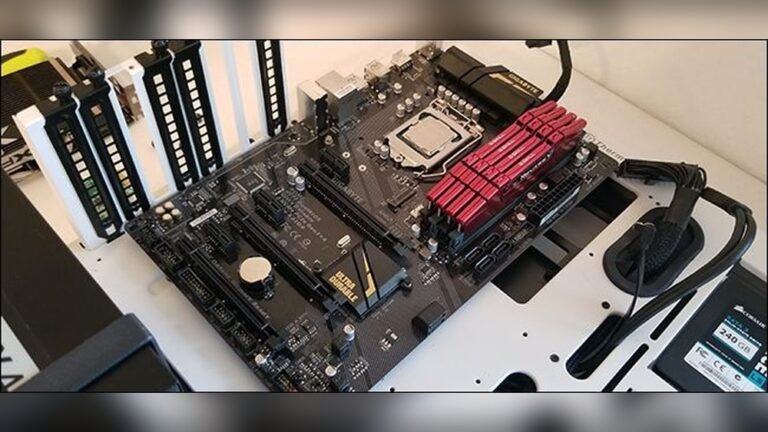
The PCIe slot is where the GPU plugs into the motherboard. Most modern GPUs use PCIe x16 slots. These slots provide the speed needed for good graphics performance. Make sure your motherboard has the right PCIe slot type. Older motherboards might have slower or smaller slots. Using the wrong slot can limit GPU speed or prevent it from fitting.
Power Connectors
GPUs often need extra power from the power supply. This comes through power connectors on the GPU. Common types are 6-pin and 8-pin connectors. Some powerful GPUs need two or more connectors. Check your power supply has enough connectors and power capacity. Without proper power, the GPU may not run or cause system crashes.
Monitor Outputs
The GPU connects to your monitor through video outputs. Common outputs include HDMI, DisplayPort, and DVI. Your monitor must support the output type from the GPU. Using the wrong cable or adapter can lower display quality. Multiple outputs allow connecting more than one monitor. Confirm your GPU has the outputs you need for your setup.
Budget And Use Cases
Choosing the right GPU depends on your budget and what you plan to do with it. Different tasks need different GPU power. Knowing your needs helps find a balance between cost and performance. Here is a simple guide to match GPU specs with common uses.
Gaming Requirements
Games demand a strong GPU for smooth play. Modern games need more video memory and faster processing. A good GPU helps run games at high settings without lag. Budget GPUs may work for older or simple games. For popular titles, aim for at least 4GB VRAM and a decent clock speed.
Content Creation Needs
Creating videos or editing photos needs a GPU that handles heavy tasks. More VRAM supports large files and high resolutions. GPU cores speed up rendering and effects. Beginners should focus on GPUs with 6GB or more VRAM. This helps in software like Adobe Premiere or Photoshop.
General Use And Multimedia
Basic tasks like browsing, watching videos, and office work need less GPU power. Integrated graphics or low-end GPUs can handle these easily. They use less power and cost less. For smooth video playback, a GPU with support for modern codecs is helpful. No need to spend much if gaming or editing is not planned.
Brand And Warranty Considerations
Choosing a GPU is not only about specs like speed or memory. The brand and warranty also play a big role. These factors affect how long your GPU lasts and how easy it is to get help if something goes wrong.
Beginners especially benefit from buying a reliable brand with good support. It reduces stress and ensures a better experience with your new graphics card.
Manufacturer Reputation
Some brands are known for making strong, reliable GPUs. These brands test their products carefully. They also use quality parts that last longer. A trusted manufacturer often means fewer problems with your GPU.
Choosing a well-known brand gives peace of mind. You get a product that works well right out of the box. It also means the GPU performs as advertised.
Warranty And Support
A good warranty covers repairs or replacements if the GPU breaks. Most brands offer at least one year of warranty. Some even give longer coverage for extra safety.
Customer support helps solve problems quickly. Reliable support saves time and frustration. Look for brands that provide easy ways to contact them. Fast, helpful service is important if your GPU has issues.

Credit: www.reddit.com

Credit: blog.logicalincrements.com
Frequently Asked Questions
What Gpu Specs Are Essential For Beginners?
Beginners should focus on GPU memory size, clock speed, and core count. These specs impact gaming and creative work performance. A 4GB VRAM is good for most tasks. Higher clock speeds improve rendering speed. More cores help with multitasking and complex applications.
How Much Vram Is Needed For Beginner Gpus?
For beginners, 4GB VRAM is usually sufficient. It supports most games and basic video editing. More VRAM benefits higher resolutions and advanced tasks. However, 6GB or 8GB VRAM is recommended for future-proofing and heavier workloads.
Why Is Gpu Clock Speed Important For Beginners?
GPU clock speed determines how fast the GPU processes data. Higher speeds mean smoother gameplay and faster rendering. Beginners should look for GPUs with at least 1500 MHz clock speed. It ensures good performance without overspending on advanced models.
Does Gpu Core Count Affect Beginner Performance?
Yes, core count affects parallel processing power. More cores improve multitasking and handling complex graphics. Beginners benefit from GPUs with at least 1000 cores for balanced performance. Core count complements clock speed and VRAM for overall efficiency.
Conclusion
Choosing the right GPU specs helps beginners enjoy smooth computer use. Focus on memory size, clock speed, and compatibility with your system. These basics improve graphics and speed without confusion. Keep your needs simple and clear. Understanding these specs makes buying easier and safer.
Start with what fits your tasks and budget. This way, your computer runs well and stays updated. A good GPU supports learning and fun without stress.