Power Supply Clicking Noise Problem Fix: Quick & Easy Solutions
Is your power supply making an annoying clicking noise? That constant clicking can be frustrating and worrying, especially when you rely on your computer or device every day.
You might be wondering what causes that sound and if it means your power supply is about to fail. Don’t ignore it—this problem can affect your device’s performance and lifespan. You’ll discover simple and effective ways to fix the power supply clicking noise problem.
Keep reading to protect your equipment and enjoy a quiet, smooth-running system again.
Common Causes Of Clicking Noise
Clicking noises from a power supply can signal trouble. These sounds often point to specific issues inside the unit. Knowing the common causes helps fix the problem fast. This section covers typical reasons for clicking sounds.
Loose Connections
Loose connections inside the power supply cause clicking sounds. Wires or plugs may not fit tightly. This interrupts electrical flow, creating the noise. Checking and securing all connections can stop the clicking.
Faulty Capacitors
Capacitors store and release energy in the power supply. Faulty or damaged capacitors can click as they fail to work properly. Swollen or leaking capacitors often cause this sound. Replacing bad capacitors usually solves the issue.
Overloaded Power Supply
An overloaded power supply struggles to deliver power. This strain can make clicking noises as it cycles on and off. Reducing the load or upgrading to a stronger unit prevents the clicks and protects your devices.
Dust And Debris Accumulation
Dust and debris inside the power supply block airflow. This causes overheating, which triggers clicking sounds from protective circuits. Cleaning the unit regularly removes dust and stops the noise. Keep the power supply well-ventilated for best results.
Safety Precautions Before Fixing
Fixing a power supply clicking noise requires care. Safety is the top priority before starting any repair. Ignoring safety can lead to electric shock or damage to parts.
Follow these safety steps to protect yourself and your device. These precautions help you work safely and avoid accidents.
Power Off And Unplug
Always turn off your computer or device before opening it. Unplug the power cord from the wall socket. This stops electricity flow and reduces shock risk. Never work on a device still connected to power.
Use Anti-static Measures
Static electricity can damage sensitive parts inside the power supply. Use an anti-static wrist strap to ground yourself. Work on an anti-static mat if possible. Touch a metal object to release static before touching components.
Work In A Well-lit Area
Good lighting helps you see small parts clearly. It reduces mistakes and accidents. Use a bright lamp or work near a window. A well-lit area keeps your workspace safe and organized.
Step-by-step Troubleshooting
Power supply clicking noises can be frustrating and signal an underlying issue. Following a clear troubleshooting process helps identify the cause fast. This step-by-step guide walks through simple checks anyone can do. Each step targets common problems to fix the noise and protect your device.
Inspect And Tighten Connections
Loose connections often cause clicking sounds in power supplies. Start by unplugging the device from the power source. Check all cables and connectors for firmness. Tighten any loose screws or plugs gently. Secure connections improve current flow and reduce noise risks.
Clean The Power Supply
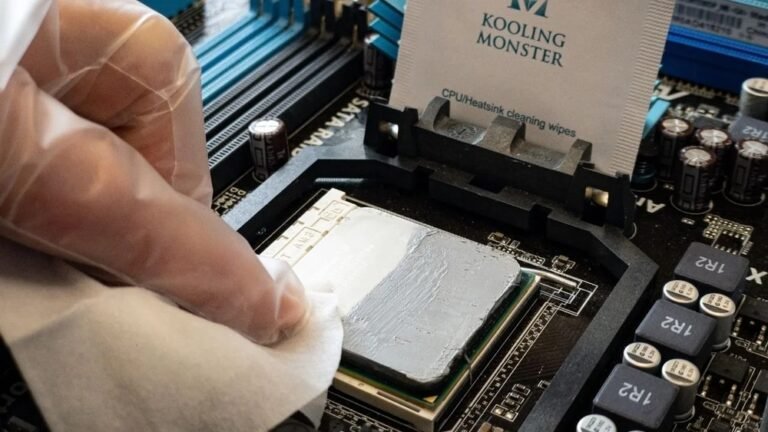
Dust buildup inside the power supply can cause clicking noises. Turn off and unplug your device. Open the power supply case carefully. Use compressed air or a soft brush to remove dust. Clean parts ensure better cooling and quieter operation.
Check For Overheating
Overheating is a common cause of clicking sounds. Feel the power supply surface for excessive heat. Make sure vents and fans are not blocked. Improve airflow around the device. Overheating parts may cause internal clicking or shutdowns.
Test With A Different Load
A faulty or incompatible load may trigger clicking noises. Disconnect the current load or device from the power supply. Connect a different load that matches the power supply rating. Observe if the clicking noise stops. This test helps isolate load-related issues.

Credit: pedalcommander.com
Repair And Replacement Tips
Power supply clicking noises often signal a hardware issue. Fixing these sounds can prevent damage and improve performance. Repair and replacement tips help guide the process safely and effectively.
Some fixes are simple, like replacing small parts. Others may require a full power supply upgrade. Knowing when to repair or replace saves time and money.
Replacing Faulty Capacitors
Capacitors are common causes of clicking sounds. These small components store and release electrical energy. Over time, they can wear out or leak.
Replacing faulty capacitors often stops the clicking noise. It requires opening the power supply unit carefully. Use a soldering iron to remove old capacitors and add new ones.
Match the capacitor’s voltage and capacitance ratings exactly. Always unplug the power supply before starting repairs. This fix is good for those with basic electronics skills.
Upgrading The Power Supply Unit
Sometimes, the power supply is old or damaged beyond repair. Upgrading to a new unit can improve stability and reduce noise. Choose a power supply with higher quality components and good reviews.
Make sure the new unit matches your device’s power needs. Check wattage and connector compatibility. Installing a new power supply often solves clicking problems permanently.
When To Seek Professional Help
Not all repairs are safe for beginners. Complex issues or unknown causes require expert attention. Professionals have tools and knowledge to diagnose and fix problems safely.
Seek help if you are unsure about opening your power supply. Avoid risks of electric shock or further damage. A technician can also advise if replacement is the best option.
Preventive Maintenance
Preventive maintenance helps stop power supply clicking noises before they start. It keeps your device running smoothly and saves repair costs. Simple habits can protect your power supply and extend its life.
Regular Cleaning Schedule
Dust and dirt cause power supplies to click and fail. Clean your power supply every few months. Use a soft brush or compressed air to remove dust. Keep the inside parts free from dirt. This helps fans and components work well.
Avoiding Power Surges
Power surges harm the power supply and cause clicking noises. Use a surge protector to guard your device. Unplug electronics during storms or power outages. Stable power means fewer problems and longer device life.
Proper Ventilation
Heat causes power supplies to click and break down. Place your device where air flows freely. Avoid blocking vents and fans. Use cooling pads or external fans if needed. Good airflow keeps your power supply cool and quiet.

Credit: www.youtube.com

Credit: www.youtube.com
Frequently Asked Questions
Why Is My Power Supply Making A Clicking Noise?
A clicking noise often indicates a power supply overload or a faulty fan. It may also signal electrical short circuits or failing capacitors inside the PSU.
How Can I Fix A Power Supply Clicking Sound?
First, unplug and inspect the PSU for dust or loose cables. Cleaning or reseating components often resolves the issue. Replace the PSU if noise persists.
Is A Clicking Power Supply Dangerous For My Pc?
Yes, a clicking power supply can cause system instability or damage components. It’s essential to address the issue promptly to avoid hardware failure.
Can A Faulty Power Supply Click And Still Power On?
Yes, it might power on briefly but can shut down unexpectedly. The clicking noise usually signals imminent failure or electrical issues.
Conclusion
A clicking noise from your power supply signals a problem. Fixing it early prevents bigger damage. Check connections and clean dust inside the unit. Replace faulty parts or the entire power supply if needed. Regular maintenance keeps your computer running smooth and safe.
Don’t ignore unusual sounds—they help catch issues fast. Stay alert and act quickly to protect your devices.