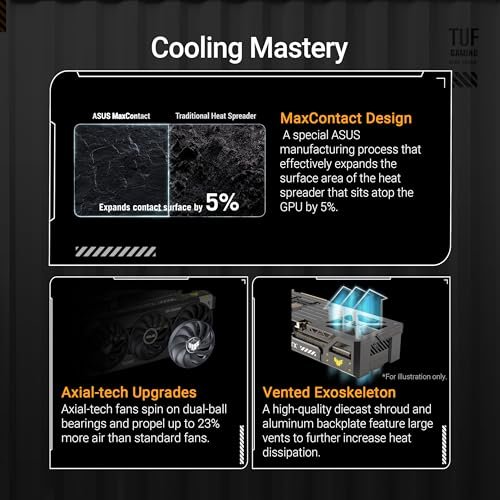
Dust Buildup Causing Overheating Fix: Easy Steps to Cool Down Fast
Is your device heating up faster than usual? Dust buildup could be the hidden culprit causing your computer, laptop, or gaming console to overheat.
When dust blocks vents and fans, it stops your device from cooling properly, leading to slow performance and even damage. But don’t worry—fixing this problem is easier than you think. Keep reading to discover simple, effective steps you can take right now to clear out dust and keep your device running cool and smooth.
Your gadgets deserve a breath of fresh air, and you’ll be amazed at the difference it makes!
Why Dust Causes Overheating
Dust buildup inside electronic devices is a common cause of overheating. Dust acts like a blanket, trapping heat and stopping the device from cooling properly. Over time, this can lead to serious damage. Understanding why dust causes overheating helps you protect your devices and keep them running longer.
How Dust Blocks Airflow
Electronic devices rely on airflow to stay cool. Fans pull in cool air and push out hot air. Dust collects on vents and fan blades. This buildup narrows the air pathways. Less air moves through the device. The trapped heat cannot escape fast enough. The device’s temperature rises quickly.
Impact On Device Performance
High temperatures affect how devices work. Overheating can slow down the processor. The system may freeze or crash often. Battery life can shorten due to heat stress. Hardware parts wear out faster under heat. Dust-induced overheating reduces overall device lifespan.
Tools Needed For Cleaning
Cleaning dust buildup is key to stopping overheating. Using the right tools makes the job easier and safer. Some tools you need are basic and easy to find. Others help with a deep clean for tough dust.
Essential Cleaning Supplies
A soft brush helps remove dust gently without damage. A microfiber cloth picks up dust without scratching surfaces. Canned air blows dust from tight spaces quickly. Use gloves to keep your hands clean and safe. A small vacuum cleaner with a brush attachment works well too.
Optional Tools For Deep Cleaning
A precision screwdriver set opens devices carefully. A soft paintbrush reaches into tiny gaps with ease. Isopropyl alcohol cleans sticky or oily dust safely. Anti-static wrist straps stop static that can harm electronics. A magnifying glass shows small dust spots clearly.
Safe Cleaning Techniques
Dust buildup inside devices causes overheating and damages parts. Safe cleaning stops this problem. Use simple tools and careful steps to clean your device without harm. Protect your device and yourself by following safe cleaning techniques.
Powering Down And Unplugging
Turn off your device completely before cleaning. Unplug it from the power source. This stops any chance of electric shock. Also, it prevents damage to parts while cleaning. Safety first. Wait a few minutes to let the device cool down.
Using Compressed Air
Compressed air helps remove dust from tight spots. Use short bursts of air to blow dust away. Hold the can upright to avoid moisture inside your device. Keep the nozzle a few inches away from the surface. Avoid using a vacuum, which can cause static damage.
Cleaning Fans And Vents
Fans and vents collect the most dust. Use a soft brush or cloth to clean them gently. Move slowly to avoid bending fan blades. Clear all vents to improve airflow. Clean regularly to keep your device cool and running well.

Credit: www.blisscomputers.net
Preventing Future Dust Buildup
Preventing future dust buildup is key to stopping overheating problems. Dust clogs vents and blocks airflow. This makes devices work harder and get hotter. Keeping dust away helps machines run cool and last longer.
Regular Maintenance Schedule
Set a regular time to clean your devices. Dust collects fast in computers, fans, and vents. Use a soft brush or compressed air to remove dust. Clean at least once a month to keep buildup low. This small effort keeps your device safe from heat.
Using Dust Covers And Filters
Use dust covers on devices when not in use. Covers stop dust from settling inside. Install filters on air vents to catch dust. Clean or replace filters often for best results. These barriers reduce how much dust enters your device. Less dust means less risk of overheating.
Additional Cooling Tips
Dust buildup can cause devices to overheat and stop working well. Cleaning dust is important, but extra steps help keep your device cool. These tips improve airflow and reduce heat. Follow them to protect your device and make it last longer.
Improving Room Ventilation
Good air flow in the room helps cool your device. Open windows or doors to let fresh air in. Use a fan to move air around. Avoid placing your device near walls or in tight spots. This allows heat to escape and fresh air to flow freely.
Using External Cooling Pads
Cooling pads help lower device temperature. They have fans that blow air under your device. Place the device on the cooling pad while using it. This extra air helps stop overheating. Choose a cooling pad that fits your device size for best results.
Credit: terabyteelectronics.co.uk
Credit: zoupw.com
Frequently Asked Questions
What Causes Dust Buildup Leading To Overheating?
Dust accumulates on vents and fans, blocking airflow. This reduces cooling efficiency and causes devices to overheat quickly.
How Can I Safely Clean Dust To Prevent Overheating?
Use compressed air or a soft brush to clean vents. Always power off and unplug your device before cleaning.
How Often Should I Clean Dust To Avoid Overheating?
Clean your device every three to six months. More frequent cleaning is needed in dusty environments or heavy usage.
Can Dust Buildup Damage My Electronics Permanently?
Yes, excessive dust can cause permanent damage by overheating. It can shorten component lifespan and lead to hardware failure.
Conclusion
Dust buildup causes devices to overheat and work poorly. Cleaning dust regularly helps keep your device cool. Use a soft brush or compressed air for cleaning. Avoid letting dust collect inside vents and fans. Keeping your device dust-free improves its performance and lifespan.
Small efforts prevent big problems later. Stay safe and maintain your device well. Your device will thank you with better speed and less heat. Simple steps make a big difference. Don’t ignore dust; take action today.