Does Undervolting GPU Decrease Performance? Truth Revealed!
Are you worried that undervolting your GPU might slow down your gaming or creative work? You’re not alone.
Many people wonder if lowering the power to their graphics card means giving up performance. But what if you could reduce heat and noise without losing speed? You’ll discover the real impact of undervolting on your GPU’s performance. By the end, you’ll know whether this simple tweak is worth trying or if it’s better to stick with the default settings.
Keep reading to find out how to get the best balance for your system.
Credit: rog.asus.com
What Is Gpu Undervolting
GPU undervolting means lowering the voltage supplied to a graphics card. It reduces the power the GPU uses without changing its core speed. The goal is to make the GPU run cooler and use less electricity.
Many users undervolt to keep their system quieter and cooler. This can also extend the life of the GPU by reducing heat stress. Undervolting does not involve changing the clock speeds or performance settings directly.
How Does Gpu Undervolting Work?
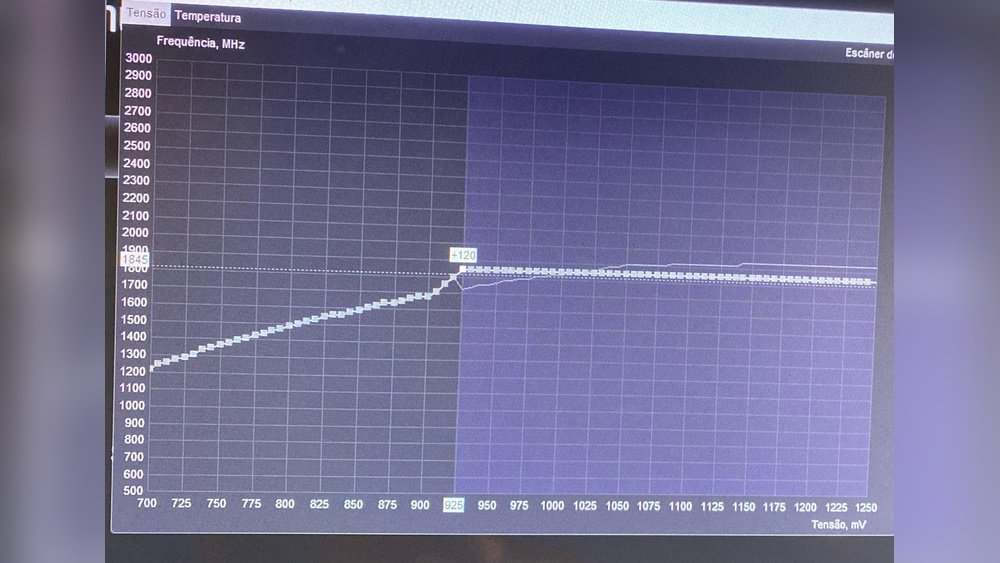
The GPU needs voltage to run its circuits and processes. Lowering this voltage means the GPU uses less power. It still tries to maintain the same clock speed and performance level.
Undervolting requires careful adjustments. Too low voltage can cause system instability and crashes. The process involves finding the lowest stable voltage for the GPU.
Tools Used For Gpu Undervolting
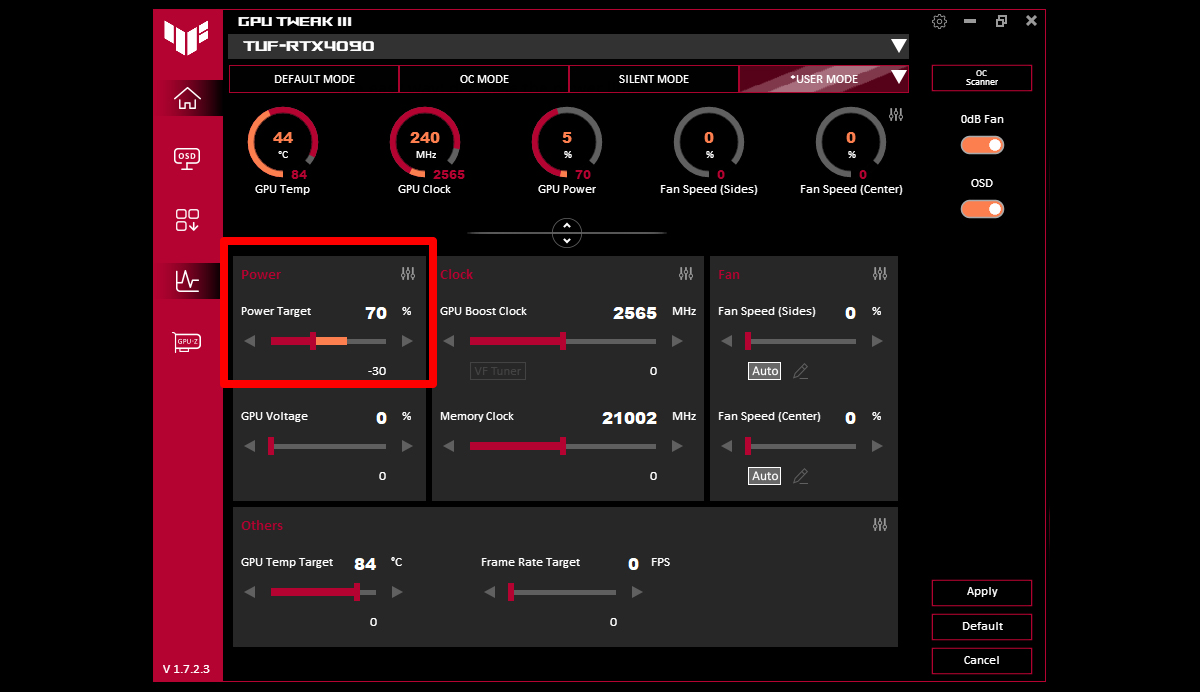
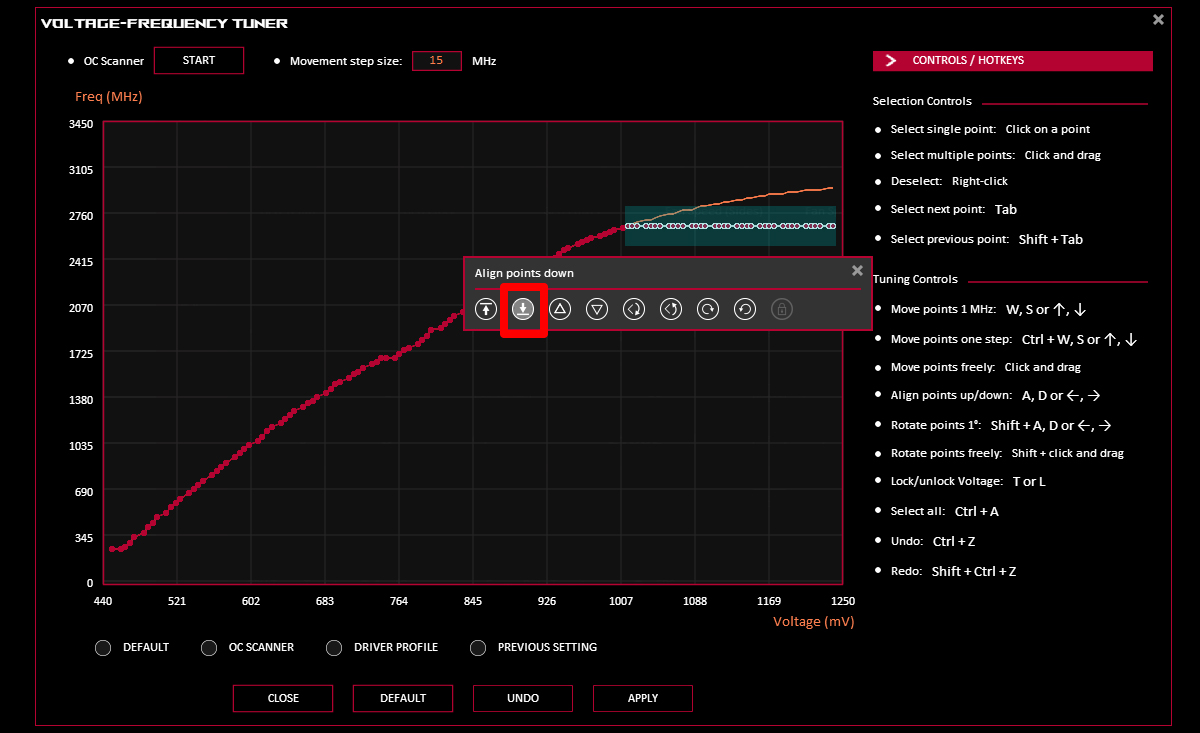
Users often use software tools for undervolting. Programs like MSI Afterburner or ASUS GPU Tweak allow voltage control. These tools provide sliders to lower voltage settings safely.
Some GPUs also support automatic undervolting. This feature adjusts voltage based on workload and temperature. Manual control gives more precise and customized results.
Benefits Of Gpu Undervolting
Lower voltage reduces power consumption and heat output. This can lead to quieter fans and cooler GPU temperatures. It helps in maintaining better long-term GPU health.
Undervolting can also improve system stability during heavy tasks. It prevents overheating and throttling, which can reduce performance drops.

Credit: 76services.co.uk
How Undervolting Affects Performance
Undervolting a GPU means lowering the voltage it uses to run. This can change how the GPU performs during tasks like gaming or video editing. Understanding how undervolting affects performance helps decide if it is worth trying.
Impact On Clock Speeds
Undervolting can sometimes lower the GPU’s clock speeds. Clock speeds are how fast the GPU processes data. If the voltage is too low, the GPU may not keep high speeds stable. This can cause small drops in performance during heavy use. But a well-done undervolt keeps clock speeds steady and avoids slowdowns. It depends on the GPU model and settings.
Thermal And Power Benefits
Lower voltage reduces the heat the GPU produces. Cooler GPUs can run longer without throttling speed. Less heat also means quieter fans and a more comfortable computer. Power consumption drops, saving energy and reducing electricity bills. This also helps laptops run longer on battery. These benefits make undervolting useful even if some small speed changes happen.
Common Misconceptions
Many people believe undervolting a GPU always lowers its performance. This idea comes from fears about reducing power. The truth is more complex. Undervolting can actually keep performance steady or sometimes improve it.
Here are some common misconceptions about undervolting and how it affects your GPU.
Misconception: Undervolting Always Slows Down Your Gpu
People often think less power means less speed. GPUs do not work like that. Proper undervolting reduces heat and power use. It keeps the GPU stable at the same speed. You may not see a drop in frame rates or tasks.
Misconception: Undervolting Causes Crashes And Instability
Some believe undervolting makes GPUs unstable. If done wrong, it can cause crashes. But careful undervolting improves stability by lowering heat. Many users report fewer crashes and longer hardware life.
Misconception: Undervolting Voids Your Warranty
Users fear losing warranty coverage. Undervolting usually does not break warranties. It is simply adjusting power settings. Still, check your GPU maker’s policy to be sure.
Misconception: Undervolting Is Only For Experts
Many think undervolting is too hard for average users. Basic tools and guides make undervolting easy. Many software options have simple interfaces. Learning a bit can help improve your GPU’s efficiency.
When Undervolting Can Decrease Performance
Undervolting a GPU can save power and reduce heat. But it can also lower performance in some cases. This happens when the voltage is too low to keep the GPU stable. Understanding these risks helps you avoid problems and keep your system running well.
Instability Issues
Lowering voltage too much can cause the GPU to crash or freeze. The card may fail during heavy tasks like gaming or rendering. This instability means the GPU cannot run at full speed. Crashes can cause lost work and poor experience. Stability is key to good performance.
Overly Aggressive Undervolt Settings
Setting the voltage too low to save more power can backfire. The GPU may slow down to avoid errors or shut off cores. This slowdown reduces the frame rate and overall speed. Aggressive undervolting can force the system to limit performance. Balance is important for good results.
How To Undervolt Safely
Undervolting a GPU means lowering its voltage to reduce heat and power use. It can keep your GPU cooler and quieter. But doing it wrong may cause crashes or lower performance. Safe undervolting needs care and the right steps.
Tools And Software
Start with good software to control your GPU voltage. Popular tools include MSI Afterburner and AMD Radeon Software. These let you adjust voltage and clock speeds easily. Use reliable software to avoid mistakes and protect your GPU.
Step-by-step Process
Begin by running your GPU at normal settings. Note the temperature and performance. Lower the voltage slightly, about 10-20 millivolts. Test your GPU after each change. Watch for errors or crashes. Repeat until you find a balance of lower voltage and stable performance.
Testing Stability
Run stress tests to check if undervolting is stable. Use tools like FurMark or 3DMark for this. Play games or use apps that use the GPU heavily. If your system crashes or shows glitches, increase voltage a bit. Stability is key to safe undervolting.
Real-world Performance Results
Testing undervolting on GPUs helps us see its true impact on performance. Real-world results show how games and software react. This gives clear insight beyond theory and numbers.
Gaming Benchmarks
Undervolting usually lowers power use and heat. Games run smoothly with little to no frame drop. Most titles keep stable frame rates under undervolting. Graphics quality stays the same, with no visual glitches. Some GPUs even gain slight performance boosts. This happens due to reduced thermal throttling. Overall, gaming feels consistent and reliable.
Productivity And Rendering
In tasks like 3D rendering and video editing, undervolting shows strong results. Render times remain close to normal levels. CPU and GPU workloads stay balanced and efficient. Power savings lead to cooler hardware during long jobs. Stability does not suffer during complex computations. Undervolting supports sustained performance in creative workflows.
Benefits Beyond Performance
Undervolting your GPU does more than just affect speed. It brings several benefits that impact your computer’s health and running costs. These advantages matter even if performance changes are small or not noticed. Let’s explore the key benefits beyond performance.
Reduced Heat Output
Lower voltage means your GPU creates less heat. Cooler components work more efficiently and stay stable longer. This reduces the need for loud, fast fan spins. A cooler GPU also helps keep other parts inside your PC from heating up.
Longer Hardware Lifespan
Heat is a major enemy of electronics. Less heat means less wear on your GPU’s parts. Undervolting helps prevent damage from high temperatures. This can extend your GPU’s life and reduce the chance of sudden failures.
Lower Power Consumption
Using less voltage cuts down power use. This lowers your electricity bill, especially during long gaming or work sessions. Lower power use also means less strain on your power supply and system overall.
Credit: rog.asus.com
Frequently Asked Questions
Does Undervolting Reduce Gpu Performance Significantly?
Undervolting typically lowers power consumption without major performance loss. Minor drops may occur, but most users won’t notice. It balances efficiency and performance well, especially in gaming and rendering tasks.
Can Undervolting Improve Gpu Temperature And Lifespan?
Yes, undervolting reduces heat output by lowering voltage. Cooler GPUs tend to last longer and maintain stable performance. This can prevent thermal throttling and extend the hardware’s overall lifespan.
Is Undervolting Safe For All Gpus?
Most modern GPUs support undervolting safely when done properly. However, extreme undervolting can cause instability or crashes. Always test settings gradually and monitor GPU behavior to avoid potential issues.
How Does Undervolting Affect Gaming Performance?
Undervolting usually maintains stable frame rates while reducing heat and power use. Some games might show slight performance drops, but many users report smoother gameplay and quieter operation.
Conclusion
Undervolting a GPU can lower heat and power use. It might cause a small drop in speed. Many users see little to no change in performance. Testing your own setup helps find the best balance. Safety and stability are very important to watch.
This process suits those wanting a cooler, quieter PC. Careful adjustments keep your GPU running well. Try small steps and check results often. Undervolting is not a one-size-fits-all solution. It can help but may not suit every system.