Can You Use a Pc Without a Gpu: Essential Facts Explained
Have you ever wondered if you can use your PC without a GPU? Maybe your graphics card stopped working, or you’re building a budget computer and want to skip this part.
The good news is, yes—you can often use a PC without a dedicated GPU. But how well will it perform? What are the limits and what should you watch out for? Keep reading, because understanding this can save you time, money, and frustration when setting up or troubleshooting your computer.
Let’s dive into what happens when your PC runs without a GPU and what you need to know to make it work smoothly.
Gpu Basics
A GPU is an important part of many computers. It helps show images and videos on the screen. Without it, the computer might not display graphics properly. Understanding the basics of a GPU helps you know its role in your PC.
This section explains what a GPU is and the different types available. It will help you decide if you need one for your computer.
What Is A Gpu
GPU stands for Graphics Processing Unit. It is a small chip inside the computer. The GPU’s job is to create images and videos. It works faster than the main CPU for graphics tasks. This makes the computer display smooth and clear pictures.
GPUs are also used for tasks like video editing and 3D rendering. They help the computer handle complex graphics easily. Without a GPU, the computer uses the CPU for graphics, which can slow it down.
Types Of Gpus
There are two main types of GPUs: integrated and dedicated. Integrated GPUs are built into the CPU or motherboard. They share the computer’s memory and are less powerful. Integrated GPUs work well for simple tasks like browsing or watching videos.
Dedicated GPUs are separate cards installed inside the computer. They have their own memory and processing power. Dedicated GPUs handle heavy graphics tasks like gaming and 3D work. They provide better performance but cost more and use more power.
Credit: www.partitionwizard.com
Integrated Vs Dedicated Gpus
Choosing between integrated and dedicated GPUs affects how a PC runs graphics tasks. Both types serve different needs and offer unique benefits. Understanding their differences helps decide if a PC can work well without a dedicated GPU.
How Integrated Gpus Work
Integrated GPUs are built into the computer’s processor or motherboard. They share system memory with the CPU, which means less power and space are used. This design keeps laptops and budget PCs light and efficient. Integrated GPUs handle everyday tasks like browsing, video playback, and simple games. They are not ideal for heavy gaming or complex graphics software. Their performance depends on the CPU’s power and memory speed.
Advantages Of Dedicated Gpus
Dedicated GPUs have their own video memory, separate from the system RAM. This allows faster processing of graphics data and better performance in demanding tasks. Dedicated GPUs are essential for gaming, video editing, and 3D rendering. They support higher resolutions and better image quality. These GPUs can run multiple screens and advanced visual effects smoothly. They also reduce the load on the CPU, improving overall system speed.
Using A Pc Without A Gpu
Using a PC without a GPU is possible. Many computers work fine without a separate graphics card. The CPU can handle basic graphics tasks. This setup suits users who do simple work like browsing or writing. It saves money and uses less power. Understanding how this works helps choose the right PC for your needs.
When A Cpu Handles Graphics
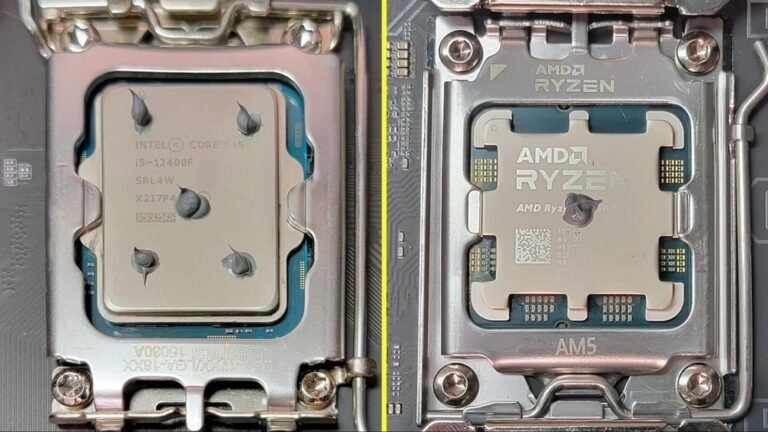
Some CPUs have built-in graphics called integrated graphics. These chips manage display output and simple graphics tasks. They allow you to watch videos, use office apps, and surf the web. Integrated graphics do not need extra hardware. Many modern CPUs include this feature by default. It is enough for daily tasks and light media use.
Limitations To Expect
Integrated graphics cannot handle heavy gaming or complex 3D work. Performance is lower compared to dedicated GPUs. Video editing and graphic design may run slower. Some software needs a powerful graphics card to work well. Upgrading to a GPU becomes necessary for these tasks. Also, integrated graphics share memory with the CPU, which can slow the system down.
Performance Impacts
Using a PC without a GPU affects how well the computer runs different tasks. The GPU helps with graphics and video, so its absence changes the performance. Some activities slow down more than others without a dedicated graphics card.
Gaming Without A Gpu
Gaming without a GPU means the CPU handles all graphics work. Most games run very slowly or not at all. Older or simple games might still work but with low settings. Modern games need a GPU for smooth play and good visuals.
Video Editing And Multimedia
Video editing gets harder without a GPU. Rendering videos takes more time and the process may lag. Watching videos is usually fine but high-resolution videos can stutter. Multimedia tasks rely on the GPU to keep things smooth and fast.
Everyday Computing Tasks
Basic tasks like browsing, writing, and watching videos run okay without a GPU. The CPU manages these activities well enough. Simple programs and apps don’t need extra graphics power. The computer stays usable but might struggle with heavy multitasking.
Compatibility And Setup
Using a PC without a dedicated GPU depends on certain factors. Compatibility and setup play a big role in making this possible. Understanding these basics helps you decide if your PC can work without a separate graphics card.
Motherboard Requirements
The motherboard must support integrated graphics for a PC to work without a GPU. Many modern motherboards have this feature built-in. It connects with the CPU’s graphics processor to handle display tasks. Check if your motherboard has video output ports like HDMI or VGA. Older motherboards might lack this support, making a GPU necessary.
Your CPU also needs integrated graphics. Some CPUs do not include this feature. In such cases, the motherboard alone cannot help run the PC without a GPU. Confirm your CPU model supports integrated graphics before removing the GPU.
Display Outputs Without Gpu
Without a GPU, your PC uses motherboard display outputs. Common ports include HDMI, DVI, VGA, or DisplayPort. These let you connect your monitor directly to the motherboard. Not all motherboards have all these ports. Choose one with the right output for your monitor.
Using these outputs means your PC relies on integrated graphics. This setup works well for general tasks. Basic browsing, office work, and video playback run smoothly. For gaming or heavy graphic work, a GPU is still better.

Credit: www.youtube.com
Troubleshooting No Gpu Issues
Troubleshooting no GPU issues can be tricky but is often necessary. Many PCs can run without a dedicated GPU, but problems may arise. Knowing common issues helps you fix the problem quickly. This section covers common problems and offers practical solutions. It helps you understand what to check and how to act.
Common Problems
No display on the monitor is the most frequent issue. Sometimes, the PC boots but shows no image. Another problem is slow or choppy performance. Some applications may crash or not open at all. The system might beep or show error codes during startup. BIOS settings may not detect the absence of a GPU. Power supply issues can cause instability. Some motherboards need integrated graphics enabled manually.
Workarounds And Solutions
Start by checking monitor connections. Use the motherboard video output, not the GPU slot. Enter BIOS and enable integrated graphics or onboard video. Update BIOS to support no-GPU mode. Reset BIOS settings if unsure. Install or update the latest chipset drivers. Use safe mode to troubleshoot driver conflicts. Lower display resolution to reduce stress on integrated graphics. Test with a different monitor or cable. Consider adding a basic GPU if problems persist.
Future Trends
The future of PCs without a dedicated GPU looks promising. Technology is improving fast, especially in the area of integrated graphics. This means users can expect better visuals and smoother performance without needing a separate graphics card.
These changes will affect how people build and use their computers. Many users might choose simpler setups that save money and power. The balance between power and cost will shift as integrated graphics grow stronger.
Advances In Integrated Graphics
Integrated graphics are becoming more powerful every year. New processors include better graphics chips built right into the CPU. This allows decent gaming, video editing, and everyday tasks without a GPU.
Chipmakers focus on efficiency and speed. They use new technology to boost image quality and reduce lag. These improvements help users who do not want to buy extra hardware.
Impact On Pc Building
PC builders may choose to skip dedicated GPUs for many systems. This lowers costs and cuts down on power use. Smaller, quieter PCs become possible with fewer parts inside.
People who do not need extreme graphics can build simple, effective machines. This trend could change the market for custom PCs and pre-built models. It makes computers easier to own and maintain.

Credit: www.youtube.com
Frequently Asked Questions
Can A Pc Run Without A Dedicated Gpu?
Yes, a PC can run without a dedicated GPU if it has integrated graphics. Many CPUs include built-in graphics that handle basic display tasks. This setup suits everyday use like browsing and office work but limits gaming and graphic-intensive applications.
What Tasks Can You Do Without A Gpu?
Without a GPU, you can perform tasks like web browsing, video streaming, and document editing. Integrated graphics handle these smoothly. However, demanding tasks like gaming, 3D rendering, or video editing will perform poorly or may not run at all.
Is Integrated Graphics Enough For Casual Users?
Integrated graphics are sufficient for casual users who do light computing tasks. They provide decent performance for watching videos, using office software, and casual gaming at low settings. For heavier workloads, a dedicated GPU is recommended.
How Does No Gpu Affect Gaming Performance?
Without a dedicated GPU, gaming performance drastically decreases. Integrated graphics cannot handle modern games well, leading to low frame rates and poor visuals. For a good gaming experience, a dedicated GPU is essential.
Conclusion
A PC can work without a GPU in many cases. Basic tasks like browsing or writing do not need strong graphics power. Some processors have built-in graphics that handle simple jobs well. But for gaming or heavy design, a GPU is important.
Choosing to use or skip a GPU depends on your needs. Knowing what your PC will do helps decide if you need one. This way, you get the right setup without extra cost.