Do I Need a Gpu Support Bracket: Essential Tips for PC Builders
Are you worried about your graphics card sagging or damaging your motherboard? You might have heard about GPU support brackets but aren’t sure if you really need one.
Understanding whether your setup requires extra support can save you from costly repairs and improve your PC’s performance. Keep reading to discover how a simple bracket could protect your investment and give you peace of mind every time you power on your system.
Credit: www.reddit.com
Signs You Need A Gpu Support Bracket
Knowing when to use a GPU support bracket can save your computer’s hardware. This section helps you spot clear signs that your GPU needs extra support. Protect your investment by learning what to watch for.
Identifying Gpu Sag
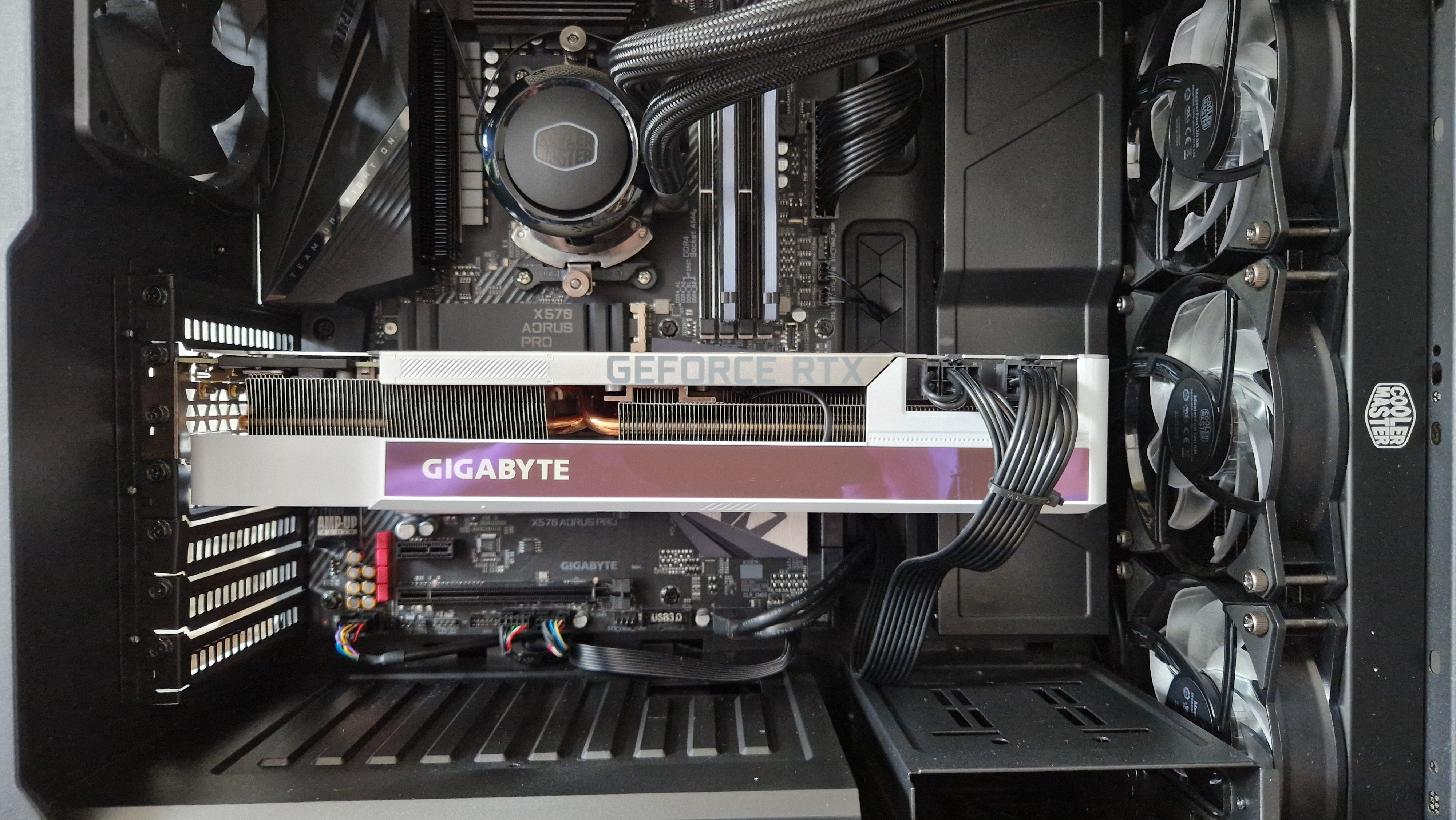
GPU sag happens when the graphics card bends down inside the case. You might see the card tilting or hanging unevenly. Check if the card looks crooked or if the edges are closer to the motherboard. This sagging often grows worse over time.
Impact On Performance And Longevity
A sagging GPU can cause poor connections with the motherboard. This may lead to crashes or slow performance. The card may also overheat if the cooling parts are not aligned. Long-term sag can damage the GPU or the motherboard slot.
When Gpu Weight Becomes A Concern
Modern GPUs are heavy due to their size and cooling systems. A heavy GPU puts pressure on the PCIe slot and motherboard. If your card is large and heavy, it likely needs a support bracket. This helps prevent bending and reduces stress on components.
Credit: www.gamesradar.com
Types Of Gpu Support Brackets
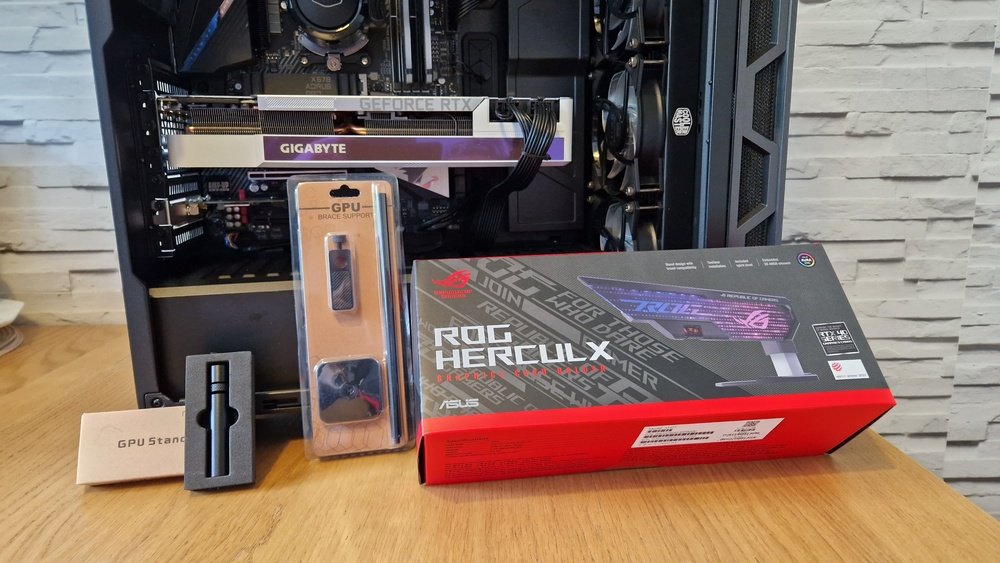
GPU support brackets help keep your graphics card steady. They stop the card from bending or sagging inside the case. Various types of brackets fit different needs and setups. Knowing the options helps you pick the right one for your PC build.
Vertical Gpu Brackets
Vertical GPU brackets hold the graphics card upright. They change the card’s position to show off its design. These brackets add a sleek look inside your PC. They need extra space and sometimes special case slots. Vertical brackets provide strong support and reduce stress on the motherboard.
Adjustable Support Brackets
Adjustable support brackets allow you to set the height and angle. They fit many card sizes and case shapes. These brackets usually have screws or sliders for easy changes. Adjustable brackets give firm, customized support to prevent GPU sag. They are good for users who change parts often.
Magnetic And Diy Solutions
Magnetic brackets use strong magnets to hold the GPU in place. They are quick to install and remove. DIY solutions include using simple materials like plastic or wood. These options save money and can be tailored to your build. Both magnetic and DIY brackets can offer solid support if done right.
Choosing The Right Bracket For Your Build
Choosing the right GPU support bracket is key for a strong and stable PC build. Not all brackets fit every setup. Picking the right one saves time and protects your hardware. This guide breaks down important factors to consider before buying.
Compatibility With Case And Gpu
Check if the bracket fits your PC case size and design. Some cases have limited space or unique shapes. Match the bracket to your GPU model too. Different GPUs vary in length and weight. A bracket that fits well avoids stress on the card and motherboard.
Material And Build Quality
Choose brackets made from strong materials like metal or reinforced plastic. Good build quality means the bracket holds the GPU firmly. Avoid cheap brackets that bend or break easily. A sturdy bracket protects your GPU from sagging over time.
Ease Of Installation
Pick a bracket with simple installation steps. Some come with screws and clear instructions. Others might need extra tools or modifications. Easy installation saves effort and reduces risk of damage. A quick setup lets you secure your GPU fast and safe.
Installing A Gpu Support Bracket
Installing a GPU support bracket helps keep your graphics card steady. It stops the card from bending or sagging inside the case. This can protect your hardware and improve its lifespan. The process is simple and does not take much time.
Preparation And Tools Needed
Gather all tools before starting the installation. You will need a screwdriver, usually a Phillips head. Have the GPU support bracket and any screws it comes with ready. Turn off your PC and unplug all cables. Work on a clean, flat surface to avoid losing small parts.
Step-by-step Installation Guide
First, open your PC case by removing the side panel. Locate the GPU inside the case. Position the support bracket under the GPU where it sags the most. Align the bracket’s base with the case’s bottom or expansion slots. Use screws to fix the bracket securely. Check that the bracket holds the GPU firmly without blocking fans or cables. Close the case and reconnect all cables.
Common Installation Mistakes
Do not force the bracket into tight spaces. Avoid placing it where it blocks airflow or cables. Make sure screws are tight but not over-tightened to prevent damage. Do not ignore the GPU’s clearance inside the case. Double-check the bracket position before final tightening. These steps keep your GPU safe and your PC running well.
Benefits Of Using A Gpu Support Bracket
A GPU support bracket helps keep your graphics card steady. It holds the card in place inside your PC case. This small tool can prevent many problems that come from a heavy GPU. It also makes your computer look better and work more smoothly.
Protecting Your Gpu And Motherboard
Large graphics cards can bend or sag over time. This puts stress on the GPU and the motherboard. A support bracket stops the card from drooping. It reduces the risk of damage to the card’s circuit board. It also protects the motherboard’s PCIe slot from extra pressure.
Improving Aesthetics
A GPU support bracket keeps the card level and tidy. It makes your PC build look neat and clean. No more cards hanging at awkward angles. This is especially important if you have a clear side panel. Your setup will look well-organized and professional.
Enhancing System Stability
Holding the GPU firmly helps maintain good contact with the motherboard. This reduces connection issues and prevents crashes. A stable GPU also lowers the chance of hardware failures. Your computer runs more reliably and smoothly during use.
Credit: www.reddit.com
When You Might Skip The Bracket
Not every PC build needs a GPU support bracket. Some setups hold the graphics card firmly without extra help. Knowing when to skip the bracket saves money and space. It also keeps the build clean and simple.
Look at the GPU weight, motherboard strength, and case size. These factors decide if a bracket is necessary or not.
Lightweight Gpus
Light GPUs weigh less and put little stress on the slot. Many budget or older cards are light enough to stand alone. These cards rarely bend or sag during use. Using a bracket for them is often unnecessary.
Sturdy Motherboards
Some motherboards have strong PCIe slots and extra support around them. These boards hold heavy GPUs better than standard ones. The firm slots reduce the risk of damage. If your motherboard looks solid, a bracket might not be needed.
Compact Builds
Small or compact PC cases have less room for extra parts. Adding a GPU bracket can crowd the space inside. Many small builds use smaller GPUs that fit tightly. This tight fit helps keep the card steady without a bracket.
Maintenance Tips For Gpu Support Brackets
Maintaining your GPU support bracket helps keep your graphics card safe and stable. Regular care extends the bracket’s life and prevents damage. Simple steps make a big difference for your PC’s performance.
Regular Inspections
Check the bracket often for any signs of wear or damage. Look for cracks, bends, or loose screws. Early detection stops small problems from becoming big issues. Inspect after moving or upgrading your PC parts.
Cleaning And Adjustments
Dust can build up on your GPU support bracket and affect its function. Use a soft brush or cloth to clean it gently. Tighten screws if the bracket feels loose. Adjust the height or angle to fit your GPU perfectly.
Upgrading Your Bracket
Older brackets may not support new, heavier GPUs well. Consider upgrading to a stronger or adjustable bracket. New models offer better materials and easier installation. A good upgrade keeps your GPU safe and your setup neat.
Frequently Asked Questions
What Is A Gpu Support Bracket Used For?
A GPU support bracket prevents your graphics card from sagging inside the PC case. It provides stability and reduces stress on the motherboard slot. This helps avoid damage and ensures better long-term performance for heavy or large GPUs.
When Should I Consider Installing A Gpu Support Bracket?
Install a GPU support bracket if your graphics card is large or heavy. Signs like sagging, wobbling, or motherboard slot strain indicate a need for support. It is especially helpful for high-end gaming or workstation GPUs.
Can A Gpu Support Bracket Improve Graphics Card Lifespan?
Yes, using a GPU support bracket can extend your GPU’s lifespan. It reduces physical stress and prevents damage to the PCIe slot. This helps maintain stable connections and reliable performance over time.
Are Gpu Support Brackets Compatible With All Pc Cases?
Most GPU support brackets are designed to fit standard PC cases. However, compatibility depends on case size and layout. Always check product specifications to ensure it works with your specific case and GPU model.
Conclusion
A GPU support bracket helps keep your graphics card steady. It stops the card from bending or sagging over time. This can protect your computer and improve its lifespan. Installing one is simple and does not cost much. Consider your GPU size and weight before buying a bracket.
Small or light cards may not need support. But bigger, heavier cards usually benefit from it. A support bracket adds extra safety for your PC parts. It’s a smart choice for long-term use and peace of mind.