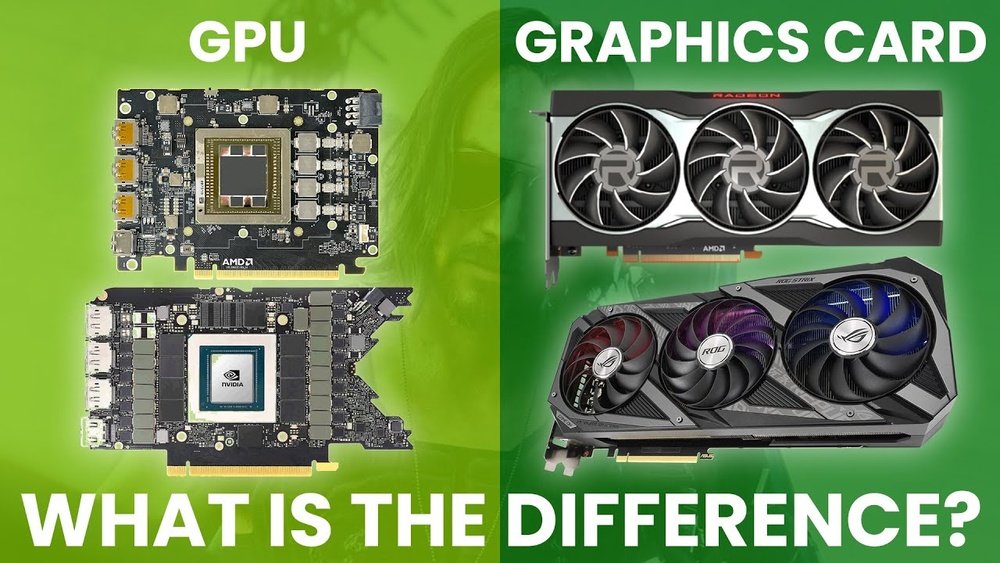
Are Gpu And Graphics Card the Same: Unveiling the Truth
Have you ever wondered if a GPU and a graphics card are actually the same thing? If you’ve found yourself confused by these terms, you’re not alone.
Many people use them interchangeably, but there’s more to the story. Understanding the difference can help you make smarter choices when buying or upgrading your computer. Keep reading, and by the end, you’ll know exactly what sets these two apart—and why it matters for your gaming, work, or everyday use.
Credit: vixencomposites.com
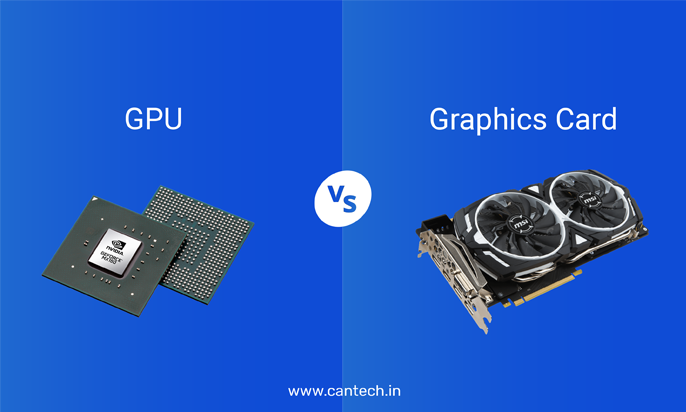
Gpu Vs Graphics Card
The terms GPU and graphics card often confuse many people. They are related but not exactly the same. Understanding the difference helps when choosing or discussing computer hardware.
The GPU is the brain of the graphics system. The graphics card is the full unit that includes the GPU and other parts.
Core Functions
The GPU processes images and videos. It handles all the math for rendering graphics. It focuses on tasks like shading, lighting, and textures.
The graphics card uses the GPU to show images on your screen. It sends the processed data to your monitor. It also helps improve overall video performance.
Hardware Components
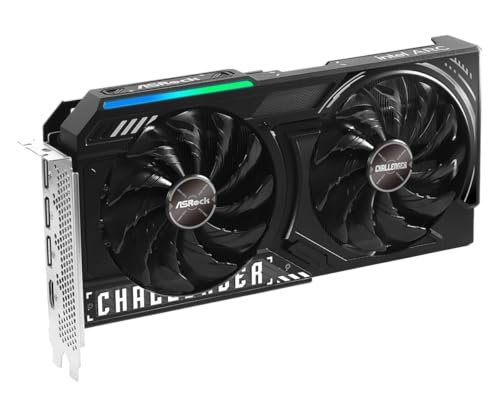
The GPU is a single chip. It sits on a circuit board inside the graphics card. The graphics card includes the GPU, memory, cooling system, and power connectors.
Memory on the card stores image data for fast access. Cooling keeps the GPU from overheating during use. Power connectors supply the necessary energy.
Integration And Design
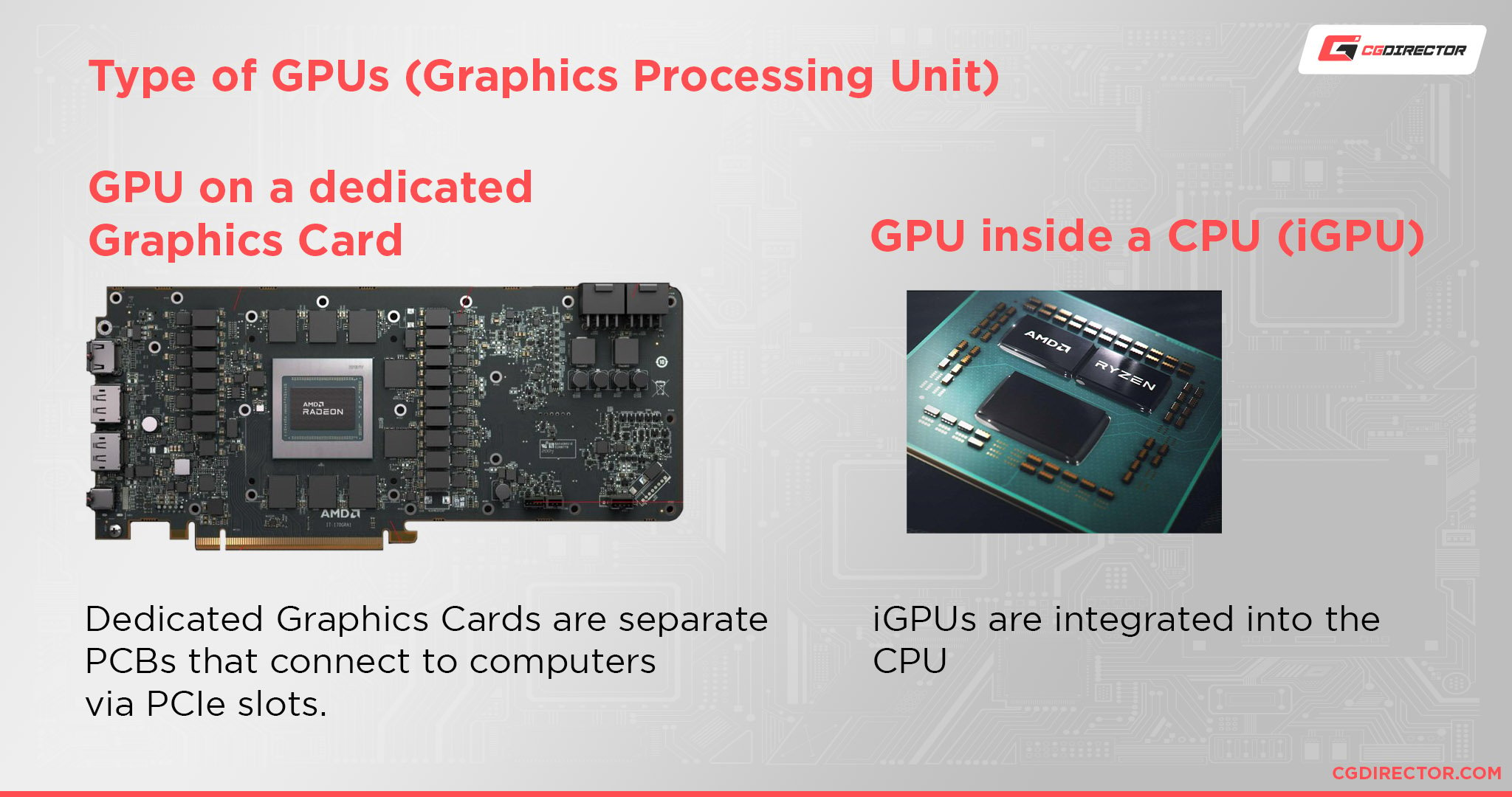
The GPU can be built into the computer’s processor or on a separate card. Integrated GPUs share memory with the CPU and use less power.
Dedicated graphics cards have their own GPU and memory. They offer better performance for gaming and design work. The design of the card affects how well it fits in your computer case.

Credit: www.youtube.com
How Gpus Work
Understanding how GPUs work helps us see their role in computers. A GPU is a chip inside the graphics card. It processes many tasks at once. This ability makes it fast for certain jobs. GPUs are designed to handle images and videos smoothly. They also help with other tasks beyond graphics.
Let’s explore the main functions of a GPU to understand its power.
Parallel Processing
GPUs can perform many calculations at the same time. This is called parallel processing. Unlike CPUs, which work on one task after another, GPUs split tasks into smaller parts. These parts run simultaneously. This makes GPUs very efficient for complex tasks. It is why they are great for graphics and data-heavy work.
Rendering Graphics
Rendering means creating images from data. GPUs convert code into pictures you see on the screen. They handle colors, shapes, and textures quickly. This process is vital for games and videos. A GPU processes millions of pixels every second. This keeps visuals smooth and clear.
Compute Tasks Beyond Graphics
GPUs also help with non-graphic tasks. They work on scientific calculations, machine learning, and data analysis. Their ability to handle many tasks at once speeds up these processes. This makes GPUs useful in many fields. They are not just for gaming or videos.
Graphics Card Components
A graphics card is more than just a single piece. It is a mix of several important parts. Each part plays a role in how well your computer shows images and videos.
Understanding these parts helps you see what makes a graphics card work. It also shows the difference between the graphics card and the GPU inside it.
Gpu Chip
The GPU chip is the heart of the graphics card. It handles all the calculations to create images. It processes many tasks at the same time. This chip decides the speed and quality of graphics.
Memory And Vram
Memory, called VRAM, stores image data the GPU uses. More VRAM means the card can handle bigger and clearer images. It helps keep the display smooth and fast. VRAM is different from the computer’s main memory.
Cooling Systems
Graphics cards get hot when working hard. Cooling systems stop overheating and damage. They use fans or liquid to move heat away. Good cooling keeps the card stable and running longer.
Power Delivery
Power delivery gives the GPU and other parts enough electricity. It includes circuits and connectors that control power flow. Stable power is key for the card’s performance and safety. Without it, the card can fail or slow down.
Types Of Graphics Cards
Graphics cards come in several types. Each type serves a different purpose and user need. Knowing these types helps choose the right one for your device and tasks.
Some graphics cards are built into the system, while others are separate. Some can even be added externally for better performance.
Integrated Graphics
Integrated graphics are part of the computer’s main processor. They share memory with the CPU and use less power. These are common in laptops and budget desktops. Integrated graphics handle basic tasks like web browsing and video playback. They are not ideal for heavy gaming or graphic design.
Dedicated Graphics Cards
Dedicated graphics cards have their own memory and processor. They provide better performance for gaming and creative work. These cards fit into a slot on the motherboard. They offer higher speed and can run complex 3D applications. Dedicated cards are larger and use more power than integrated ones.
External Gpus
External GPUs connect to a computer through ports like Thunderbolt. They allow laptops and small PCs to boost graphics power easily. These are useful for users needing extra graphics strength without buying a new system. External GPUs can be disconnected and used with different devices. They combine the mobility of laptops with desktop-level graphics.
Choosing Between Gpu And Graphics Card
Choosing between a GPU and a graphics card can be confusing. Many people think they are the same. They are related but not identical. Understanding their differences helps in making the right choice for your needs.
A GPU is the chip that does the work of creating images and videos. A graphics card includes the GPU and other parts like memory and cooling. The card plugs into your computer and makes the visuals appear on your screen.
Performance Needs
Check what you need your computer to do. For basic tasks, a simple GPU inside your CPU might be enough. For gaming or video editing, you need a strong graphics card. It has a powerful GPU and extra memory to handle big tasks smoothly.
Budget Considerations
Set a budget before choosing. A GPU alone is not sold separately for many users. Graphics cards come in many prices. Cheaper cards are good for everyday use. Expensive cards offer better speed and quality. Spend based on what you can afford and need.
Use Cases
Think about how you use your computer. For office work and browsing, integrated GPUs work fine. For gaming, 3D modeling, or video editing, a dedicated graphics card is best. It provides better visuals and faster performance.
Common Misconceptions
Many people mix up the terms GPU and graphics card. This confusion leads to wrong ideas about computer parts. Clearing these common misconceptions helps you understand how your computer works better.
Knowing the difference can help you pick the right hardware. It also makes tech talk easier to follow. Let’s break down the main reasons for this confusion.
Terminology Confusion
The word GPU stands for Graphics Processing Unit. It is the chip that processes images and videos. A graphics card is the full device that holds the GPU. It also includes memory and cooling parts.
People often use GPU and graphics card as if they mean the same. This mix-up happens because the GPU is the main part inside the card. But they are not identical terms.
Function Overlap
The GPU handles graphics calculations inside the computer. The graphics card supports the GPU and connects it to the system. Both work together to create images on your screen.
This overlap makes people believe one term covers both parts. The GPU does the work, but the card makes it possible. Each plays a different role in showing graphics.
Marketing Language
Companies often use GPU and graphics card terms loosely in ads. They want to highlight the speed or power of their products. This approach adds to the confusion among buyers.
Advertisements may say “powerful GPU” when they mean the whole card. Knowing this can help you read product info more clearly. Always check details before buying hardware for your needs.
Credit: www.pwmachineservices.com
Frequently Asked Questions
What Is The Difference Between Gpu And Graphics Card?
A GPU is the chip that processes graphics tasks. A graphics card is the complete hardware, including the GPU, memory, and cooling system. The card connects to your PC and displays images on the monitor.
Can A Gpu Function Without A Graphics Card?
No, a GPU cannot function alone. It needs a graphics card or integrated chipset to connect with other computer components and display images.
Are All Graphics Cards Equipped With Gpus?
Yes, every graphics card contains a GPU. The GPU is the core component responsible for rendering images and videos in the graphics card.
How Does A Gpu Impact Gaming Performance?
The GPU processes graphics data rapidly, affecting frame rates and visual quality. A powerful GPU ensures smoother and more detailed gaming experiences.
Conclusion
Understanding the difference between GPU and graphics card helps in choosing the right hardware. A GPU is the chip that processes graphics, while the graphics card is the full device that includes the GPU and other parts. Knowing this makes buying or upgrading easier and clearer.
Both work together to show images on your screen. Remember, the GPU is the brain, but the graphics card is the complete package. This simple knowledge supports better tech decisions.