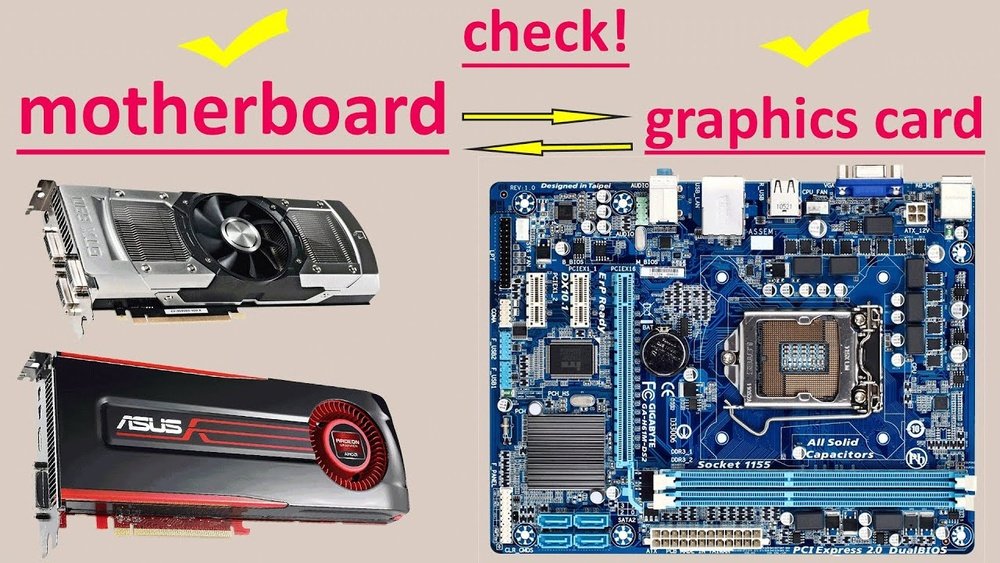
Are All Gpu Compatible With All Motherboards? Ultimate Guide
Are you planning to upgrade your computer’s graphics card but wondering if any GPU will work with your motherboard? This question is more common than you might think.
Choosing the right GPU isn’t just about picking the latest model; it’s about making sure it fits perfectly with your existing setup. If you get it wrong, you could face compatibility problems that waste your time and money. Keep reading to discover the key factors that determine whether a GPU will work with your motherboard, so you can make the best choice with confidence.

Credit: softwareg.com.au
Gpu And Motherboard Basics
Understanding the basics of GPUs and motherboards helps you choose compatible parts. Both must work well together for your computer to run smoothly.
Motherboards have specific slots and support types of GPUs. Not all GPUs fit every motherboard. Knowing the types and interfaces is essential.
Gpu Types And Interfaces
GPUs come in different types, mainly discrete and integrated. Integrated GPUs are built into the CPU or motherboard. Discrete GPUs are separate cards added to the system.
Most discrete GPUs use PCI Express (PCIe) interfaces. PCIe is a fast connection standard for data transfer. It has versions like PCIe 3.0, 4.0, and 5.0, each faster than the last.
Choosing a GPU with the right PCIe version improves performance. Older motherboards may support only lower PCIe versions. Newer GPUs usually work on older PCIe slots but slower.
Motherboard Slots And Compatibility
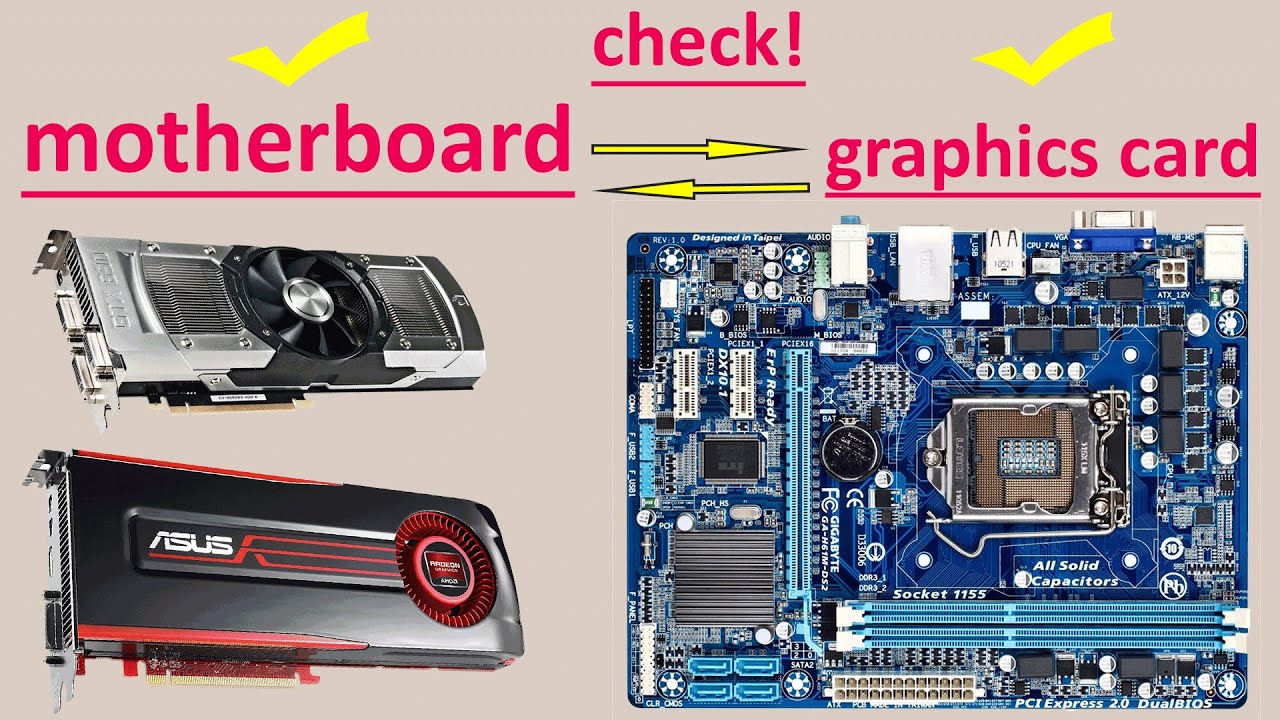
Motherboards have slots to hold GPUs, mainly PCIe x16 slots. These slots vary in size and speed. The slot type must match the GPU interface.
Some motherboards have one PCIe x16 slot; others have multiple. Check slot availability before buying a GPU. Physical space inside the case also matters.
Power supply and BIOS support affect compatibility too. High-end GPUs need more power connectors. BIOS updates may be needed for new GPUs.
Checking Physical Compatibility
Checking physical compatibility is the first step before buying a GPU for your motherboard. Not all GPUs fit every motherboard. You must know the physical details to avoid problems. Size and connectors matter the most. This section explains what to check.
Slot Types And Sizes
Motherboards have specific slots for GPUs. Most modern GPUs use PCI Express slots. The common type is PCIe x16. Make sure your motherboard has this slot. Some older boards use different slots that won’t fit new GPUs.
The size of the GPU also matters. Some GPUs are long and wide. Small cases or boards may not fit large GPUs. Check the space inside your case. Measure the length and width of the GPU before buying.
Power Connector Requirements
GPUs need power from the motherboard and extra power from the power supply. Some GPUs require one or more power connectors. These connectors can be 6-pin, 8-pin, or both.
Check if your power supply has the right connectors. Also, confirm it provides enough wattage for the GPU. Without proper power, the GPU won’t work or may cause damage.
Performance And Bottlenecks
Performance between a GPU and motherboard depends on many factors. One key aspect is avoiding bottlenecks. Bottlenecks happen when one part limits another. A strong GPU may not perform well if the CPU or motherboard restricts it. Understanding this balance helps build better systems.
Cpu And Gpu Matching
The CPU and GPU must work well together. A powerful GPU paired with a weak CPU causes a bottleneck. The CPU cannot send data fast enough. This slows down the whole system. Matching a mid-range GPU with a strong CPU can be more efficient. Balance is essential for smooth performance.
Impact Of Chipset On Gpu
The motherboard chipset controls communication between parts. Some chipsets support faster data transfer rates. This affects how well the GPU performs. Older chipsets might limit GPU speed. Newer chipsets offer better support for modern GPUs. Choosing the right chipset ensures the GPU works at full potential.
Bios And Firmware Considerations
BIOS and firmware play a big role in GPU compatibility with motherboards. BIOS is the software that starts your computer and helps hardware parts work together. Firmware controls how hardware components perform. Sometimes, older BIOS or firmware may not support new GPUs. This can cause problems during installation or use.
Keeping BIOS and firmware updated helps avoid these issues. Updates add support for new hardware and fix bugs. Without updates, your motherboard might not recognize the GPU or work properly.
Updating Motherboard Bios
Updating the motherboard BIOS is a simple process but requires care. Check your motherboard’s model and version first. Visit the official website to download the latest BIOS update. Follow the instructions exactly to avoid errors. A failed BIOS update can stop your computer from booting. Regular updates improve compatibility and system stability.
Gpu Recognition Issues
Sometimes, the motherboard does not detect the GPU. This often happens with new or high-end graphics cards. Outdated BIOS is a common cause. Also, incorrect BIOS settings can block GPU recognition. Resetting BIOS to default settings may fix the problem. Make sure the GPU is properly seated in the slot. Checking power connections is also important for GPU detection.
Operating System And Driver Support
Operating system and driver support play a big role in GPU and motherboard compatibility. A GPU needs the right drivers to work well with an operating system. Without proper driver support, the GPU may not perform correctly or at all. Also, some operating systems have limits on which GPUs they support.
Understanding these factors helps you avoid issues with your PC build. It ensures your GPU runs smoothly with your chosen motherboard and OS.
Gpu Drivers Compatibility
GPU drivers act as a bridge between the graphics card and the operating system. Each GPU brand, like NVIDIA or AMD, provides specific drivers for their models. Installing the correct driver is essential for the GPU to function properly.
Sometimes, older GPUs do not have drivers for new operating systems. This can cause poor performance or no display output. New GPUs may also require the latest drivers to unlock all features.
Drivers must match the GPU model and the OS version. Using wrong or outdated drivers can cause crashes or system errors. Always download drivers from official sources to ensure safety and compatibility.
Os Limitations
Not all operating systems support every GPU. Some older OS versions lack drivers for modern GPUs. For example, Windows 7 may not fully support the latest graphics cards.
Linux users may face limited driver options depending on the GPU brand. Open-source drivers exist but may not offer full performance. MacOS supports only certain GPUs, mainly those used in Apple devices.
Check your operating system’s GPU support before buying a new graphics card. This avoids compatibility problems and ensures smooth operation.

Credit: www.youtube.com
Special Cases And Exceptions
Not all GPUs fit every motherboard without issues. Some special cases and exceptions affect compatibility. These cases need careful attention to avoid problems with your computer setup.
Understanding these unique situations helps you choose the right GPU for your system. It also saves time and money by preventing wrong purchases.
Integrated Graphics Vs Dedicated Gpus
Integrated graphics are built into the CPU or motherboard. They do not need a separate card. These are common in budget or small computers.
Dedicated GPUs are separate cards you plug into the motherboard. They offer better performance for games and heavy tasks. Not every motherboard supports dedicated GPUs well.
Some motherboards lack the right slot or power support for dedicated cards. Others may disable integrated graphics when a dedicated GPU is installed. Check your system’s specs to understand these differences.
External Gpu Solutions
External GPUs connect to laptops or small PCs using ports like Thunderbolt. They allow adding powerful graphics without opening the device.
Not all laptops support external GPUs. You need a compatible port and software support. External GPUs need extra power and cooling too.
This option suits users who want better graphics but cannot replace internal GPUs. Still, external GPUs have limits in speed and compatibility compared to internal cards.
Tips For Choosing Compatible Gpu
Choosing the right GPU for your motherboard is key to building a strong PC. Compatibility matters a lot. The wrong GPU can cause issues or just not fit.
Here are some useful tips to help you pick a GPU that works well with your motherboard. These steps make the process easier and safer.
Researching Specifications
Start by checking your motherboard’s specs. Look for the PCIe slot type and version it supports. Most modern GPUs need a PCIe x16 slot.
Also, check the physical space inside your case. Some GPUs are big and need extra room. Power supply wattage is important too. Make sure your PSU can handle the GPU’s power needs.
Consulting Manufacturer Guidelines
Visit the GPU and motherboard manufacturer websites. They provide clear compatibility lists and guides. These resources show which GPUs fit which motherboards.
Reading user manuals helps avoid mistakes. Manufacturers also suggest BIOS updates for better GPU support. Follow these instructions carefully for smooth installation.
Credit: www.youtube.com
Frequently Asked Questions
Are All Gpus Compatible With Every Motherboard?
No, not all GPUs are compatible with every motherboard. Compatibility depends on the motherboard’s PCIe slot, size, and power supply support.
How To Check If My Gpu Fits The Motherboard?
Check your motherboard’s PCIe slot type and GPU size. Also, ensure your power supply meets the GPU’s power requirements.
Can Older Motherboards Support Newer Gpus?
Older motherboards may support newer GPUs but with limited performance. Check PCIe version and BIOS updates for better compatibility.
Does Motherboard Size Affect Gpu Compatibility?
Yes, motherboard size affects GPU compatibility. Ensure your case and motherboard can physically accommodate the GPU’s length and width.
Conclusion
Not all GPUs fit every motherboard. Check the slot type first. Power supply needs match your GPU’s requirements. Size matters; some GPUs are too big for small cases. BIOS updates can help with compatibility. Research your motherboard model before buying a GPU.
This saves money and avoids frustration. A good match means better performance and fewer issues. Take time to compare specs. Your computer will run smoother with the right parts.