Does Amd Cpu Work With Nvidia Gpu: Ultimate Compatibility Guide
Are you wondering if an AMD CPU can work smoothly with an Nvidia GPU? Maybe you’re building a new PC or upgrading your current setup, and this question is on your mind.
The answer isn’t as complicated as it seems, and understanding it can save you time and money. Keep reading, and you’ll discover exactly how these two powerful components team up—and what you need to know to get the best performance from your system.
Don’t miss out on tips that could make your next build or upgrade a breeze!
Credit: www.cgdirector.com
Amd Cpu And Nvidia Gpu Compatibility
AMD CPUs and Nvidia GPUs can work together in many PC builds. They come from different brands but can function well as a team. This mix is common among gamers and PC builders. Understanding their compatibility helps build a smooth-running system.
Basic Compatibility Factors
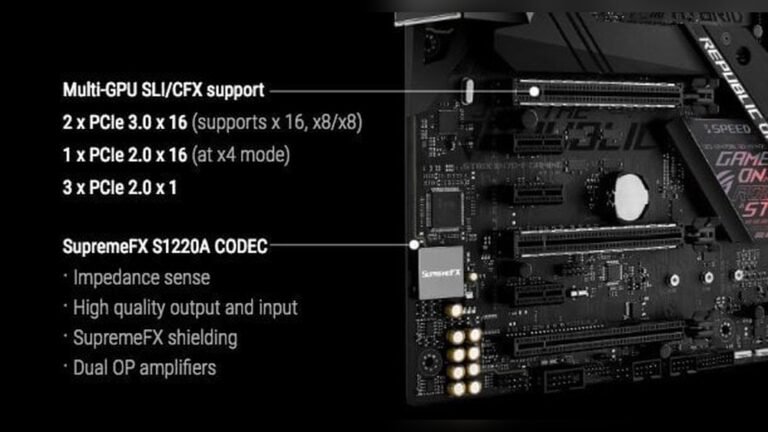
AMD processors and Nvidia graphics cards use standard connections. The most important is the PCIe slot on the motherboard. Nvidia GPUs fit into these slots without issues. AMD CPUs support PCIe lanes for these cards. Drivers from both AMD and Nvidia work independently. This means they do not block or limit each other.
Motherboard And Chipset Considerations
The motherboard must support the AMD CPU socket type. It also needs the right chipset for the CPU generation. Most modern motherboards have PCIe x16 slots for Nvidia GPUs. BIOS updates may improve compatibility and performance. Check the motherboard manual to confirm these details.
Power Supply Requirements
Nvidia GPUs need adequate power to run well. The power supply unit (PSU) must deliver enough wattage. Look at the GPU’s recommended power rating. Also, ensure the PSU has the right power connectors. AMD CPUs usually have lower power use than GPUs. A balanced power supply avoids crashes and freezes.
Performance Benefits And Limitations
Using an AMD CPU with an Nvidia GPU is common in many PC builds. This setup offers clear benefits but also some limits. Understanding these helps choose the best parts for your needs.
Performance depends on how well the CPU and GPU work together. Some tasks need more from the CPU, while others rely on the GPU. Balancing both parts is key for smooth operation.
Gaming Performance
Games rely heavily on the GPU for graphics and the CPU for game logic. An AMD CPU can handle most modern games well. Nvidia GPUs offer strong graphics power and support advanced features.
This combo delivers good frame rates in many titles. Some games prefer certain CPU architectures, but AMD and Nvidia usually pair well. Performance varies by game and settings.
Productivity And Rendering
Tasks like video editing and 3D rendering use CPU and GPU power. AMD CPUs often have many cores, helping with multitasking and rendering speed. Nvidia GPUs have CUDA cores that speed up rendering in supported software.
This mix can shorten project times and improve workflow. Some apps optimize better for Nvidia GPUs, making this combo useful for creators. Still, software compatibility affects overall results.
Bottleneck Risks
Bottlenecks happen when one part limits the other’s performance. A weak CPU can slow down a strong Nvidia GPU, especially in CPU-heavy tasks. Likewise, a low-end GPU may hold back an AMD CPU in games.
Choosing balanced hardware avoids bottlenecks. Match CPU speed and cores with GPU power for best results. Proper pairing ensures smooth and efficient performance.
Driver And Software Support
Driver and software support is key for a smooth PC experience. It makes sure your AMD CPU and Nvidia GPU work well together. Proper drivers keep your system stable and fast. They help the hardware talk to the operating system correctly.
Without the right drivers, parts might not perform well. You could see crashes, slowdowns, or other problems. Good driver support means fewer bugs and better power use. It also helps with updates and new features.
Amd Cpu Drivers
AMD CPUs use chipset drivers to connect with the system. These drivers manage the CPU’s communication with other parts. They help with power management and device control. AMD often updates these drivers to fix issues and improve speed. Installing the latest chipset drivers can boost your PC’s stability.
Nvidia Gpu Drivers
Nvidia provides its own drivers for graphics cards. These drivers enable the GPU to render images and videos. Nvidia releases frequent updates to add features and fix bugs. Using the latest Nvidia driver ensures your graphics run smoothly. It also supports new games and software.
Common Software Conflicts
Sometimes, AMD and Nvidia drivers can clash. Conflicts may cause crashes or poor performance. Old drivers often create these issues. Running two different vendor drivers needs care. Cleaning old drivers before installing new ones helps. Use tools like DDU to remove leftovers safely. Keep both AMD and Nvidia drivers updated for best results.
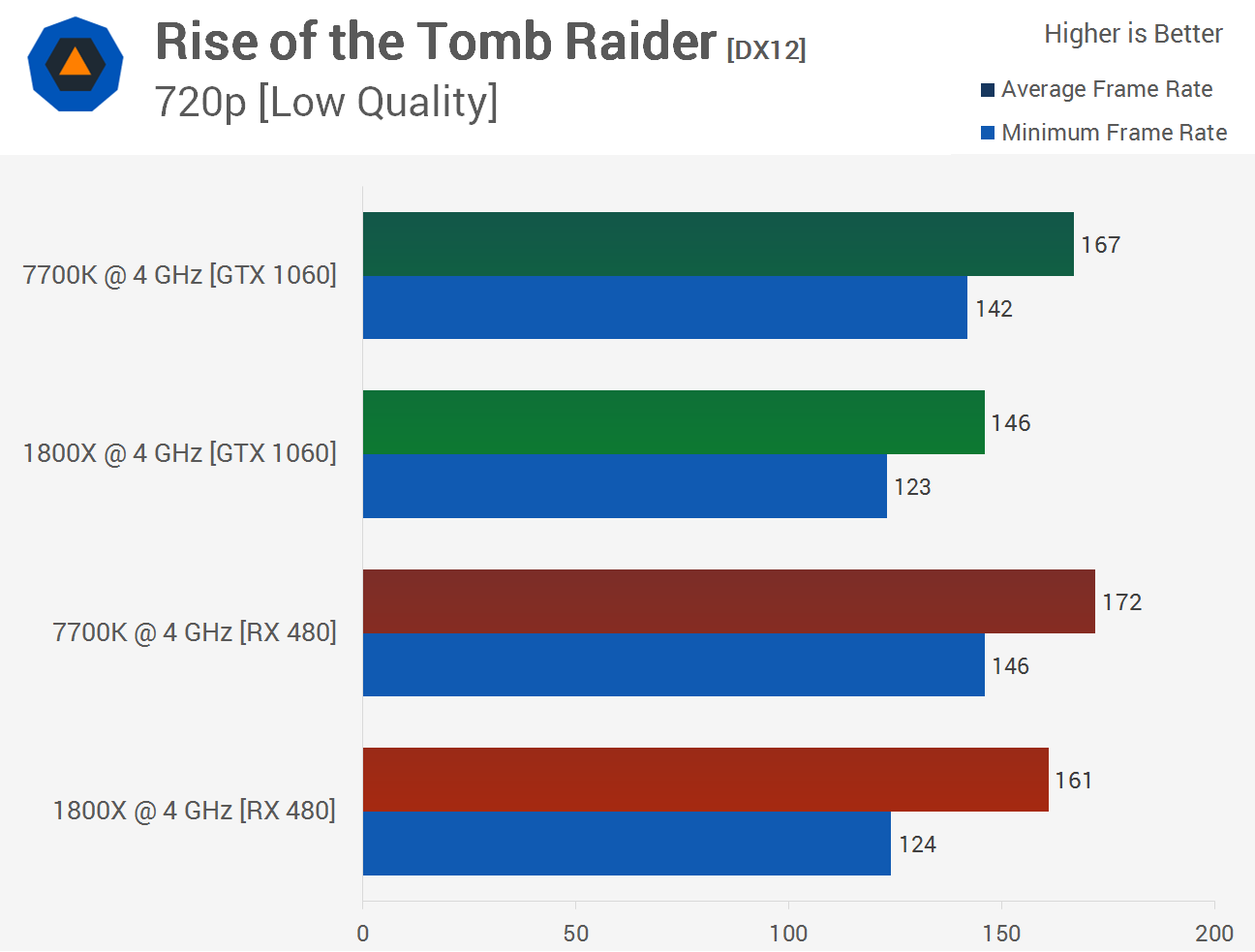
Credit: vixencomposites.com
Building An Amd Cpu And Nvidia Gpu System
Building a system with an AMD CPU and an Nvidia GPU is a popular choice for many users. This setup offers strong performance for gaming, video editing, and general use. Both brands work well together without compatibility issues. You can combine the latest AMD processors with powerful Nvidia graphics cards for a balanced PC.
Choosing the right parts and installing them correctly helps your system run smoothly. Fine-tuning settings after installation improves speed and stability. Below are key points to consider when building an AMD CPU and Nvidia GPU system.
Choosing Compatible Components
Start with a motherboard that supports your AMD CPU socket type. Check if it has the right PCIe slots for your Nvidia GPU. Make sure your power supply can provide enough wattage for both parts. Look for at least one 8-pin or 6-pin PCIe power connector for the GPU. Confirm RAM and storage choices fit your motherboard and budget. Proper compatibility avoids hardware conflicts and system crashes.
Installation Tips
Turn off your PC and unplug it before installing components. Place the CPU carefully into the motherboard socket. Lock it in place without forcing. Insert the Nvidia GPU into the correct PCIe slot firmly. Connect power cables from the PSU to the GPU securely. Attach CPU cooler and case fans for good airflow. Double-check all cables and parts before powering on.
Optimizing System Settings
After installation, update your motherboard BIOS for best CPU support. Install the latest Nvidia drivers for your GPU from the official site. Adjust power settings in Windows for balanced or performance modes. Use Nvidia Control Panel to tweak graphics settings for your needs. Monitor temperatures with software to prevent overheating. Proper settings help maintain smooth performance and stability.
Troubleshooting Compatibility Issues
Troubleshooting compatibility issues between an AMD CPU and an Nvidia GPU can be tricky. Sometimes, these parts do not work smoothly together right away. Problems may arise from hardware, drivers, or system settings. This section helps you find and fix common issues. It guides you through simple steps to get your system running well.
Identifying Hardware Problems
First, check if the CPU and GPU are properly connected. Loose cables or poor seating can cause issues. Make sure the power supply meets the GPU’s needs. Look for physical damage or dust inside the case. Test the GPU in another system to see if it works. Use hardware monitoring tools to check temperatures and voltages. These steps help spot hardware faults early.
Resolving Driver Conflicts
Driver conflicts often cause crashes or slow performance. Uninstall old AMD or Nvidia drivers completely. Use tools like Display Driver Uninstaller (DDU) for a clean removal. Download the latest drivers from the official Nvidia website. Avoid installing beta or unofficial drivers. After installation, restart the computer. Check for software updates regularly. Proper drivers ensure smooth communication between CPU and GPU.
Bios And Firmware Updates
Outdated BIOS or firmware can block hardware compatibility. Visit your motherboard manufacturer’s website for updates. Follow the instructions carefully to avoid errors. Update both BIOS and firmware to the latest version. This can fix bugs and improve hardware support. Always back up important data before updating. Updated BIOS helps your system recognize new hardware properly.
Credit: vixencomposites.com
Future Trends And Compatibility
The future of AMD CPUs working with Nvidia GPUs looks promising. Both companies keep improving their products. This progress helps users build powerful computers with mixed brands. Compatibility issues are becoming fewer. New technology supports better teamwork between AMD and Nvidia hardware.
Upcoming Amd Cpus
AMD plans to release new CPUs soon. These processors will be faster and more energy efficient. They will support the latest software and hardware standards. This means better performance with Nvidia GPUs. Users can expect smoother gaming and faster tasks. AMD focuses on improving compatibility with all GPU brands.
Next-gen Nvidia Gpus
Nvidia is developing new graphics cards with advanced features. These GPUs offer higher speed and improved graphics quality. They support the latest technologies like ray tracing and AI enhancements. Nvidia designs these cards to work well with various CPUs, including AMD. This ensures good performance in gaming and creative work.
Cross-brand Compatibility Advances
Compatibility between AMD CPUs and Nvidia GPUs improves over time. Software updates and driver support play a big role. Developers optimize programs for mixed hardware setups. Motherboards and chipsets also support better communication between components. This helps reduce conflicts and improve system stability. Users can build balanced systems without brand restrictions.
Frequently Asked Questions
Does Amd Cpu Support Nvidia Gpu Compatibility?
Yes, AMD CPUs are fully compatible with Nvidia GPUs. They work well together for gaming and professional tasks. The CPU and GPU brands do not need to match to function properly.
Can I Use Nvidia Gpu With Amd Ryzen Processor?
Absolutely, Nvidia GPUs work perfectly with AMD Ryzen processors. This combination is common in gaming PCs and offers excellent performance. The motherboard and power supply compatibility matter more than CPU-GPU brand matching.
Will An Amd Cpu Bottleneck An Nvidia Gpu?
It depends on the CPU and GPU models. High-end AMD CPUs generally avoid bottlenecks with powerful Nvidia GPUs. Ensure balanced components to achieve optimal gaming or rendering performance.
Are There Any Driver Conflicts Between Amd Cpu And Nvidia Gpu?
No, there are no driver conflicts between AMD CPUs and Nvidia GPUs. Each component uses its own drivers independently. Keep both CPU chipset and GPU drivers updated for best stability.
Conclusion
AMD CPUs work well with Nvidia GPUs in most setups. They communicate smoothly and deliver good performance. You don’t need matching brands for a strong PC. Many users mix AMD processors with Nvidia graphics cards successfully. Just ensure your motherboard supports both parts.
Drivers from each brand update regularly for compatibility. This combo suits gaming, video editing, and daily tasks. Mixing AMD CPUs with Nvidia GPUs offers flexibility and power. It lets you build a system that fits your needs. So, don’t worry about brand matching when choosing parts.