Does Macbook Have a Gpu: Unlocking Its True Graphics Power
Are you wondering if your MacBook has a GPU and what that means for your performance? Whether you’re editing videos, playing games, or just curious about your device’s power, understanding the role of a GPU in your MacBook can make a big difference.
You’ll discover how MacBooks handle graphics, why it matters to you, and what to expect from your machine. Keep reading to unlock the full potential of your MacBook’s graphics capabilities.
Macbook Graphics Options
MacBooks offer different graphics options depending on the model. These options affect how the device handles images, videos, and games. Choosing the right graphics helps with tasks like photo editing, video playback, and 3D design.
Apple provides both integrated and dedicated GPUs in their MacBooks. Each type has its strengths and suits different user needs. Understanding these options helps pick the best MacBook for your work or hobbies.
Integrated Vs Dedicated Gpus
Integrated GPUs share memory with the main processor. They use less power and create less heat. Integrated graphics are good for everyday tasks like browsing and watching videos.
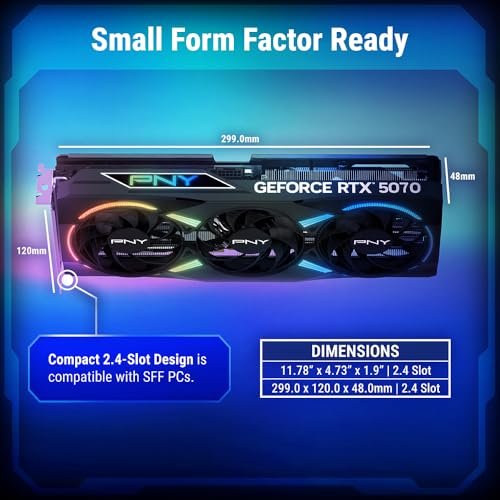
Dedicated GPUs have their own memory and power. They handle heavy graphics work better. These GPUs improve gaming, 3D modeling, and video editing performance.
Models With Dedicated Gpus
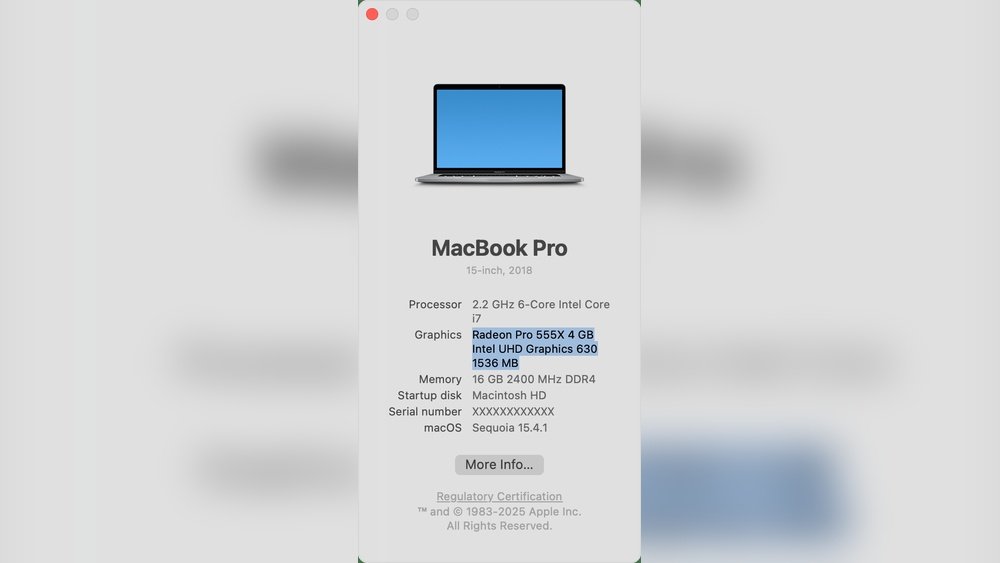
Some MacBook Pro models come with dedicated GPUs. These are designed for professionals and power users. The 16-inch MacBook Pro often includes AMD Radeon graphics. These GPUs boost speed in creative software and large projects.
Dedicated GPU MacBooks cost more and use more battery. They are ideal for users who need extra graphics power.
Models With Integrated Gpus
Most MacBooks use integrated GPUs. The MacBook Air and some MacBook Pro models have integrated graphics. Apple’s M1 and M2 chips feature powerful integrated GPUs that balance speed and efficiency.
These MacBooks work well for regular use and light creative tasks. They offer good battery life and run cool without fans.

Credit: support.apple.com
Apple Silicon And Gpu Performance
Apple Silicon has changed how MacBooks handle graphics tasks. It combines the CPU and GPU on a single chip. This design improves speed and power efficiency. Users notice smoother graphics and faster performance in daily use and creative work.
M1 Chip Graphics Capabilities
The M1 chip includes an integrated GPU with up to 8 cores. It delivers strong graphics performance for most tasks. Video editing, gaming, and design apps run smoothly. The M1 supports high resolutions and multiple displays. This chip is a big step from older Intel Macs with separate GPUs.
M2 And Later Chip Enhancements
The M2 chip and newer models improve GPU power further. They offer up to 10 GPU cores for better speed. Graphics performance increases by up to 35% compared to M1. These chips handle complex graphics and high frame rates well. Creative professionals benefit from faster rendering and smoother workflows.
Unified Memory Architecture Impact
Apple Silicon uses unified memory shared by CPU and GPU. This design reduces delays in data transfer. The GPU accesses memory faster, improving graphics tasks. Unified memory also helps save power. It allows MacBooks to run cooler and last longer on battery.
Gpu Impact On Everyday Tasks
The GPU plays a key role in many daily tasks on a MacBook. It handles graphics processing, easing the work of the main CPU. This leads to smoother performance in apps and software. A strong GPU makes visuals clearer and faster.
Many common activities benefit from a good GPU. These include video editing, gaming, and 3D design. Each task uses the GPU differently to improve speed and quality.
Video Editing And Rendering
Video editing needs fast image processing. The GPU speeds up rendering times. This means videos export quicker and play smoothly. Effects and transitions look better. The GPU helps with color correction and high-resolution clips. This makes editing less frustrating and more efficient.
Gaming Experience
Games rely on the GPU for smooth graphics. A powerful GPU shows details clearly. It reduces lag and frame drops. This creates a more enjoyable and immersive game. Even casual games look and run better. The GPU handles complex scenes and fast movements with ease.
3d Modeling And Design
3D design requires strong graphics support. The GPU processes complex shapes and textures. It allows real-time previews and smooth navigation. Designers can work faster and see changes instantly. This improves creativity and precision. Without a good GPU, 3D tasks run slowly and look choppy.
Credit: www.reddit.com
External Gpu (egpu) Support
External GPU (eGPU) support allows MacBook users to connect a powerful graphics card outside their laptop. This helps boost graphic performance for tasks like video editing, 3D design, and gaming. An eGPU can enhance the MacBook’s ability without upgrading the internal hardware.
Compatibility With Macbooks
Not all MacBooks support eGPUs. Generally, MacBooks with Thunderbolt 3 ports can use eGPUs. macOS must be updated to at least version 10.13.4 for eGPU support. Some older models and those with Apple’s M1 chips have limited or no eGPU compatibility.
Performance Gains With Egpu
An eGPU can improve graphics speed and quality significantly. It helps run demanding apps smoothly and reduces lag. Performance boosts vary based on the eGPU model and MacBook specs. This makes heavy graphic work faster and easier on your MacBook.
Setup And Use Cases
Setting up an eGPU is simple. Connect the eGPU enclosure to the MacBook via Thunderbolt 3. Install any necessary drivers or software updates. Common uses include video editing, 3D rendering, and gaming. Professionals benefit most from the added graphic power.
Comparing Macbook Gpus To Competitors
Comparing MacBook GPUs to competitors helps to understand their strengths and limits. MacBooks use integrated and some dedicated GPUs, but many Windows laptops offer different options. This section explores how MacBook GPUs stack up against popular Windows laptops in graphics power and value.
Many users want to know if MacBooks can handle graphic tasks like gaming, video editing, or 3D design. This comparison highlights the key differences in GPU performance and what users get for their money.
Windows Laptops With Dedicated Gpus
Windows laptops often include dedicated GPUs from Nvidia or AMD. These GPUs have their own memory and processing power. This design helps with demanding tasks like gaming and 3D rendering.
MacBooks mainly use integrated GPUs in their M1 and M2 chips. Some older MacBook Pro models had dedicated AMD GPUs. Dedicated GPUs on Windows laptops usually provide higher raw graphics power than MacBook integrated options.
Performance Benchmarks
Benchmark tests show Windows laptops with dedicated GPUs often outperform MacBooks in pure graphics tasks. Games run smoother, and rendering times are faster on these machines.
MacBooks excel in energy efficiency and optimized software performance. Their GPUs work well for photo editing, video playback, and light 3D work. Heavy gaming or complex 3D projects may see slower results on MacBook GPUs.
Value For Graphics-intensive Users
For users focused on graphics-heavy work, Windows laptops with dedicated GPUs offer better raw power. They suit gamers and professionals who need fast rendering and high frame rates.
MacBooks provide good value for creative professionals who prioritize battery life and a smooth user experience. Their GPUs handle many creative apps well but may struggle with the most demanding tasks.

Credit: www.theverge.com
Future Of Macbook Graphics
The future of MacBook graphics looks promising. Apple continues to enhance its devices with better visual performance. Users can expect smoother graphics and faster processing in coming models.
Innovations in chip design and graphics technology will shape how MacBooks handle games, videos, and creative work. The focus remains on balancing power and energy efficiency for mobile use.
Upcoming Chip Developments
Apple is working on new chips with stronger graphics capabilities. These chips will combine CPU and GPU power in one unit. This approach improves speed and lowers energy use. Future MacBooks will likely have faster graphics without extra hardware.
Potential For Dedicated Gpus
Some users want dedicated GPUs for heavy tasks like gaming or 3D rendering. Apple may offer models with separate graphics chips. Dedicated GPUs can handle more complex graphics than integrated ones. This could help professionals who need more graphic power.
Trends In Mobile Graphics Technology
Mobile graphics are evolving with better efficiency and performance. Technologies like ray tracing and AI graphics support are growing. Apple may adopt these trends to improve MacBook visuals. This means clearer images and smoother animations in future laptops.
Frequently Asked Questions
Does Macbook Come With A Dedicated Gpu?
Most MacBooks use integrated GPUs for power efficiency. However, some high-end models include dedicated GPUs for better graphics performance.
How Powerful Is The Macbook Gpu For Gaming?
MacBook GPUs are suitable for casual gaming but not for high-end, graphics-intensive games. They prioritize battery life and portability.
Can Macbook Handle Video Editing With Its Gpu?
Yes, MacBook GPUs support video editing software efficiently. Dedicated GPUs in higher models enhance rendering and playback speeds.
Does Macbook Use Amd Or Nvidia Gpus?
Apple primarily uses AMD GPUs in MacBooks. Older models had NVIDIA GPUs, but current Macs favor AMD for better macOS compatibility.
Conclusion
MacBooks come with different types of GPUs depending on the model. Some have integrated GPUs built into the processor. Others include dedicated GPUs for better graphics performance. These options affect tasks like video editing and gaming. Knowing your MacBook’s GPU helps in choosing the right device.
It also guides you on what software will run smoothly. Overall, MacBooks offer good graphics options for everyday use. Choose based on your needs and budget. Simple and clear—this helps you get the best experience.