Is Fortnite Cpu Or Gpu Heavy: Ultimate Performance Breakdown
Are you wondering whether Fortnite puts more strain on your CPU or GPU? If you want to get the best performance and smooth gameplay, knowing which part of your system does the heavy lifting is key.
This insight can help you decide where to invest your upgrades and how to tweak your settings for the ultimate gaming experience. Keep reading, and you’ll discover exactly how Fortnite uses your computer’s power—and what that means for your rig.
Fortnite Performance Basics
Understanding Fortnite’s performance basics helps improve your gameplay. Knowing if Fortnite uses more CPU or GPU power guides your computer upgrades. This knowledge also helps in adjusting settings for smoother play. Let’s explore how Fortnite runs and what your system needs.
Game Engine And Optimization
Fortnite runs on Unreal Engine, a popular game engine. It is designed to work well on many computers. The engine is updated often to fix bugs and improve speed. Fortnite uses both CPU and GPU but focuses more on CPU for game logic. The CPU handles player actions, physics, and game rules. The GPU works on graphics, textures, and effects. Good balance between CPU and GPU is important for smooth play. Optimization means the game uses hardware efficiently to avoid lag.
System Requirements Snapshot
Fortnite’s minimum system needs are not very high. A quad-core CPU and a mid-range GPU can run the game. At least 8 GB of RAM helps with multitasking and game stability. For better graphics and frame rates, a stronger GPU is useful. Players with weaker CPUs may see more lag in busy scenes. The game can adjust settings to match your system. Lower settings reduce GPU load but still need a decent CPU. Knowing your system specs helps set the right game options.
Cpu Demands In Fortnite
Fortnite needs a strong CPU to run smoothly. The game sends many instructions to the processor. It calculates player movements, game physics, and AI behavior. These tasks need fast and efficient processing power. The CPU’s role is important for game performance and responsiveness.
Core Count And Clock Speed Impact
Fortnite benefits from multiple CPU cores. More cores help the game handle many tasks at once. A CPU with four or more cores works well for Fortnite. Clock speed also matters. Higher clock speeds make each core faster. The combination of core count and clock speed improves gameplay fluidity and frame rates.
Multithreading And Game Responsiveness
The game uses multithreading to divide work across cores. This makes the game more responsive and less laggy. Multithreading helps the CPU process game data quickly. It reduces delays in player actions and game updates. Better multithreading support leads to smoother gameplay in Fortnite.
Gpu Workload Analysis
Understanding how Fortnite uses your GPU helps improve game performance. The GPU handles all the graphics and visual tasks in the game. It processes images, textures, and effects to show the game world clearly and smoothly. Examining the GPU workload reveals what parts of the game need more power. This knowledge guides players on how to adjust settings for better gameplay.
Graphics Settings And Resolution Effects
Graphics settings directly affect the GPU load. Higher settings mean more details and effects. This increases the demand on the GPU. Resolution also plays a big role. Playing at 1080p uses less GPU power than 4K. Lowering resolution or graphics settings can reduce lag and improve frame rates. Small changes in settings can make big differences for GPU performance.
Rendering Techniques And Visual Fidelity
Fortnite uses advanced rendering methods to show realistic scenes. Techniques like shadows, lighting, and reflections add to GPU strain. Visual fidelity means how clear and detailed the image looks. Higher fidelity requires more GPU power. Fortnite balances visual quality and performance to run well on many PCs. Players can tweak settings to find their best balance between beauty and smooth play.
Balancing Cpu And Gpu Usage
Fortnite needs both CPU and GPU to work well. The CPU handles game logic and player actions. The GPU draws the graphics on your screen. If one part is too busy, the game can slow down or lag.
Good balance between CPU and GPU helps Fortnite run smoothly. It avoids one part waiting for the other to finish. This balance gives a better gaming experience with fewer drops in frame rate.
Identifying Bottlenecks
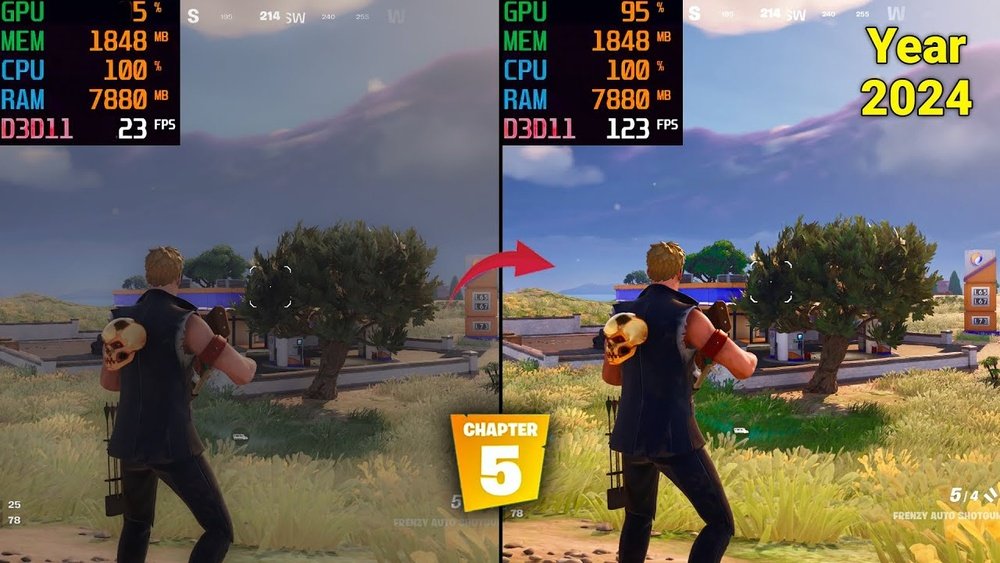
Bottlenecks happen when the CPU or GPU slows the game. If the CPU is slow, the GPU waits for data. If the GPU is slow, the CPU waits to send frames. Finding which part is the bottleneck helps fix performance issues.
Check your game settings and hardware limits. Low CPU speed or many background tasks can cause CPU bottlenecks. Old or weak graphics cards may cause GPU bottlenecks. Spotting this guides you to upgrade or adjust settings.
Performance Metrics And Monitoring Tools
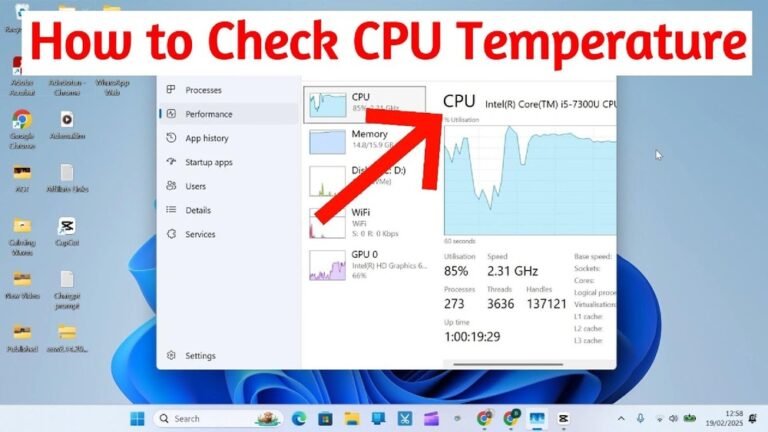
Use tools like Task Manager or MSI Afterburner to watch CPU and GPU use. These tools show how busy each part is during Fortnite. High usage in one means it might be the bottleneck.
Look at frame rates and temperatures too. If the CPU or GPU is very hot, it might slow down. Monitoring helps keep your system balanced and your game running well.
Optimizing Fortnite Performance
Optimizing Fortnite performance improves your gaming experience. Smooth gameplay helps you react faster and enjoy the game more. You need good hardware and smart settings to get the best results.
Both CPU and GPU affect Fortnite’s performance. Knowing how to upgrade and adjust settings can help your computer run the game better.
Recommended Hardware Upgrades
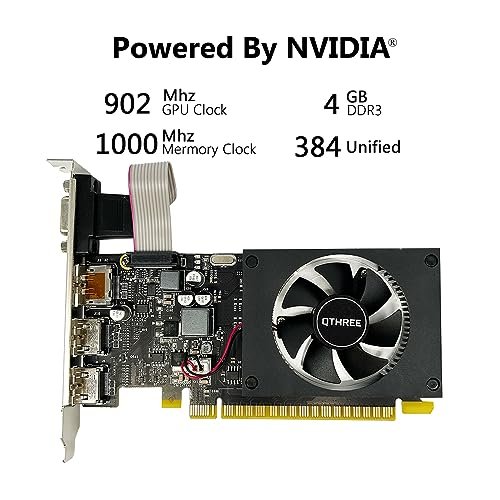
Fortnite needs a balanced CPU and GPU. A fast CPU handles game logic and physics. A strong GPU processes graphics and visuals. Upgrade to a quad-core or better CPU. Choose a mid-range or higher GPU with at least 4GB VRAM.
More RAM helps reduce slowdowns. Aim for 8GB or more. Use an SSD for faster game loading times. Check your power supply and cooling system to keep hardware stable.
In-game Settings For Smooth Gameplay
Lowering some graphics settings can improve frame rates. Set textures and effects to medium or low. Turn off shadows and motion blur. Adjust view distance to balance visuals and performance.
Use a lower resolution if your FPS is low. Enable V-Sync only if you see screen tearing. Keep your drivers updated for better compatibility. Regularly clean your PC from dust to avoid overheating.

Credit: www.youtube.com
Comparing Different Systems
Different computer systems handle Fortnite in various ways. Some systems run the game smoothly, while others struggle. This depends on the parts inside the computer and how well they work together. Comparing different systems helps understand if Fortnite is more demanding on the CPU or GPU.
Knowing which part of the computer the game stresses more can guide players in upgrading their hardware. It also helps to adjust game settings for better performance. Below, we look at how low-end and high-end builds perform and the role of background processes.
Low-end Vs High-end Builds
Low-end builds usually have weaker CPUs and GPUs. Fortnite on these systems may lag or stutter. The CPU can bottleneck the game if it is too slow. The GPU may also struggle to render graphics smoothly. Players often need to lower settings for better playability.
High-end builds have powerful CPUs and GPUs. They handle Fortnite with ease and deliver high frame rates. The CPU processes game logic quickly. The GPU renders detailed graphics without delay. This leads to a smooth and responsive gaming experience.
Impact Of Background Processes
Background processes use CPU and memory resources. They reduce the power available for Fortnite. Even on good systems, many running apps can cause lag. Closing unnecessary programs frees up the CPU and GPU. This results in better game performance and fewer slowdowns.
Some background tasks run without users knowing. These can include updates, antivirus scans, or system tasks. Monitoring and managing these processes helps keep the system focused on the game. This improves overall responsiveness and frame rates.
Future Updates And Performance Trends
Future updates in Fortnite often change how the game uses computer parts. These updates can increase the need for stronger CPUs or GPUs. Understanding these changes helps players prepare their systems for smooth gameplay.
Performance trends show a balance between CPU and GPU demands. Fortnite developers tweak the game to keep it running well on many devices. Watching these trends can guide gamers on hardware upgrades.
Upcoming Features Affecting Hardware Demands
New Fortnite features often add more detail and effects. These can increase the load on the GPU, as it handles graphics. Some updates also add complex game logic, which requires more CPU power.
For example, bigger maps or more players mean more calculations for the CPU. Enhanced visual effects need stronger GPUs to keep frame rates high. Players with older hardware might see drops in performance after updates.
Community Feedback And Developer Insights
Epic Games listens closely to player feedback about game performance. The community often reports which parts of the game slow down their computers. Developers share tips and planned fixes to help improve performance.
They also release patches targeting CPU or GPU issues based on user reports. This ongoing dialogue helps keep Fortnite playable on many types of hardware. Players can expect gradual improvements in how the game uses their systems.
Credit: www.liftingitalia.com
Credit: softwareg.com.au
Frequently Asked Questions
Is Fortnite More Cpu Or Gpu Intensive?
Fortnite relies heavily on both CPU and GPU, but it is generally more GPU intensive. The GPU handles rendering graphics and textures, while the CPU manages game logic and physics. A powerful GPU improves frame rates and visual quality significantly.
Which Component Affects Fortnite’s Performance Most?
The GPU affects Fortnite’s performance the most, especially at higher resolutions. However, a strong CPU is also important for smooth gameplay and reducing input lag. Balancing both components ensures an optimal gaming experience.
Can A Weak Cpu Bottleneck Fortnite Gameplay?
Yes, a weak CPU can bottleneck Fortnite by limiting frame rates and causing stutters. The CPU processes game physics, AI, and player actions, so it must be capable enough to keep up with the GPU.
Does Fortnite Benefit From Multi-core Cpus?
Fortnite benefits moderately from multi-core CPUs. It primarily uses 4 cores effectively, so CPUs with 4 or more cores provide better performance. More cores help with background tasks and smoother multitasking during gameplay.
Conclusion
Fortnite depends on both CPU and GPU to run well. The CPU handles game logic and player actions. The GPU shows the graphics on your screen. A strong CPU helps with smooth gameplay and quick reactions. A good GPU makes the visuals clear and detailed.
Balancing both parts gives the best gaming experience. Choose your hardware based on your budget and needs. This way, Fortnite will run fast and look great. Easy to play, fun to watch.