How Many Cores in Gpu: Ultimate Guide to Boost Performance
Have you ever wondered how many cores are inside your GPU and why it matters? Understanding the number of cores in your graphics card can unlock the secret to better gaming, faster video editing, and smoother design work.
Knowing this can help you choose the right GPU for your needs and get the most out of your computer. Keep reading, and you’ll discover what GPU cores really mean for your performance and how to use this knowledge to boost your setup.
Gpu Cores Basics
Understanding GPU cores is key to knowing how graphics cards work. These cores handle many tasks at the same time, making your computer fast in games and other visuals. Let’s explore the basics of GPU cores and what they do.
What Gpu Cores Are
GPU cores are small processors inside a graphics card. They work together to process images and videos quickly. Unlike a CPU, which handles general tasks, GPU cores focus on graphic calculations. This focus helps create smooth visuals in games and videos.
Core Count Vs Performance
More GPU cores usually mean better performance. They can handle more tasks at once, which helps in heavy graphics work. But core count is not the only factor. Clock speed and architecture also affect how well a GPU performs.
Types Of Gpu Cores
There are different kinds of GPU cores depending on the brand. Nvidia uses CUDA cores, while AMD has Stream Processors. Each type works in a similar way but has unique features. Both types aim to improve speed and efficiency in graphics processing.
Core Architecture And Design
The core architecture and design of a GPU shape its performance and efficiency. Each GPU consists of many small processing units. These units work together to handle complex graphics and compute tasks. Understanding how these cores are built helps explain how GPUs deliver fast, smooth visuals.
Different GPU makers use distinct names and designs for their cores. The way these cores are arranged affects gaming, video editing, and other graphics-heavy tasks. Let’s explore the key elements of GPU core design.
Shader Units Explained
Shader units are the basic building blocks of GPU cores. They process data for rendering images and effects. These units perform calculations related to lighting, color, and texture. Shader units work in parallel to boost speed and quality in graphics processing.
Modern GPUs have thousands of shader units. They handle tasks like shading pixels and vertices. More shader units usually mean better performance in games and 3D applications.
Cuda Cores In Nvidia Gpus
CUDA cores are Nvidia’s version of shader units. They execute many small tasks simultaneously. CUDA cores are designed to run parallel computations fast. This design improves rendering, AI, and scientific calculations.
Nvidia GPUs have different numbers of CUDA cores based on the model. Higher-end cards often pack thousands of these cores. This allows smooth gameplay and faster video rendering.
Stream Processors In Amd Gpus
AMD calls its shader units stream processors. These cores handle similar tasks as CUDA cores. Stream processors manage parallel workloads in graphics and computing. AMD’s design focuses on efficient performance per core.
The number of stream processors varies by AMD GPU. More stream processors boost performance in games and professional software. Their architecture balances speed with power use for better efficiency.
Core Count Across Gpu Models
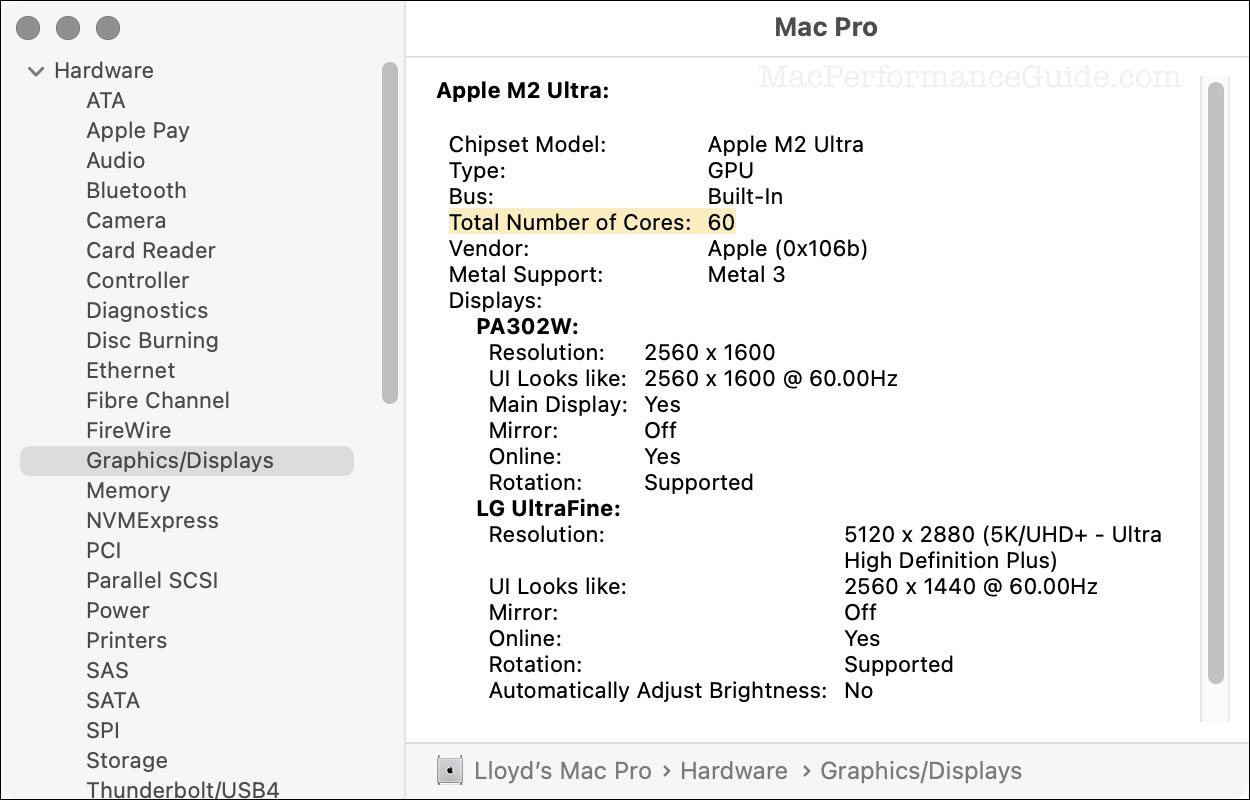
The core count in GPUs varies widely across different models. This number shows how many small processors work together inside the graphics card. The more cores a GPU has, the better it can handle complex tasks like gaming or video editing. Core count is a key factor in deciding which GPU fits your needs.
Entry-level Gpus
Entry-level GPUs usually have fewer cores. They often contain between 300 and 1,000 cores. These GPUs are good for basic tasks like watching videos or light gaming. They use less power and cost less. Their core count is enough for simple graphics work.
Mid-range Gpus
Mid-range GPUs come with more cores, typically between 1,000 and 3,000. These cards offer better performance for gaming and creative work. They can handle higher resolution and more detail. Many users choose mid-range GPUs for a balance of price and power.
High-end Gpus
High-end GPUs feature thousands of cores, often over 4,000. They deliver excellent performance for demanding games and professional tasks. These GPUs support advanced features like ray tracing and AI. Their core count allows smooth work with 4K and VR content.
Comparing Core Counts
Core count alone does not tell the whole story. Architecture and clock speed also affect GPU performance. Different brands use different core designs and names. Still, higher core counts generally mean better multitasking ability. Choose a GPU based on your specific needs and budget.
Credit: eshop.macsales.com
Impact On Gaming And Graphics
The number of cores in a GPU plays a key role in gaming and graphics performance. More cores mean the GPU can handle many tasks at the same time. This ability affects how games run and how graphics appear on your screen. Different games and graphics settings need different amounts of GPU cores to work well.
Frame Rates And Smoothness
Higher core counts help increase frame rates in games. More frames per second lead to smoother gameplay. Games feel more responsive and look better with steady frame rates. Low core GPUs can struggle with fast-paced games. This causes lag or choppy visuals. Many cores allow the GPU to process game data faster. This keeps the action smooth and enjoyable.
Resolution And Core Needs
Playing games at higher resolutions requires more GPU power. More pixels mean more work for the GPU cores. A GPU with more cores handles 4K or ultra-wide screens better. Lower core GPUs may struggle at high resolutions. This results in lower frame rates and poor graphics quality. Gamers who want sharp and detailed images benefit from more cores. It helps maintain performance without sacrificing visual quality.
Ray Tracing And Core Utilization
Ray tracing simulates realistic lighting and shadows in games. It demands a large number of GPU cores to work well. GPUs with many cores can process ray tracing effects smoothly. Fewer cores may cause slower performance or lower detail settings. Core count affects how well the GPU manages complex light calculations. More cores help keep games looking realistic without slowing down.
Gpu Cores In Professional Use
GPU cores play a vital role in many professional fields. These tiny units handle many tasks at once. This ability makes GPUs ideal for heavy work beyond gaming. Professionals depend on GPU cores to speed up complex jobs.
Different professions use GPU cores in unique ways. The number of cores can affect performance and efficiency. More cores usually mean faster and smoother results. Let’s explore how GPU cores help in key professional areas.
Rendering And Animation
Rendering needs a lot of power. GPU cores process images quickly and in parallel. Animators use GPUs to create smooth and detailed scenes. More cores help reduce the time to finish projects. This allows artists to meet tight deadlines with ease.
Ai And Machine Learning
AI tasks require huge calculations. GPU cores handle many operations at the same time. This speeds up training of AI models. Machine learning benefits from GPUs with many cores. It helps improve accuracy and reduces wait times.
Scientific Simulations
Scientists run complex simulations for research. GPU cores enable faster data processing. This makes simulations more detailed and accurate. Many cores allow simultaneous calculations, boosting efficiency. It helps researchers get results faster and explore new ideas.

Credit: community.adobe.com
Core Count Vs Other Factors
Core count is often the first number people check in a GPU. It shows how many processing units the GPU has. More cores usually mean better performance. But core count is not the only factor. Other parts of the GPU also affect speed and quality. Understanding these helps choose the right GPU for your needs.
Clock Speed Importance
Clock speed measures how fast each core works. It is shown in megahertz (MHz) or gigahertz (GHz). Higher clock speed means cores can do tasks quicker. A GPU with fewer cores but higher clock speed may perform better than one with many slow cores. Both core count and clock speed matter for smooth graphics and fast computing.
Memory Bandwidth Role
Memory bandwidth is how fast data moves between GPU and its memory. It affects how quickly the GPU accesses textures and information. A GPU with high memory bandwidth can handle big files and complex scenes better. Even with many cores, low memory bandwidth can slow down performance. Balanced memory speed helps the GPU work at its best.
Thermal And Power Considerations
More cores and higher clock speeds use more power. This creates more heat inside the GPU. Efficient cooling is needed to keep the GPU safe and fast. If the GPU gets too hot, it slows down to avoid damage. Power limits may also reduce performance. A GPU’s design must balance power, heat, and speed for steady operation.
Choosing The Right Gpu Core Count
Choosing the right GPU core count is important for good performance. The number of cores in a GPU affects how fast it processes graphics and data. Picking the right core count depends on what you need, your budget, and plans for the future. This section guides you through these key points.
Assessing Your Needs
Think about what you want to do with your GPU. For basic tasks like watching videos, fewer cores work well. For gaming or 3D design, more cores give smoother results. If you use programs that need heavy graphics, choose a GPU with a higher core count. Understand your main uses to pick the best core number.
Budget Considerations
Higher core count GPUs usually cost more money. Set a budget before you start searching. Balance between core count and price to get good value. Sometimes mid-range GPUs with moderate cores fit most needs well. Avoid spending too much on cores you will not fully use.
Future-proofing Tips
Choose a GPU with slightly more cores than you need today. This helps your system handle new software and games later. Technology changes fast, so extra cores add some protection. Look for GPUs that support upgrades or new features. This saves money and effort over time.

Credit: www.researchgate.net
Boosting Gpu Performance
Boosting GPU performance helps you get the most from your graphics card. Better performance means smoother visuals and faster processing in games and apps. Small changes can improve how your GPU uses its cores.
Overclocking Basics
Overclocking raises the GPU clock speed above the default setting. This speeds up core processing and can improve frame rates. It needs careful adjustments to avoid overheating or damage. Use reliable software for safe overclocking. Monitor temperatures to keep your GPU safe.
Driver And Software Updates
Updating your GPU drivers keeps your card running efficiently. New drivers fix bugs and add support for new games. Software updates can also improve how your GPU uses its cores. Check for updates regularly to maintain top performance.
Optimizing Settings For Cores
Adjusting GPU settings helps balance power and performance. Lowering resolution or detail can ease the load on cores. Some programs let you assign tasks to specific GPU cores. This makes your GPU work smarter, not harder.
Frequently Asked Questions
How Many Cores Does A Typical Gpu Have?
A typical GPU has thousands of cores. These cores are smaller and designed for parallel processing. Their number varies by model and brand, affecting performance and multitasking capabilities.
What Is The Difference Between Gpu And Cpu Cores?
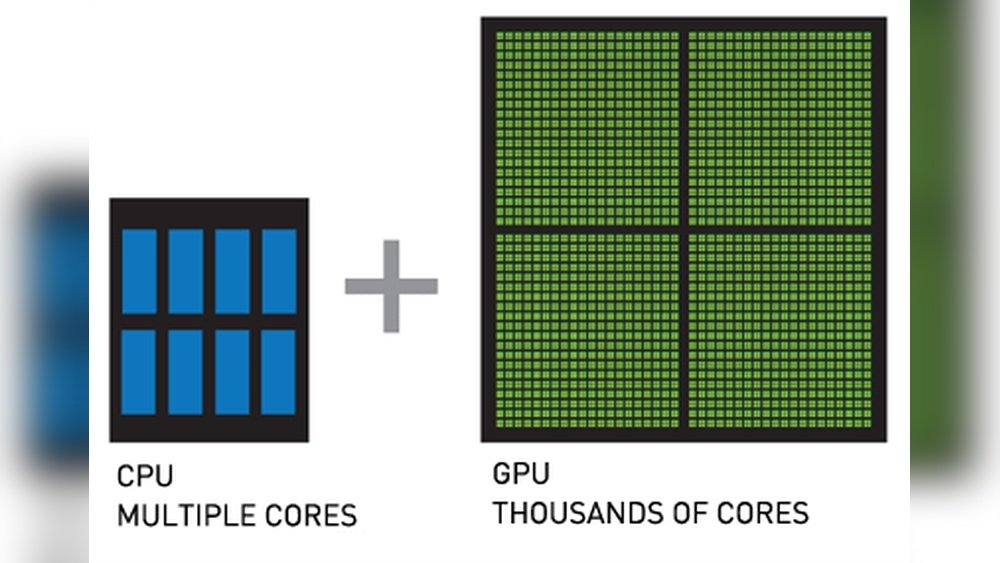
GPU cores are smaller and optimized for parallel tasks like graphics rendering. CPU cores are fewer but handle diverse, sequential tasks. GPUs excel in multitasking, while CPUs focus on general-purpose computing.
How Do Gpu Cores Impact Gaming Performance?
More GPU cores improve gaming visuals and frame rates. They handle complex graphics and physics calculations efficiently. A higher core count generally means smoother and more detailed gameplay.
Can Gpu Cores Be Compared To Cpu Cores?
Not directly. GPU cores are designed for parallel processing, while CPU cores handle sequential tasks. Their architecture and purpose differ, making direct comparisons ineffective.
Conclusion
Knowing the number of cores in a GPU helps you understand its power. More cores usually mean better performance for tasks like gaming or design. But remember, core count is not the only factor to consider. Clock speed, memory, and architecture also matter.
Choose a GPU that fits your needs and budget. Now, you can make smarter choices about your graphics card. Simple and clear.