Is 100 GPU Usage Bad: Risks, Causes, and Solutions Explained
Have you ever noticed your GPU hitting 100% usage and wondered if that’s a bad sign? You might be worried that pushing your graphics card to the limit could harm your computer or shorten its lifespan.
Understanding what 100% GPU usage really means can help you make smarter choices about your gaming, streaming, or work setup. You’ll discover when maxed-out GPU usage is normal—and when it’s a red flag you shouldn’t ignore. Keep reading to find out how to protect your system and get the best performance without risking damage.
Credit: www.windowsdigitals.com
What 100% Gpu Usage Means
Seeing 100% GPU usage means your graphics card is working at full power. It shows the GPU handles all the tasks it can without resting. This level of use can be good or bad depending on the situation. Understanding when full usage is normal helps you avoid worry. Knowing signs of problematic usage saves your computer from damage.
When Full Usage Is Normal
Full GPU usage is normal during heavy tasks. Playing modern video games uses a lot of graphics power. Video editing or 3D rendering also pushes the GPU to its limit. In these cases, 100% usage means the GPU is doing its job well. It shows your system uses the graphics card efficiently.
Also, some software automatically runs the GPU fully. This helps finish tasks quickly. As long as the computer stays cool and runs smoothly, full usage is fine. It means the GPU meets the demands placed on it.
Signs Of Problematic Usage
Problems appear when 100% GPU usage happens without heavy tasks. If the GPU runs full power while idle, something is wrong. It could be a virus or a faulty program using the GPU unnecessarily. Another sign is overheating or loud fan noise. These indicate the GPU struggles to cool down.
System crashes or slowdowns during full GPU use also show issues. They may point to driver problems or hardware faults. Watch for unusual screen glitches or freezes. These signs mean the GPU cannot handle the load properly.
Risks Of Constant 100% Gpu Usage
Constantly running your GPU at 100% usage can cause serious problems. It puts a lot of stress on your graphics card and may shorten its life. Understanding the risks helps you protect your hardware and keep your system stable.
Overheating And Hardware Damage
High GPU usage generates a lot of heat. If cooling is poor, the GPU can overheat quickly. Overheating can damage the GPU chip and other components. Prolonged heat exposure reduces hardware lifespan. It may cause permanent failure or require costly repairs.
Reduced Performance And Stability
Running the GPU at full load can lower performance over time. Thermal throttling kicks in to prevent overheating. This reduces clock speeds and slows down the system. Constant 100% usage may cause crashes or freezes. Your computer may become unstable and less responsive.
Impact On Power Consumption
A GPU at full load uses more electricity. This increases your power bill noticeably. High power draw can strain your power supply unit. It may cause sudden shutdowns or damage other parts. Efficient power use helps maintain system health and saves money.
Common Causes Of Full Gpu Load
Full GPU load means the graphics card is working at its maximum capacity. This can happen for several reasons. Understanding these causes helps you know if full GPU usage is normal or a problem. Some causes relate to the software you run. Others involve hidden tasks or technical issues. Let’s explore the most common reasons for full GPU load.
Demanding Applications And Games
High-end games and professional software often require a lot of GPU power. These programs use complex graphics and effects. This pushes the GPU to run at 100% to deliver smooth performance. Video editing, 3D rendering, and some design tools also cause full GPU load. During heavy use, the GPU works hard to process data fast.
Background Processes And Mining
Sometimes, programs run in the background without your knowledge. These can include cryptocurrency mining software. Mining uses GPU power to solve complex math problems. Even if you are not gaming, mining can cause full GPU load. Other background tasks like system updates or scanning can also raise GPU usage.
Driver And Software Issues
Outdated or faulty drivers can cause the GPU to behave abnormally. Bugs in software can make the GPU run at full capacity all the time. Incorrect settings or compatibility problems can lead to constant high GPU usage. Keeping drivers and software updated helps prevent these issues. Proper maintenance ensures your GPU runs smoothly.
Credit: www.cgdirector.com
Monitoring Gpu Usage Effectively
Monitoring GPU usage is important to keep your computer running well. It helps you see how hard your GPU works. This way, you can avoid problems like overheating or slow performance. Knowing how to watch your GPU use and temperature keeps your system safe and fast.
Watching your GPU metrics lets you know if your hardware is healthy. It also helps you decide when to close apps or cool your system. Learning simple ways to track your GPU can save you time and money.
Tools To Track Usage And Temperature
Several free and easy tools show your GPU usage and temperature. Programs like MSI Afterburner and HWMonitor are popular. They display real-time data on your screen. You can see how much power your GPU uses and its heat level.
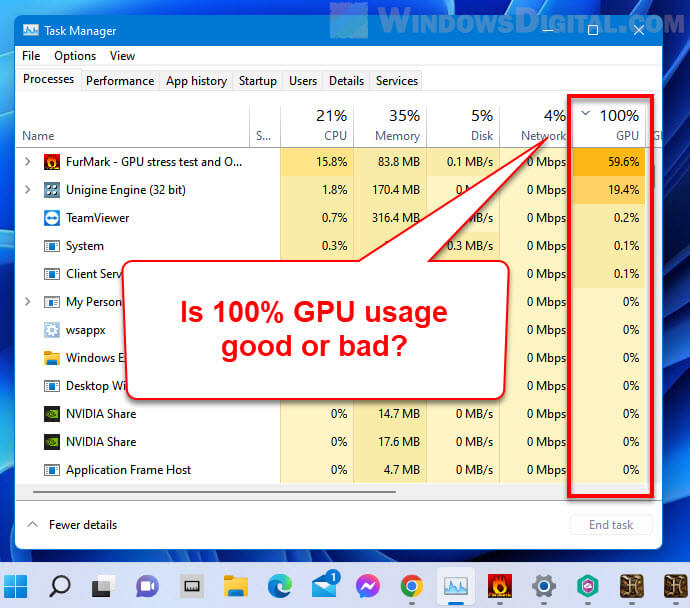
Windows Task Manager also shows basic GPU info. For more details, third-party apps are better. These tools often have graphs and alerts for high temperatures. Using them helps prevent damage to your GPU.
Interpreting Gpu Metrics
GPU usage shows how much work your graphics card does. High usage means your GPU runs many tasks. 100% usage is normal during gaming or heavy work. But constant max usage may cause heat and slowdowns.
Temperature is another key metric. Most GPUs work well below 85°C. If temperatures rise above this, your GPU may throttle speed or shut down. Watching both usage and temperature helps you keep your PC safe.
Solutions To Manage 100% Gpu Usage
Managing 100% GPU usage helps keep your computer safe and fast. High GPU use can cause overheating and slow performance. Simple steps can reduce the load and improve your system’s health.
Try changing settings, updating software, cleaning hardware, and adjusting power options. These solutions work well for many users facing full GPU use.
Optimizing Application Settings
Lower graphics quality in games or apps. Turn off extra effects like shadows or reflections. Reduce resolution to lessen GPU demand. Close programs not needed during heavy use. These steps lower GPU load and help it run cooler.
Updating Drivers And Software
Old drivers can cause high GPU use. Visit the manufacturer’s website for the latest updates. Updated drivers improve GPU efficiency and fix bugs. Keep your operating system and apps current to avoid conflicts. Regular updates keep performance smooth.
Improving Cooling And Hardware Maintenance
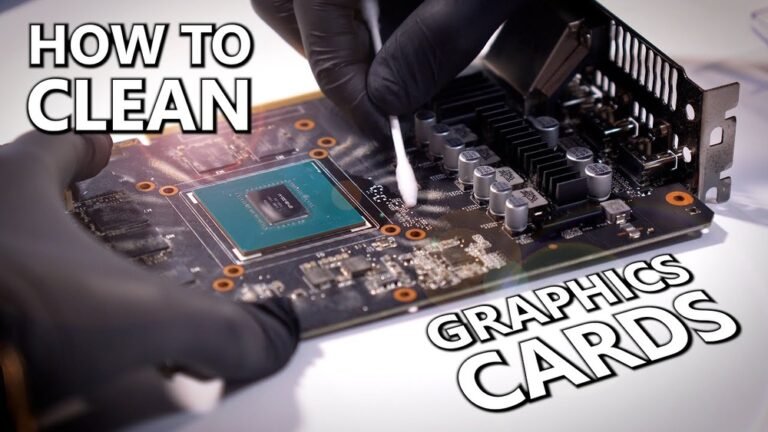
Dust buildup blocks airflow and raises temperatures. Clean fans and vents regularly with compressed air. Use a cooling pad for laptops or add extra fans for desktops. Good cooling prevents overheating and lets the GPU run better. Check thermal paste on the GPU chip if needed.
Adjusting Power And Performance Settings
Set your power plan to balanced or power saver mode. Limit maximum GPU performance through control panel options. Avoid settings that push the GPU to full speed all the time. Lower power use reduces heat and extends hardware life. Adjusting these settings can calm a stressed GPU.

Credit: www.reddit.com
Frequently Asked Questions
Is 100% Gpu Usage Harmful To My Computer?
No, 100% GPU usage is not inherently harmful. It means your GPU is fully utilized. However, sustained high usage can increase heat, so proper cooling is essential to prevent damage.
Why Does My Gpu Reach 100% Usage Often?
Your GPU hits 100% usage during demanding tasks like gaming or rendering. This shows it’s working at full capacity, maximizing performance for complex graphics or computations.
How Can I Reduce 100% Gpu Usage Safely?
To reduce high GPU usage, lower graphics settings in games or applications. Updating drivers and closing unnecessary programs also helps. Proper ventilation keeps your GPU cooler and maintains performance.
Is 100% Gpu Usage Normal When Gaming?
Yes, 100% GPU usage is normal during gaming. Games often require maximum GPU power for smooth visuals and performance. Ensure your system cooling is adequate to avoid overheating.
Conclusion
Running your GPU at 100% usage is not always bad. It shows your computer is working hard. But long periods at full load can cause heat and wear. Good cooling helps keep your GPU safe and fast. Watch your temperatures and avoid overheating.
Sometimes, high usage means your system handles tough tasks well. Balance is key for performance and hardware health. Keep an eye on your GPU, and it will serve you longer.