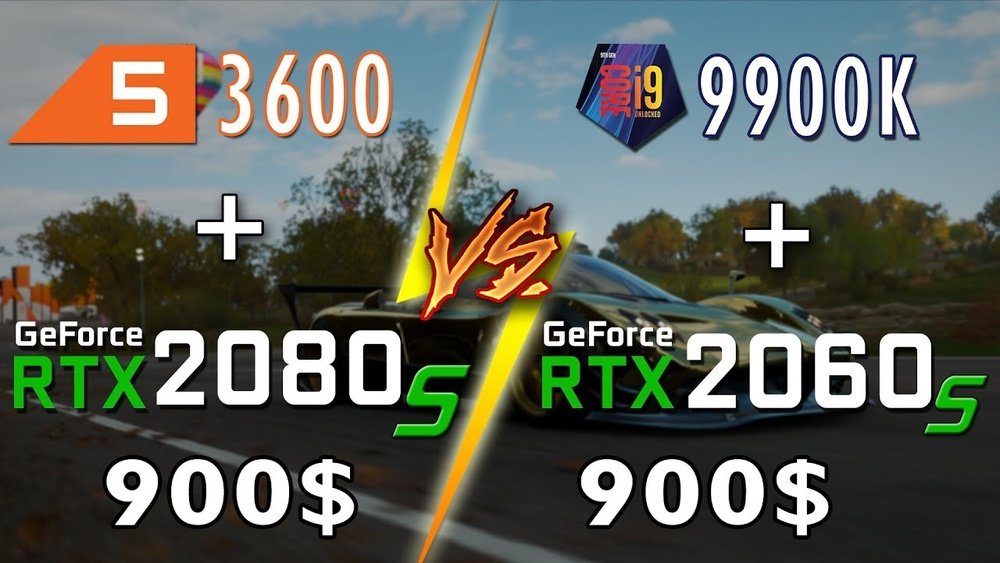
Is Cpu Or Gpu More Important for Gaming: Ultimate Performance Guide
When it comes to gaming, you’ve probably heard a lot about CPUs and GPUs. But which one really matters more for your gaming experience?
Is it the processor handling all the calculations, or the graphics card bringing your games to life? Understanding this can make a huge difference in how you build or upgrade your gaming rig. Keep reading, because by the end, you’ll know exactly where to focus your budget to get the best performance and the smoothest gameplay possible.
Your next gaming session depends on it!

Credit: gamesgear.pcquest.com
Role Of Cpu In Gaming
The CPU plays a key role in gaming. It acts as the brain of your computer, handling many tasks. The CPU processes instructions and manages how the game runs. It works closely with the GPU to deliver a smooth gaming experience.
Understanding the CPU’s role helps to know why it matters. It affects game logic, frame rates, and multitasking. These factors influence how you enjoy your games.
Game Logic And Ai
The CPU controls game logic and artificial intelligence (AI). It calculates game rules and character actions. NPCs (non-player characters) rely on the CPU to behave smartly. A strong CPU helps create more realistic and complex gameplay. It makes the game world feel alive and responsive.
Frame Rate Impact
The CPU impacts frame rates during gaming. It processes game data fast to keep frames smooth. If the CPU is slow, frame rates drop. This causes lag and choppy gameplay. A better CPU improves frame stability and game flow. It allows the GPU to focus on graphics without delays.
Multitasking Benefits
The CPU handles multitasking while gaming. It runs background apps and game software simultaneously. Streaming, voice chat, and game recording depend on the CPU. A powerful CPU prevents slowdowns during these tasks. It ensures your game stays fast and stable even with many processes.
Role Of Gpu In Gaming
The GPU plays a key role in gaming performance. It handles the visuals you see on the screen. A strong GPU makes games look smooth and detailed. It works alongside the CPU but focuses on graphics tasks. Understanding the GPU’s role helps in choosing the right parts for gaming.
Rendering Graphics
The GPU processes game images fast. It creates each frame by calculating colors, shadows, and textures. This process is called rendering. A powerful GPU renders complex scenes without lag. It gives players a smooth and clear visual experience. Good rendering helps games feel more real and immersive.
Resolution And Detail Settings
The GPU controls game resolution and detail levels. Higher resolution means sharper images but needs more GPU power. Detail settings add effects like shadows and reflections. A strong GPU handles high resolution and max details easily. This lets gamers enjoy better visuals without slowdowns or stutters.
Vr And Ray Tracing
Modern GPUs support VR and ray tracing technologies. VR needs high frame rates for a smooth experience. Ray tracing adds realistic lighting and reflections. These features demand a lot from the GPU. A capable GPU ensures VR games run well and ray tracing looks great. This adds depth and realism to gaming worlds.
Cpu Vs Gpu Bottlenecks
Understanding CPU vs GPU bottlenecks helps improve gaming performance. Both parts work together but have different roles. The CPU handles game logic and tasks. The GPU renders images and graphics. If one is slower, it limits the overall speed. Knowing which part slows your system guides better upgrades.
Identifying Performance Limits
Performance limits show where the bottleneck occurs. Use tools to check CPU and GPU usage during games. High CPU use with low GPU use means the CPU is the limit. High GPU use with low CPU use means the GPU is the limit. Detecting this helps focus on the right hardware.
Balancing Components
Balanced parts avoid bottlenecks and boost gaming smoothly. Pair a strong CPU with a strong GPU. Avoid using a very fast GPU with a slow CPU. The slow part will hold back the fast part. Balanced systems deliver better frame rates and fewer slowdowns.
Common Bottleneck Scenarios
Some games need more CPU power. Strategy and simulation games often stress the CPU. Other games need more GPU power. Action and open-world games demand a strong GPU. Older CPUs with new GPUs often cause bottlenecks. Match game type with your hardware for best results.
Game Types And Hardware Needs
Different games ask for different hardware. Some need more from the CPU, others from the GPU. Knowing which parts matter most helps you get the best gaming experience. This section explains how game types affect hardware needs.
Cpu-intensive Games
CPU-intensive games use a lot of processing power. Strategy games and simulations often fall here. These games handle many calculations and game logic. The CPU controls AI, physics, and game rules. A strong CPU means smoother gameplay and faster response times.
Gpu-intensive Games
GPU-intensive games focus on graphics and visuals. Action, shooter, and open-world games need powerful GPUs. The GPU renders images, textures, and effects. High frame rates and detailed graphics rely on a good GPU. This makes the game look better and play smoother.
Hybrid Demands
Some games need both CPU and GPU power. Role-playing games and large multiplayer games often require balance. The CPU manages game logic and AI. The GPU handles the detailed graphics and effects. A balanced system prevents slowdowns and improves overall play.
Choosing The Right Cpu
Picking the right CPU is key for a good gaming experience. The CPU helps run the game’s logic and manages tasks behind the scenes. It also works with the GPU to show graphics on the screen. A CPU that is too slow can cause lag and slow performance. A fast CPU makes games run smoother and load faster.
Choosing the right CPU depends on your gaming needs and budget. It is important to balance speed and cores. This section explains what to think about when choosing a CPU.
Core Count Vs Clock Speed
Core count means how many processing units a CPU has. More cores help with multitasking and running many processes. Clock speed shows how fast each core works. Higher clock speed means faster processing of single tasks. Games usually benefit from higher clock speeds rather than many cores. Some new games use multiple cores well. Aim for a CPU with good clock speed and at least four cores for gaming.
Budget Considerations
Budget affects which CPU you can buy. High-end CPUs cost more but offer better speed and features. Mid-range CPUs offer good performance for most games at a lower price. Entry-level CPUs are cheaper but may struggle with new games. Decide how much you want to spend before choosing. Balance price with performance to get the best value. Avoid overspending on a CPU that your GPU cannot match.
Future-proofing
Future-proofing means buying a CPU that lasts longer. Games and software get more demanding over time. Choose a CPU that can handle future game updates. Look for CPUs with newer technology and support for fast RAM. A CPU with extra cores and good clock speed can stay relevant longer. Spending a bit more now can save money later by avoiding early upgrades.
Choosing The Right Gpu
Choosing the right GPU is key to a great gaming experience. The GPU handles the graphics and visuals in games. Picking the best one helps games run smoothly and look better. Many factors affect your choice. Understanding these can save money and improve gameplay.
Vram Importance
VRAM stores textures and game data for quick access. More VRAM means the GPU can handle higher resolutions and detailed graphics. Games with large maps or detailed scenes need more VRAM. For 1080p gaming, 4GB VRAM can work. For 1440p or 4K, aim for 6GB or more. Too little VRAM causes stuttering and slowdowns.
Performance Tiers
GPUs come in different performance levels. Entry-level cards run basic games well. Mid-range GPUs suit most gamers at 1080p. High-end GPUs target smooth gameplay at 1440p or 4K. Choose a tier that matches your game choices and screen resolution. Spending more does not always mean better gaming if your monitor is low resolution.
Compatibility Factors
Your GPU must fit your PC system. Check your power supply can support the GPU’s needs. The GPU size matters for your case space. Some cards are long or thick. Motherboard slots should match the GPU interface, usually PCIe. Drivers and software updates also affect performance. Make sure your system supports the GPU before buying.
Optimizing Gaming Performance
Optimizing gaming performance means getting the best speed and graphics. It helps games run smoothly without lag or crashes. Both CPU and GPU play key roles here. But simple steps can boost your setup even more. Small changes can make a big difference in your gaming experience.
Driver Updates
Keep your GPU and CPU drivers up to date. Updates fix bugs and improve speed. Game developers often work with hardware makers. They release new drivers to enhance game support. Old drivers can cause crashes and poor graphics. Check for updates regularly on official websites.
Overclocking Risks And Rewards
Overclocking means running your CPU or GPU faster than usual. It can improve game speed and frame rates. But it increases heat and power use. Overclocking can cause system crashes or damage parts. Use it only if you know the risks. Always monitor temperatures and performance closely.
System Cooling
Good cooling keeps your CPU and GPU safe. Heat slows down parts and causes crashes. Use quality fans or liquid cooling systems. Clean dust from vents and fans often. Cooler hardware runs faster and lasts longer. Proper cooling supports stable gaming performance every time.

Credit: softwareg.com.au
Building A Balanced Gaming Pc
Building a balanced gaming PC requires careful thought. Both the CPU and GPU play key roles. Choosing parts that work well together improves game performance. A strong CPU with a weak GPU, or the opposite, can limit your experience. Balance helps your system run smoothly and avoid bottlenecks.
Matching Cpu And Gpu
Choose a CPU and GPU that fit each other’s power. A powerful GPU needs a strong CPU to keep up. A fast CPU with a slow GPU will not boost game visuals. Find a pair that matches in speed and capability. This match prevents one part from slowing down the other.
Memory And Storage Roles
Memory and storage also affect gaming performance. RAM helps games run without delays. Aim for at least 8GB of RAM for smooth play. Storage speed matters too. Solid State Drives (SSD) load games faster than traditional hard drives. Fast storage cuts down wait times and improves gaming flow.
Power Supply And Motherboard
The power supply must support all components safely. Choose one with enough wattage for your CPU and GPU. The motherboard connects all parts and affects upgrade options. Pick a motherboard compatible with your CPU and supports enough USB ports and slots. A good power supply and motherboard keep your PC stable and reliable.

Credit: www.hp.com
Frequently Asked Questions
Is Cpu Or Gpu More Crucial For Gaming Performance?
GPU is generally more crucial for gaming as it handles graphics rendering. However, CPU impacts game logic and frame rates. A balanced CPU and GPU combo ensures smooth, high-quality gameplay without bottlenecks.
How Does Cpu Affect Gaming Experience?
CPU manages game physics, AI, and background tasks. A strong CPU improves loading times and multitasking during gaming. It supports the GPU to maintain stable frame rates and responsiveness.
Can A Powerful Gpu Compensate For A Weak Cpu?
A powerful GPU can improve graphics but may be limited by a weak CPU. Bottlenecks occur if the CPU can’t keep up, causing lower frame rates and stuttering.
Should Gamers Prioritize Gpu Over Cpu For New Builds?
Yes, gamers should prioritize GPU first for better graphics and frame rates. A decent CPU is still necessary to avoid bottlenecks and ensure smooth gameplay.
Conclusion
Both CPU and GPU play key roles in gaming performance. The GPU handles graphics and visuals. The CPU manages game logic and processes. Strong GPUs improve frame rates and image quality. Powerful CPUs reduce lag and support complex games. Choosing depends on the type of games you play.
Some games need more GPU power, others need CPU speed. Balancing both parts gives the best experience. Think about your budget and gaming needs. Good hardware makes gaming smooth and fun.