How to Sell a GPU: Ultimate Guide to Maximize Your Profit
Are you looking to sell your GPU but don’t know where to start? Selling your graphics card can feel tricky, especially if you want to get the best price without wasting time.
Imagine turning your unused GPU into cash quickly and smoothly. You’ll discover simple, clear steps that make selling your GPU easy and stress-free. Whether it’s your first time or you’ve tried before without success, this guide will help you avoid common mistakes and get the most value from your sale.
Keep reading to unlock the secrets of selling your GPU like a pro!

Credit: dandyful.com
Prepare Your Gpu For Sale
Preparing your GPU for sale is an important step. It helps you get a better price. It also builds trust with buyers. Taking time to clean and check your GPU shows you care.
Follow these simple steps. They make your GPU look good and work well. This way, you can sell it faster and easier.
Clean And Inspect The Gpu
Start by removing dust and dirt from the GPU. Use a soft brush or compressed air. Avoid using water or liquids. Check the fans and heat sink for dirt. Clean them gently to keep the parts safe.
Look for any damage like scratches or broken parts. Note these to inform buyers. A clean GPU looks newer and sells better.
Gather Original Accessories And Packaging
Find the original box, cables, and manuals if you still have them. These add value to your sale. Buyers prefer complete packages. It makes the product feel more reliable.
Include all items that came with the GPU. This helps you ask for a higher price. It also shows you kept the GPU carefully.
Check Gpu Performance And Health
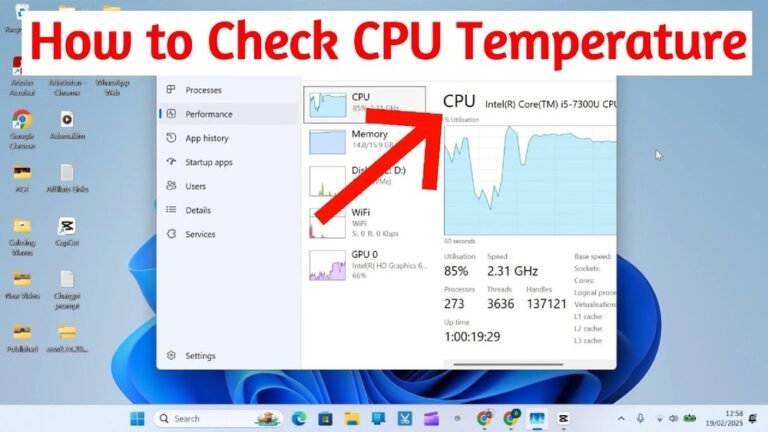
Test your GPU to make sure it works well. Use software to check its speed and temperature. Watch for any errors or crashes during tests. Fix small issues if you can.
Good performance results attract buyers. They want a GPU that runs smoothly. Share your test results honestly to build trust.
Research Market Value
Understanding the market value of your GPU is essential before selling. It helps set a fair price and attracts buyers quickly. This step saves time and avoids undervaluing or overpricing your graphics card.
Analyze Current Prices
Check prices on popular sites like eBay, Amazon, and local marketplaces. Look at listings similar to your GPU model. Focus on completed sales to see actual selling prices, not just asking prices.
Compare prices for both new and used cards. This gives a clear idea of the real market value. Note any price differences based on seller ratings or included accessories.
Consider Gpu Model And Condition
The model affects price significantly. Newer models usually sell for more money. Older GPUs may drop in value fast due to newer technology.
Condition also matters. A well-maintained GPU with no damage sells better. Include details about usage, any repairs, and if original packaging is available. Buyers pay more for good condition products.
Track Demand And Trends
Demand changes with new game releases and tech updates. Follow news about GPUs and cryptocurrency mining trends. High demand raises prices, while low demand lowers them.
Seasonal trends affect sales too. Prices often rise near holidays or product launches. Stay updated to time your sale for the best price.
Choose The Best Selling Platform
Choosing the right platform to sell your GPU is important. The best platform can help you reach more buyers. It also makes the selling process easier and faster. Different platforms suit different needs. Some are better for quick sales, while others may get you a higher price. Consider where your potential buyers spend their time. Think about fees, ease of use, and safety.
Online Marketplaces
Online marketplaces like eBay and Amazon have many users. These sites offer broad reach and trusted payment methods. Listing your GPU here can attract buyers from around the world. You can set your price or start an auction. Fees apply, but the exposure is worth it. Photos and clear descriptions help sell your GPU faster.
Specialized Tech Forums
Tech forums focus on hardware and computer parts. Sites like Reddit’s r/hardwareswap or dedicated GPU forums have active communities. Buyers here know the value of your GPU well. They often prefer direct deals without extra fees. You can find serious buyers who want detailed info. Be honest about your GPU’s condition and specs.
Local Selling Options
Local platforms like Facebook Marketplace or Craigslist connect you with nearby buyers. This option avoids shipping and reduces risk. You can meet buyers in person to show the GPU. Local sales often close faster and save money on fees. Always choose a safe, public place for transactions. Clear communication helps build trust quickly.

Credit: softwareg.com.au
Create An Effective Listing
Creating an effective listing is key to selling your GPU fast. A good listing helps buyers understand exactly what you offer. It builds trust and encourages them to make a purchase. Focus on clear details, strong visuals, and a fair price. These elements work together to attract serious buyers.
Write A Clear And Honest Description
Describe your GPU clearly. Include the model, brand, and condition. Mention if it is new, used, or refurbished. Explain any problems or missing parts. Be honest about its performance and age. Avoid confusing words. Short sentences help buyers read easily. Clear descriptions reduce questions and returns.
Take High-quality Photos
Use a good camera or smartphone for photos. Take pictures from multiple angles. Show the front, back, and ports. Include close-ups of important details or damage. Make sure the images are bright and sharp. A clean background helps your GPU stand out. Good photos build buyer confidence quickly.
Set A Competitive Price
Research prices for similar GPUs online. Check popular marketplaces and local listings. Compare condition and included accessories. Price your GPU slightly lower to attract buyers faster. Avoid pricing too high or too low. A fair price gets more attention and serious offers. Clear pricing speeds up the sale.
Handle Buyer Communication
Good communication with buyers is key when selling a GPU. Clear and respectful talks help build trust. This makes the selling process smooth and fast.
Pay close attention to how you answer questions and share details. This shows you are a serious seller and care about the buyer’s needs.
Respond Promptly And Politely
Reply quickly to messages from buyers. Fast answers keep buyers interested and show you are reliable.
Always use polite words. Being kind helps create a good impression. It makes buyers feel comfortable and respected.
Negotiate Smartly
Listen carefully to the buyer’s offer. Think about what is fair for both sides.
Stay calm and patient during price talks. Avoid rushing or pushing too hard. A fair deal keeps both happy.
Provide Accurate Information
Give true details about the GPU’s condition and specs. Don’t hide any problems or flaws.
Clear information helps buyers decide quickly and avoids future issues. Honesty builds your reputation as a trustworthy seller.
Secure Payment And Shipping
Secure payment and shipping are key when selling a GPU. Buyers want safety and trust. Sellers need to protect their item and money. Follow simple steps to ensure a smooth sale. Protect your GPU during transit. Get paid without hassle. Here is how to do it right.
Choose Safe Payment Methods
Pick payment options that protect both buyer and seller. PayPal and credit cards offer buyer and seller protection. Avoid wire transfers or cash payments that are risky. Confirm payment before shipping the GPU. Check that the payment clears your account. Secure payment methods reduce fraud and disputes.
Package The Gpu Properly
Use the original box if you have it. Wrap the GPU in anti-static bubble wrap. Add extra cushioning like foam or packing peanuts. Seal the package tightly with strong tape. Label the box as fragile to alert handlers. Good packaging prevents damage during shipping. Safe packing protects your reputation as a seller.
Select Reliable Shipping Services
Choose well-known couriers with tracking options. Services like UPS, FedEx, and USPS offer reliable delivery. Always get a tracking number to monitor the package. Consider insurance to cover loss or damage. Fast shipping improves buyer satisfaction. Reliable couriers reduce the risk of lost items.
After-sale Tips
After selling a GPU, some steps help keep the process smooth and fair. These after-sale tips protect both seller and buyer. They build trust and encourage good reviews. Follow these tips to finish your sale right.
Confirm Delivery And Satisfaction
Check if the buyer received the GPU on time. Ask if the item matches the description. Confirm the GPU works as expected. Quick communication shows you care. It reduces misunderstandings and complaints.
Handle Returns Or Disputes
Be ready to solve problems calmly. If the buyer wants a return, review your policy. Offer clear instructions for sending the GPU back. Discuss any issues with respect. Fair solutions keep your reputation safe.
Leave And Request Feedback
Share honest feedback about the buyer. This helps others trust you. Politely ask the buyer to rate your service. Good feedback improves your profile. It increases chances of future sales.
Credit: exittechnologies.com
Frequently Asked Questions
How Do I Determine My Gpu’s Resale Value?
Check current market prices on platforms like eBay and Amazon. Consider your GPU’s condition, model, and age. Also, note any included accessories or warranties to increase value.
Where Is The Best Place To Sell A Gpu?
Online marketplaces such as eBay, Facebook Marketplace, and Reddit’s hardware swap are popular. These platforms reach many buyers looking specifically for GPUs.
How Should I Prepare My Gpu For Sale?
Clean your GPU carefully and remove dust. Reset any custom settings to default. Take clear photos and provide detailed product information to attract buyers.
What Payment Methods Are Safest For Selling A Gpu?
Use secure payment options like PayPal or bank transfers. Avoid accepting checks or cash in person unless you meet in a safe, public place.
Conclusion
Selling a GPU can be simple with the right steps. Clean the card well and take clear photos. Set a fair price by checking current market rates. Write a honest description to build trust. Choose a safe platform for the sale.
Respond quickly to buyers’ questions. Pack the GPU carefully before shipping. These tips help you sell your GPU fast and smoothly. Keep it easy and clear to avoid problems. Good luck with your sale!