How Many Gpu Cores Do I Need: Ultimate Guide for Peak Performance
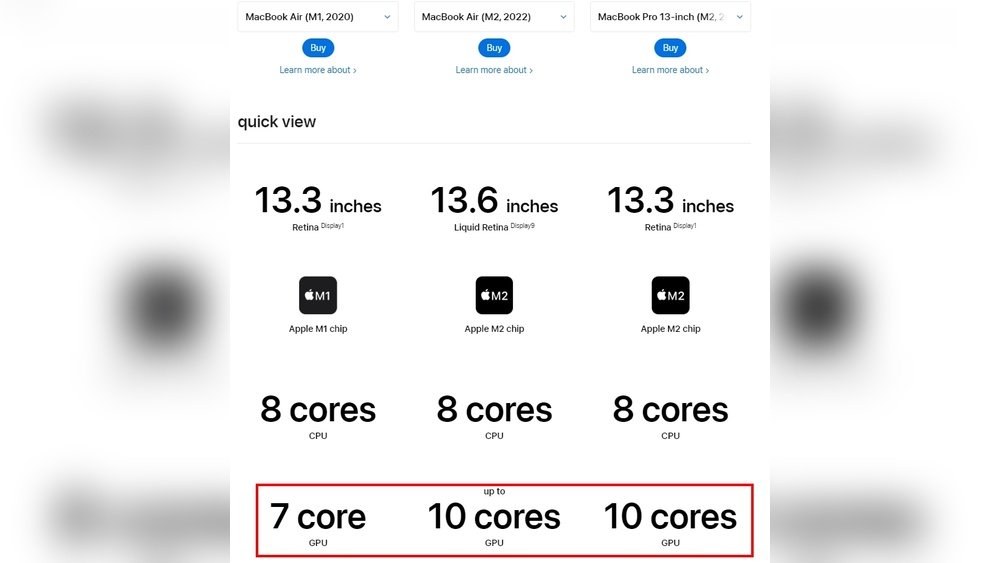
Are you confused about how many GPU cores you actually need? Whether you’re building a gaming rig, diving into video editing, or exploring AI projects, the number of GPU cores can make a huge difference in performance.
But more cores don’t always mean better results for your specific needs. You’ll discover exactly how to choose the right GPU core count that matches your tasks and budget. Keep reading, and you’ll unlock the key to getting the best power without overspending or underperforming.
Credit: eshop.macsales.com
Gpu Cores Basics
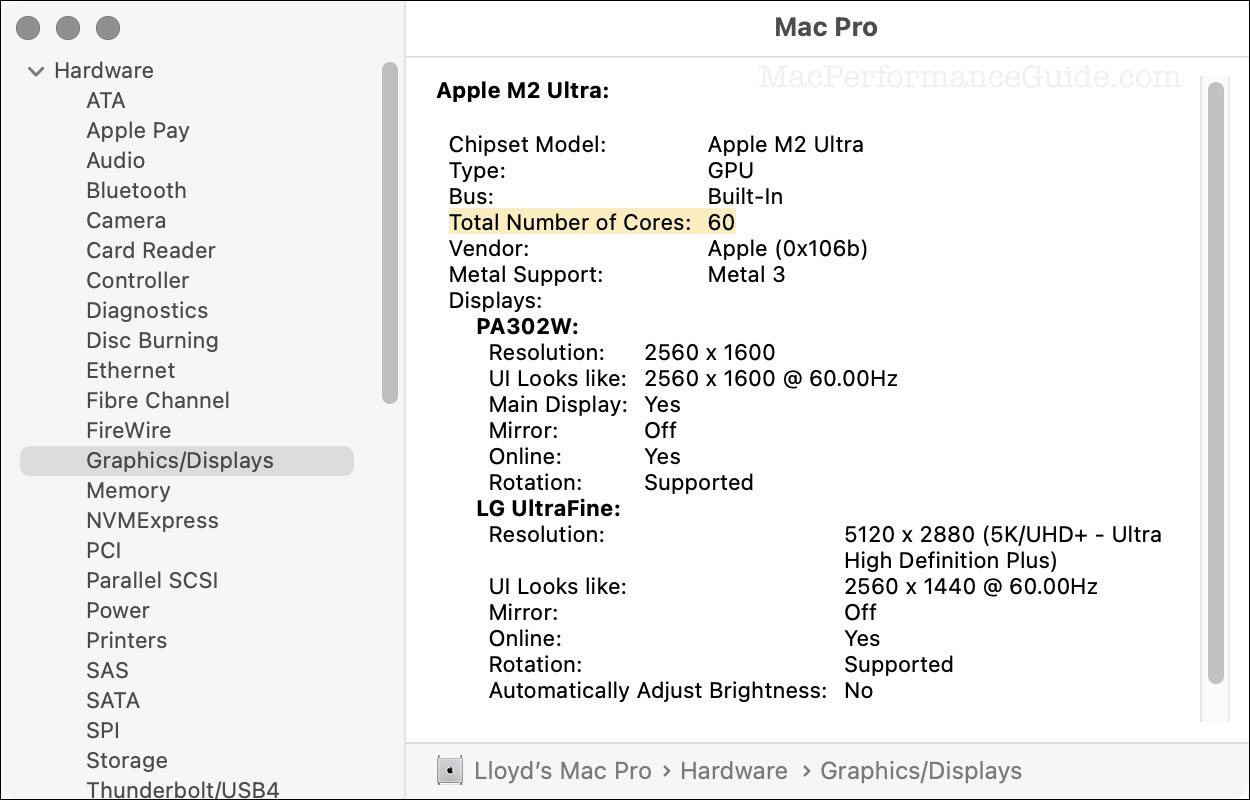
Understanding GPU cores is key to choosing the right graphics card. These cores handle many tasks at once, making your computer faster in graphics and computing jobs. Knowing the basics helps decide how many cores you need for smooth performance.
Let’s break down what GPU cores are, how core count affects performance, and what core architecture means for your device.
What Are Gpu Cores
GPU cores are small processors inside the graphics card. Each core works on a tiny part of a bigger task. Together, they process images, videos, and data quickly. More cores mean more pieces of the task can be done at once.
This parallel work is why GPUs are great for graphics and complex calculations. They differ from CPU cores, which handle fewer tasks but more varied ones.
Core Count Vs Performance
More GPU cores usually mean better performance. But core count alone does not tell the full story. Other factors like clock speed and memory also impact speed and quality.
Some graphics cards have many cores but run at lower speeds. Others have fewer cores but higher speeds. Balance between core count and these factors gives the best results.
Choosing the right number depends on what you want to do. Simple tasks need fewer cores. Demanding games or software benefit from more cores.
Core Architecture Insights
Core architecture means how GPU cores are designed and connected. Newer designs improve efficiency and power use. This helps more work get done with less energy.
Different brands use unique architectures. These affect how cores perform in real tasks. Sometimes fewer cores with better architecture beat more cores with older designs.
Understanding architecture helps pick a GPU that fits your needs beyond just counting cores.
Credit: community.adobe.com
Core Needs By Use Case
The number of GPU cores you need depends on what you plan to do with your computer. Different tasks require different amounts of power from your graphics card. Understanding your core needs helps you choose the right GPU without spending too much or too little.
Each use case has unique demands. Some tasks need more cores for smooth performance. Others work well with fewer cores. Let’s explore the core needs by common use cases.
Gaming Requirements
Modern games need many GPU cores to run smoothly. High-resolution and virtual reality games require even more cores. A card with at least 1000 cores works well for most players. Competitive gamers may want more cores for faster frame rates.
Content Creation Demands
Video editing and 3D rendering need a strong GPU. More cores help process images and videos faster. Content creators benefit from 2000 or more cores. This speed saves time during editing and exporting projects.
Professional Workloads
Work like CAD, simulations, and AI needs powerful GPUs. These tasks demand many cores for accuracy and speed. Professionals often use GPUs with 3000 or more cores. This ensures smooth handling of complex calculations.
Casual And Everyday Use
Simple tasks like browsing and watching videos need fewer cores. Basic GPUs with 500 to 1000 cores are enough. These cores handle everyday apps without wasting energy or money.
Performance Factors Beyond Cores
GPU core count is important, but it is not the only factor that affects performance. Other elements can change how well a GPU works in real tasks. Understanding these can help you choose the right GPU for your needs.
Clock Speed Impact
Clock speed measures how fast GPU cores run. Higher speeds let cores process data quicker. Even with fewer cores, a GPU with a high clock speed can perform better. It helps with tasks that need fast calculations.
Memory And Bandwidth
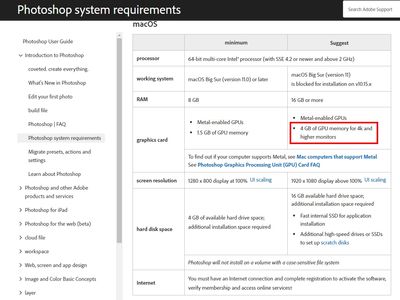
GPU memory stores data for quick access. More memory helps with large files and complex scenes. Bandwidth is the speed data moves between memory and cores. Higher bandwidth means faster data flow and smoother performance. Both are crucial for demanding tasks.
Thermal And Power Considerations
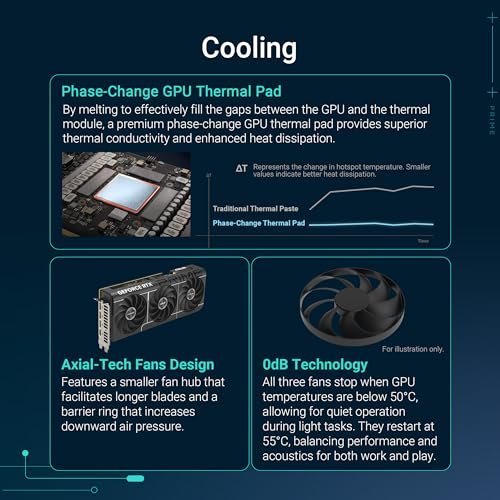
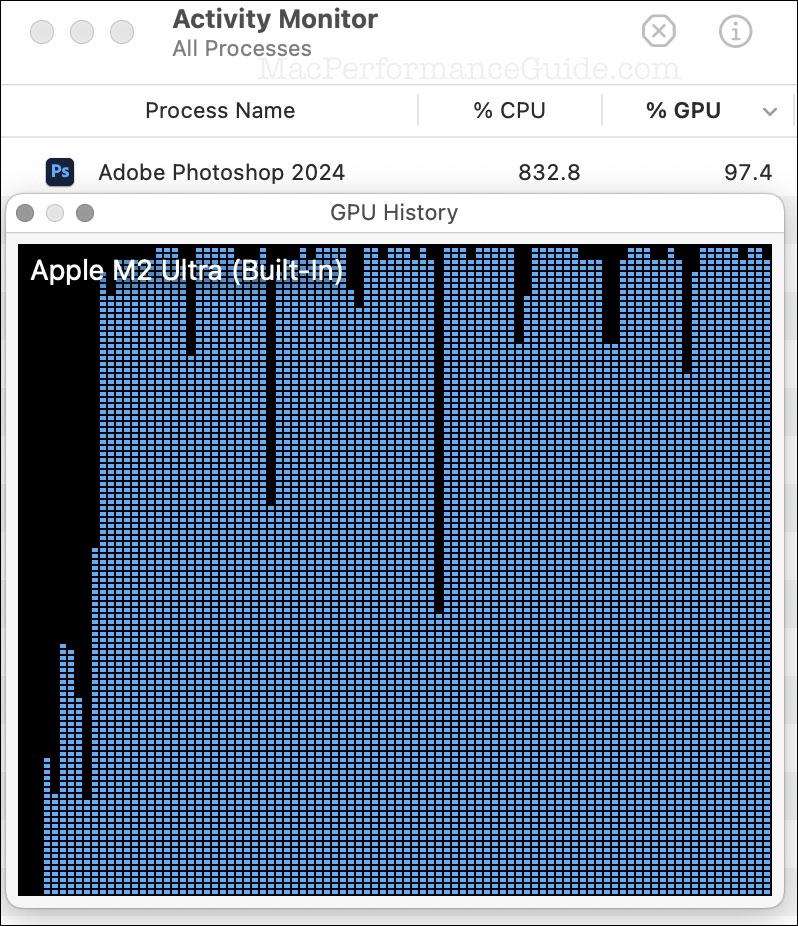
GPU heat affects its speed. Overheating can slow down cores to avoid damage. Efficient cooling keeps performance steady. Power limits also impact performance. A GPU that uses more power can run faster but needs a strong power supply.
Credit: eshop.macsales.com
Choosing The Right Gpu
Choosing the right GPU is important for your computer’s performance. The number of GPU cores affects how well it handles tasks like gaming, video editing, and 3D rendering. But more cores do not always mean better value. Understanding your needs helps in picking the best GPU for your budget and use.
Consider how many cores you need and what fits your budget. Think about future needs to avoid buying a GPU that becomes outdated quickly. Comparing popular GPU models can also guide your decision.
Balancing Cores And Budget
More GPU cores usually mean better performance but at a higher cost. Choose a GPU with enough cores for your tasks without overspending. For casual gaming or basic tasks, a mid-range GPU with fewer cores might be enough. Heavy gaming or 3D work often needs more cores for smooth performance. Set a budget first, then find GPUs that fit within it.
Future-proofing Tips
Buy a GPU that will handle new software and games for years. Choose one with a bit more power than you need today. This helps avoid upgrading soon. Look for GPUs with good driver support and newer technology. These last longer and stay compatible with updates.
Comparing Popular Gpu Models
Compare models by core count, speed, and price. Nvidia and AMD offer popular GPUs with different core numbers. For example, Nvidia’s RTX 3060 has fewer cores than RTX 3080 but costs less. AMD’s RX 6600 is good for budget builds, while RX 6800 suits high-end needs. Review benchmarks and user feedback to find the best fit.
Optimizing Gpu Performance
Getting the best from your GPU goes beyond just the number of cores. Proper care and settings can boost its power and extend its life.
Small tweaks and maintenance steps help your GPU run faster and cooler. This improves your experience in games and creative work.
Driver Updates
Keep your GPU drivers up to date. New drivers fix bugs and improve speed. They often add support for new games and software features.
Use official websites or software to download drivers. Avoid third-party sources to prevent problems. Regular updates ensure smooth performance.
Overclocking Essentials
Overclocking pushes your GPU beyond factory settings. It increases speed but raises heat and power use. Careful steps keep your hardware safe.
Start with small increases in clock speed. Test stability and temperature after each change. Use reliable software designed for your GPU model.
Cooling Solutions
Heat slows down your GPU and can cause damage. Good cooling keeps temperatures low and performance high. Fans, heatsinks, and liquid cooling all help.
Clean dust from vents and fans regularly. Make sure your PC case has good airflow. Consider upgrading cooling if you overclock or use the GPU heavily.
Frequently Asked Questions
How Many Gpu Cores Are Needed For Gaming?
For gaming, 1500 to 3000 GPU cores are ideal. High-end games require more cores for smooth graphics and performance.
Do More Gpu Cores Improve Video Editing Speed?
Yes, more GPU cores accelerate video rendering and editing. They handle complex tasks faster, enhancing productivity.
How Do Gpu Cores Affect Machine Learning Tasks?
GPU cores boost parallel processing in machine learning. More cores mean faster training and better model performance.
Can Gpu Cores Impact Cryptocurrency Mining Efficiency?
Yes, higher GPU core counts improve mining speed and efficiency. This leads to better hash rates and profits.
Conclusion
Choosing the right number of GPU cores depends on your needs. More cores help with heavy tasks like gaming or video editing. Fewer cores may work fine for basic use like browsing or office work. Think about what you want to do and how much you want to spend.
Balance performance with your budget. This way, you get a GPU that fits your tasks well. Remember, more cores do not always mean better for every user. Pick what suits your daily activities best.