Is Dedicated Gpu Memory Vram Crucial for Gaming Performance?
Have you ever wondered what makes your computer’s graphics smooth and fast? If you’re curious about how your games, videos, or design software perform, understanding dedicated GPU memory, or VRAM, is key.
You might be asking yourself, “Is dedicated GPU memory really important for me? ” This article will clear up the mystery and help you see why VRAM matters for your device’s speed and quality. Keep reading to discover how VRAM affects your experience and what you need to know to get the most from your graphics hardware.
Role Of Vram In Gaming
VRAM, or Video RAM, plays a key role in gaming performance. It stores important data that the graphics card uses to create images on the screen. VRAM helps the game run smoothly by holding textures, models, and other visual elements close to the GPU. This memory allows quick access to game data, reducing delays and stuttering. The amount of VRAM can affect how detailed and clear the game looks. Games with high-quality graphics need more VRAM to display rich visuals without slowing down.
How Vram Stores Game Data
VRAM holds all the visual data that a game needs to show on screen. This includes textures, 3D models, shaders, and frame buffers. When you play a game, the graphics card loads this data into VRAM for fast access. This reduces the time it takes to draw images. VRAM works like a short-term storage for graphics. It keeps the data close to the GPU, so the game runs smoothly. If VRAM runs out, the system uses slower system memory, causing lag.
Impact On Texture Quality And Resolution
VRAM size affects the quality of textures and game resolution. Higher VRAM allows games to use larger, more detailed textures. This makes game worlds look sharper and more realistic. Low VRAM forces the game to use lower-quality textures, which can look blurry. VRAM also helps support higher screen resolutions. Games at 1080p need less VRAM than games at 4K. More VRAM means better visuals and less chance of texture pop-in or glitches.
Dedicated Vs Shared Gpu Memory
Dedicated and shared GPU memory are two types of video memory used in computers. They affect how your computer handles graphics and gaming. Understanding the difference helps choose the right setup for your needs.
Differences Between Dedicated And Shared Memory
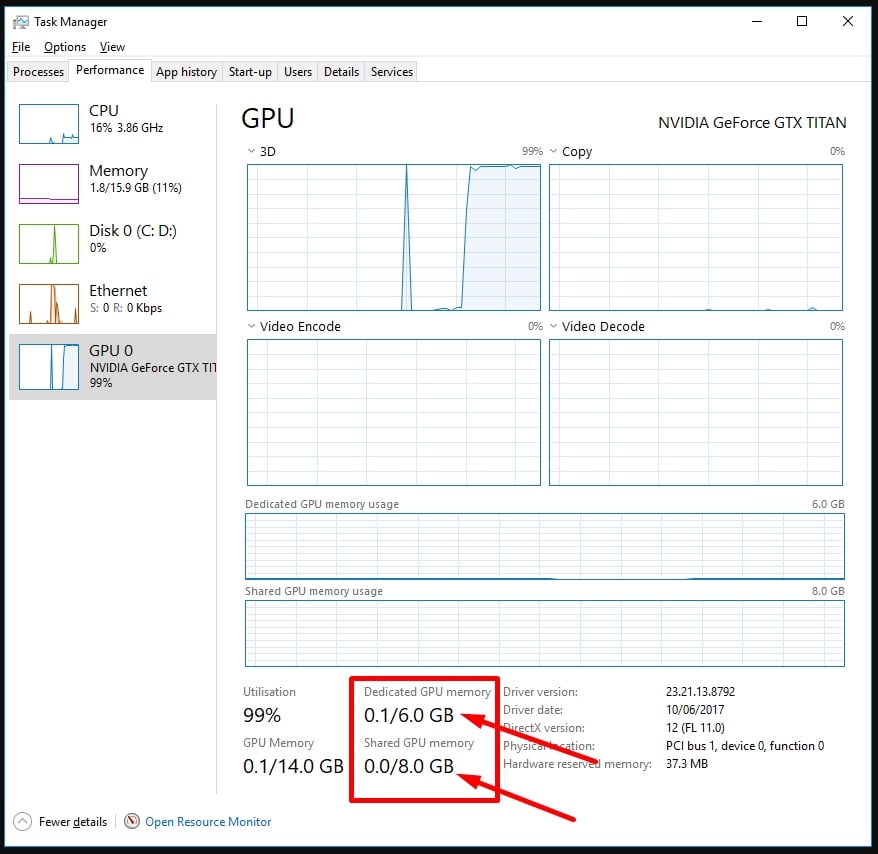
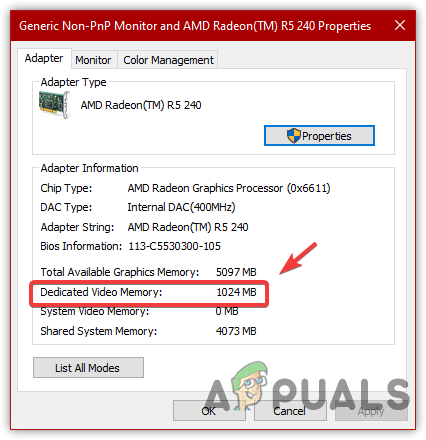
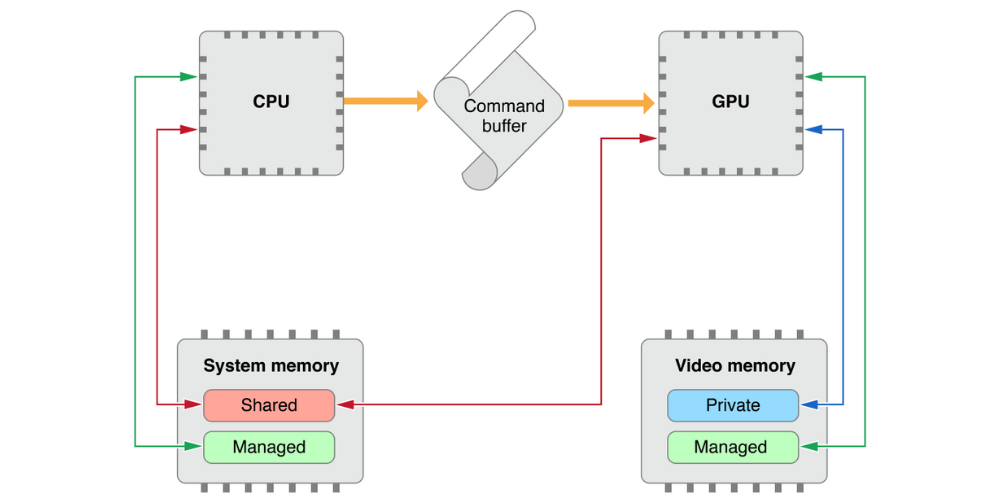
Dedicated GPU memory, known as VRAM, is built into the graphics card. It stores textures, images, and data for the GPU only. Shared memory uses part of the computer’s main RAM for graphics tasks. It is not separate and is shared with the CPU.
Dedicated memory is faster because it is designed for graphics processing. Shared memory is slower since it relies on the main system RAM. Dedicated memory size is fixed, while shared memory size can change depending on system use.
Performance Implications For Gamers
Games with high-quality graphics need more VRAM to run smoothly. Dedicated memory provides better frame rates and visual quality. Shared memory can cause lag and lower graphics settings.
For casual gaming, shared memory may be enough. For serious gamers, dedicated VRAM improves experience. It handles complex textures and effects without slowing down the game.
Vram Size And Gaming Experience
VRAM size plays a key role in gaming performance. It stores textures, models, and other graphics data. Bigger VRAM helps games run smoothly on higher settings. It affects both visual quality and gameplay experience.
Minimum Vram Requirements For Modern Games
Modern games need more VRAM than older ones. Most games require at least 4GB of VRAM to run well. Some high-end titles demand 6GB or even 8GB. Games with detailed textures and large worlds need more memory. Choosing a GPU with enough VRAM avoids slowdowns and crashes.
Effect Of Vram On Frame Rates And Stability
Insufficient VRAM can cause frame rate drops. The game may stutter or freeze during play. VRAM overload forces the system to use slower memory. This lowers overall gaming stability. More VRAM allows higher resolutions and better effects. It keeps the frame rate steady and gameplay smooth.
When Vram Becomes A Bottleneck
VRAM, or dedicated GPU memory, plays a key role in gaming performance. It stores textures, models, and other game data for quick access. When VRAM runs out, the GPU struggles to handle all the data smoothly. This causes a bottleneck, slowing down gameplay and lowering graphics quality.
Understanding when VRAM becomes a bottleneck helps players know why games may lag or stutter. It also highlights the importance of having enough VRAM for modern games.
Signs Of Vram Limitations During Gameplay
Gameplay may show sudden drops in frame rates or stuttering. Textures might load slowly or appear blurry. Some objects in the game might pop in or disappear briefly. The game could freeze for a moment during intense scenes. Graphics settings might default to lower quality automatically. These signs suggest the GPU memory is full and struggling.
How Games Handle Vram Shortages
Games reduce texture quality to save VRAM space. They might lower resolution or remove visual effects. Some details get simplified to use less memory. The game shifts data between VRAM and slower system RAM. This swapping causes delays and lowers performance. Developers design games to adjust settings dynamically to avoid crashes.
Balancing Vram With Other Hardware
Balancing VRAM with other hardware parts is key for smooth computer performance. VRAM stores images and textures for your screen. But VRAM alone does not make your system fast. It works with the CPU and other components. Each part should match in speed and power. This balance helps avoid slowdowns and freezes. It also makes your system more efficient and reliable.
Understanding how VRAM fits into the bigger hardware picture helps you choose the right parts. It also improves your computer’s overall capability for gaming, editing, or daily tasks.
Cpu And Gpu Interaction With Vram
The CPU and GPU work together with VRAM to process data. The CPU handles general tasks, while the GPU processes graphics. VRAM acts as a fast storage for the GPU. It holds textures, shaders, and frame buffers. If the CPU is slow, the GPU waits for data. If VRAM is low, the GPU cannot store enough data. Both cases slow down your system. Good communication between CPU, GPU, and VRAM is essential for speed.
Importance Of Overall System Balance
Having a lot of VRAM is not enough alone. Your CPU and GPU must also be strong. A weak CPU can limit how much your GPU and VRAM can do. Too much VRAM with a weak GPU wastes resources. The power supply and RAM also affect performance. All parts must work well together. This balance avoids bottlenecks and improves your experience. Choose hardware that matches in capability and speed.
Credit: www.bodaq.vn
Optimizing Vram Usage
Optimizing VRAM usage helps your computer run smoothly. VRAM, or dedicated GPU memory, stores graphics data. Managing it well prevents slowdowns and crashes. This section explains how to reduce VRAM load and monitor its use effectively.
Settings To Reduce Vram Load
Lower graphics quality in games and apps to save VRAM. Reduce texture resolution and disable unnecessary effects. Close background apps that use GPU resources. Adjust screen resolution to a lower setting. These steps help keep VRAM usage under control.
Tools To Monitor Vram Consumption
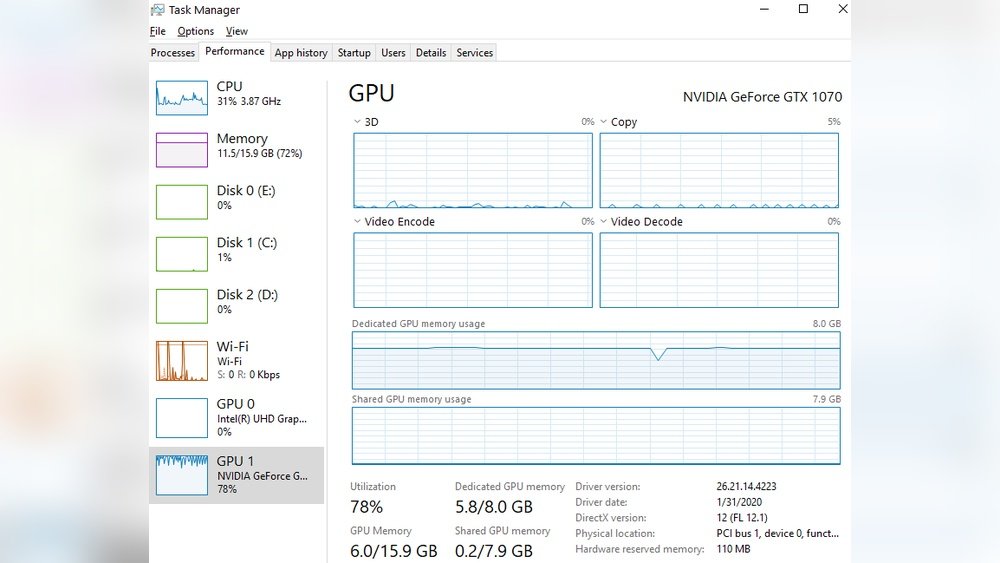
Use built-in tools like Task Manager on Windows to check VRAM use. GPU-Z and MSI Afterburner show detailed VRAM stats. Monitoring helps spot apps that use too much memory. This way, you can manage VRAM better and avoid performance drops.
Future Trends In Gpu Memory
GPU memory, especially VRAM, is evolving fast. This change shapes the future of computing and gaming. Understanding these trends helps users and developers prepare for new technology.
VRAM capacity and speed improvements will support higher resolution and better graphics. New GPU designs will use smarter memory management to boost performance. These trends will affect how games and applications run.
Advancements In Vram Technology
VRAM is becoming faster with new types like GDDR7 and HBM3. These offer higher bandwidth and lower power use. This means GPUs can handle bigger textures and complex scenes smoothly.
Memory compression techniques are improving. They reduce the amount of VRAM needed without losing quality. This helps GPUs work efficiently even with limited memory.
Impact Of Next-gen Gpus On Gaming Performance
Next-gen GPUs will have more VRAM and faster access speeds. Games can use more detailed graphics and larger worlds. This leads to richer gaming experiences with fewer slowdowns.
Ray tracing and AI features need more VRAM to run well. Future GPUs will meet these demands better. Gamers will see smoother visuals and faster frame rates.
Credit: www.esseg.eu
Credit: irendering.net
Frequently Asked Questions
What Is Dedicated Gpu Memory Vram?
Dedicated GPU memory, or VRAM, is video RAM specific to the graphics card. It stores textures and images for fast rendering.
How Does Vram Affect Gaming Performance?
More VRAM allows smoother gameplay and higher resolution textures. It reduces lag by handling larger graphics data efficiently.
Is Dedicated Vram Better Than Shared Memory?
Yes, dedicated VRAM is faster and exclusive to the GPU. Shared memory uses system RAM, which is slower for graphics tasks.
Can I Increase Dedicated Vram On My Pc?
Increasing dedicated VRAM usually requires hardware upgrades. Some BIOS settings allow minor adjustments, but performance gains are limited.
Conclusion
Dedicated GPU memory, or VRAM, plays a key role in graphics performance. It stores images and textures for smooth display. More VRAM helps with high-resolution games and video editing. Without enough VRAM, the system slows down or lags. Choosing the right amount depends on your needs and tasks.
Understanding VRAM helps you make smarter computer choices. Keep VRAM in mind when buying or upgrading your PC. It affects how well your graphics run every day.