Is 80C Safe for Gpu: Expert Tips to Protect Your Hardware
Is 80°C safe for your GPU? If you’ve ever worried about your graphics card heating up during intense gaming or heavy work, you’re not alone.
Your GPU’s temperature can affect its performance, lifespan, and even your whole computer’s stability. But how hot is too hot? Should you panic when your GPU hits 80 degrees Celsius, or is that perfectly normal? Keep reading, because understanding what these numbers mean can save you from costly mistakes and help you get the best out of your machine.
Let’s dive into what 80°C really means for your GPU’s health and performance.

Credit: www.reddit.com
Gpu Temperature Limits
Understanding GPU temperature limits is key to keeping your graphics card healthy. GPUs create heat when they work hard. Too much heat can damage the card or reduce its life. Knowing safe temperature ranges helps you avoid problems.
Typical Operating Temperatures
Most GPUs run between 30°C and 60°C when idle or under light use. During gaming or heavy tasks, temperatures often rise to 65°C to 80°C. This range is normal and does not harm the GPU. Fans and cooling systems keep the temperature steady.
Maximum Safe Temperatures
GPU manufacturers set a maximum safe temperature, usually around 85°C to 90°C. Temperatures above this can cause thermal throttling, lowering performance to cool down. Reaching 95°C or more risks permanent damage. Staying below 80°C is safer for long-term use.
Risks Of High Gpu Temperatures
High GPU temperatures can cause serious problems. They affect how your computer runs and how long your GPU lasts. Understanding these risks helps you keep your system safe and working well.
Running your GPU too hot can slow down your computer. It can also damage parts inside the GPU. Over time, this heat weakens the hardware and shortens its life.
Performance Throttling
GPUs lower their speed to reduce heat. This process is called throttling. It stops the GPU from overheating. But it also makes your games and apps slower. You lose smooth performance and faster response times.
Hardware Damage
Too much heat can burn the GPU’s parts. It can melt or break tiny circuits inside. This damage may cause your GPU to fail completely. Fixing or replacing it can be costly and time-consuming.
Reduced Lifespan
Constant high temperatures wear out your GPU faster. The heat breaks down materials inside the chip. This makes the GPU less reliable over time. You might need a new GPU sooner than expected.
Factors Affecting Gpu Heat
GPU heat depends on several key factors. Understanding these helps keep your graphics card safe and efficient. Heat affects performance and lifespan. Managing it well is important for smooth use.
Ambient Room Temperature
The temperature of the room impacts GPU heat directly. A hotter room means the GPU cools less effectively. Cooler air helps carry heat away from the card. Keeping the room cool lowers the risk of overheating.
Workload Intensity
The amount of work a GPU does changes its heat level. Heavy tasks like gaming or video editing push the GPU hard. This causes it to generate more heat. Lighter tasks produce less heat and stress on the GPU.
Cooling Solutions
Cooling systems reduce GPU temperature. Fans, heat sinks, and liquid cooling help move heat away. Good cooling keeps the GPU within safe limits. Poor cooling can lead to high temperatures and damage.
Monitoring Gpu Temperature
Monitoring GPU temperature is important for keeping your graphics card safe. High temperatures can cause damage or reduce performance. Watching the temperature helps you know when to cool down your GPU. It also helps to avoid overheating during heavy use like gaming or editing.
Many tools are available to track your GPU’s heat. These tools show real-time data and help you take action. Setting alerts can warn you before the GPU gets too hot. This way, you can protect your hardware easily.
Popular Software Tools
Several popular programs let you check your GPU temperature. MSI Afterburner is widely used for its clear interface. HWMonitor shows detailed information about all system components. GPU-Z focuses on graphics cards and gives precise data. These tools are free and easy to install.
Setting Temperature Alerts
Temperature alerts notify you when the GPU gets too hot. You can set a limit, like 80°C, to trigger a warning. Alerts help prevent damage by giving time to cool down. Some software sends pop-ups or sounds as warnings. This feature keeps your GPU safe without constant checking.
Cooling Techniques To Maintain Safety
Keeping your GPU temperature at or below 80°C is crucial for safety and performance. Proper cooling techniques help avoid overheating, which can damage hardware. Using the right cooling method extends your GPU’s life and keeps it running smoothly. Here are some effective ways to cool your GPU.
Air Cooling Options
Air cooling is the most common way to keep GPUs cool. Fans push air over the heatsink to remove heat from the GPU chip. Many graphics cards come with built-in fans designed for this purpose. You can also add extra case fans to improve airflow inside your PC. Proper airflow prevents hot air from building up around the GPU. Cleaning dust from fans and vents regularly keeps air cooling effective. This method is affordable and easy to maintain.
Liquid Cooling Systems
Liquid cooling offers better heat removal than air cooling. It uses a pump to move coolant through tubes and a radiator. The coolant absorbs heat from the GPU and moves it away quickly. This system lowers GPU temperatures significantly, especially during heavy use. Liquid cooling is quieter than multiple fans running fast. It requires more effort to install and maintain but offers excellent cooling performance.
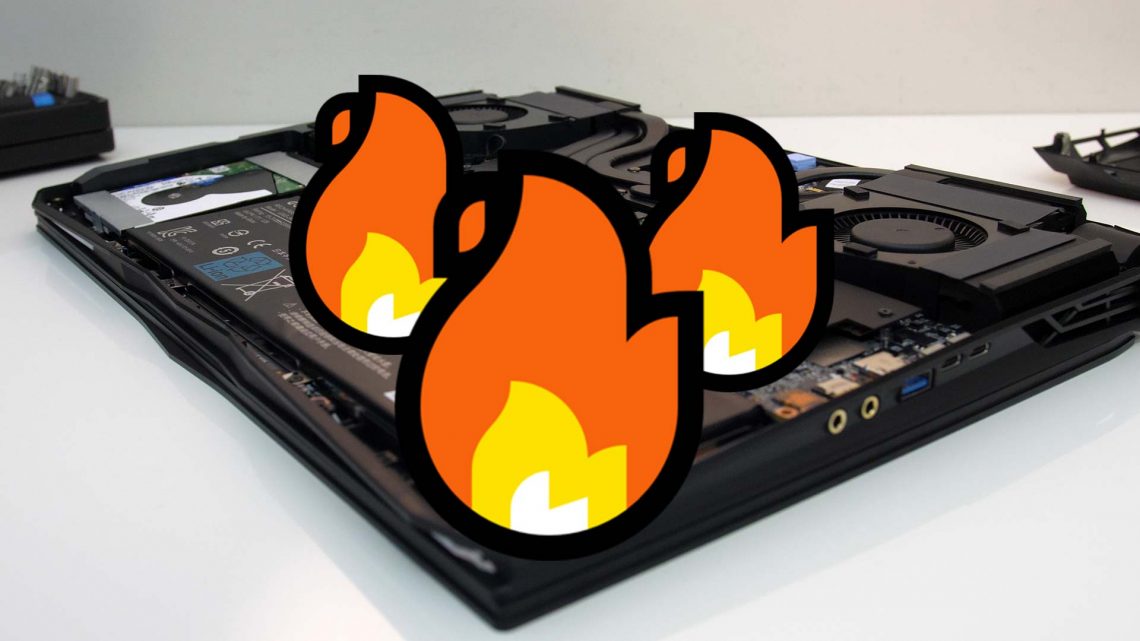
Thermal Paste Application
Thermal paste sits between the GPU chip and its heatsink. It fills tiny gaps to improve heat transfer. Applying fresh thermal paste can reduce temperatures by several degrees. Over time, thermal paste dries out and becomes less effective. Removing old paste and applying a new, thin layer helps maintain good cooling. Use a high-quality thermal paste and apply it evenly. This simple step is important to keep your GPU safe at 80°C.
Credit: jarrods.tech
Practical Tips To Protect Your Gpu
Keeping your GPU safe and running well requires some simple care steps. These practical tips help avoid damage and keep your GPU cool. Following them can extend your GPU’s life and improve performance.
Regular Cleaning
Dust builds up inside your computer and on the GPU. It blocks airflow and traps heat. Clean your GPU and fans every few months. Use a soft brush or compressed air. Do not use water or harsh chemicals. Regular cleaning keeps your GPU cool and safe.
Optimizing Airflow
Good airflow reduces heat inside the case. Arrange cables neatly to avoid blocking fans. Use extra case fans if needed. Keep your PC in a place with good air circulation. Avoid closing vents or placing the PC on soft surfaces. Proper airflow keeps GPU temperatures low and steady.
Avoiding Overclocking Risks
Overclocking pushes your GPU beyond factory settings. It creates extra heat and stress. This can shorten the GPU’s life or cause crashes. If you overclock, monitor temperatures closely. Use software to keep speeds and heat in safe ranges. Avoid high overclocking without proper cooling.
When To Worry About 80°c
Knowing when 80°C is a problem for your GPU helps protect its life. GPUs can handle high temperatures, but not all heat is safe. Understanding the difference between short bursts and long exposure is key.
Short-term Vs Long-term Exposure
Short spikes at 80°C usually do not harm the GPU. These happen during heavy tasks like gaming or rendering. The GPU cools down after the work ends. Long-term exposure at 80°C or higher can cause damage. Constant heat wears out parts faster. It lowers performance and shortens GPU life.
Signs Of Overheating
Watch for unusual GPU behavior. Sudden crashes or freezes may appear. The fan might run louder than usual. The system could shut down to protect itself. Visual glitches in games or videos are red flags. Regular monitoring helps catch these signs early.

Credit: www.reddit.com
Frequently Asked Questions
What Temperature Is Safe For A Gpu To Operate?
A GPU is generally safe to operate up to 80°C. Temperatures below 85°C are considered normal during heavy use. Consistent temperatures above 85°C may reduce GPU lifespan and performance.
Does 80°c Damage A Gpu Over Time?
Running a GPU at 80°C occasionally is usually safe. However, prolonged exposure to high temperatures can degrade components. Proper cooling and ventilation help maintain GPU health and longevity.
How Can I Keep My Gpu Below 80°c?
Improve airflow inside your PC case and clean dust regularly. Use quality thermal paste and consider aftermarket cooling solutions. Monitoring software helps track GPU temperature effectively.
Is 80°c Too Hot For Gaming Gpus?
For gaming GPUs, 80°C is generally within safe limits during intense gaming sessions. Modern GPUs are designed to handle such temperatures without issues. Always ensure proper cooling to avoid overheating.
Conclusion
Running a GPU at 80°C is generally safe for most models. This temperature stays within normal limits during heavy use. Keeping your GPU cool helps it last longer. Make sure your computer has good airflow and clean fans. Watch out for temperatures above 85°C, which can cause damage.
Regularly check your GPU temperature to avoid problems. Staying under 80°C means your graphics card runs well and stays healthy. Keep an eye on heat, but don’t worry too much at 80°C.