Is 70 C Hot for a Gpu: Safe or Overheating Warning?
Is 70°C hot for a GPU? If you’ve ever peeked at your graphics card’s temperature and seen that number, you might have wondered if it’s safe or if you should be worried.
Your GPU works hard to deliver smooth gaming and fast graphics performance, but heat can affect how well it runs and how long it lasts. You’ll discover what 70°C really means for your GPU, whether it’s something to be concerned about, and simple steps you can take to keep your system cool and running strong.
Keep reading to protect your investment and get the best from your graphics card.

Credit: forums.tomshardware.com
Ideal Gpu Temperature Range
Knowing the ideal GPU temperature helps keep your computer safe. A GPU that runs too hot may slow down or even get damaged. Finding the right balance keeps your system working well and lasts longer.
Each GPU model has its own safe temperature range. Most modern GPUs can handle heat better than older ones. Still, it is important to watch the temperature, especially during heavy use.
Normal Operating Temperatures
Most GPUs run safely between 30°C and 70°C. Idle temperatures usually stay near 30°C to 40°C. During gaming or heavy tasks, temperatures often rise to 60°C or 70°C. Some GPUs may reach up to 80°C but staying below 75°C is best. Keeping it under this limit prevents overheating and performance drops.
Factors Affecting Gpu Heat
Several things affect GPU temperature. Room temperature plays a big role. A hot room will make the GPU warmer. The quality of your computer’s cooling system matters too. Fans and heatsinks help move heat away. Dust buildup can block airflow and raise heat. Overclocking the GPU also increases temperature. Running demanding games or apps puts more load on the GPU, causing it to get hotter quickly.

Credit: www.reddit.com
Is 70°c Too Hot For A Gpu?
Is 70°C too hot for a GPU? This question is common among PC users. GPUs generate heat while working hard. Managing temperature helps avoid damage and keeps performance steady. Understanding if 70°C is safe depends on the GPU model and its design.
Comparing Different Gpu Models
Different GPUs handle heat differently. Some high-end models run safely at 80°C or more. Older or budget GPUs may prefer cooler temps around 60-70°C. Gaming GPUs often reach higher temperatures during heavy use. Checking your specific GPU’s normal range is smart. Some cards throttle performance to avoid overheating.
Manufacturer Temperature Guidelines
GPU makers provide max temperature limits. Nvidia and AMD list safe operating temperatures in manuals. Most modern GPUs work well up to 85°C. Staying below this limit helps extend GPU life. Exceeding those limits risks damage or crashes. Cooling solutions like fans and heatsinks help keep temps low.
Potential Risks Of High Gpu Temperatures
High GPU temperatures can cause serious problems for your computer. The GPU works hard to process graphics, and heat builds up fast. Too much heat can slow your system down and even cause damage over time. Understanding these risks helps keep your GPU safe and running well.
Thermal Throttling Effects
Thermal throttling happens when the GPU gets too hot. It lowers its speed to cool down. This slowdown affects your computer’s performance. Games and programs may lag or stutter. Thermal throttling protects the GPU but reduces your experience.
Hardware Longevity Concerns
Running a GPU at high temperatures for long times can shorten its life. Heat wears down components inside the GPU. This wear can lead to permanent damage or failure. Keeping temperatures lower helps your GPU last longer and stay reliable.
Monitoring And Managing Gpu Temperatures
Monitoring and managing GPU temperatures is important to keep your computer safe and working well. A GPU running too hot can slow down or even stop working. Checking the temperature helps you know if the GPU is too hot. Managing the heat keeps the GPU cool and extends its life.
Good temperature control also improves your computer’s performance. It stops sudden crashes or freezes. You can enjoy smoother games and faster work without worry. Taking simple steps to watch and lower GPU heat makes a big difference.
Tools To Check Gpu Heat
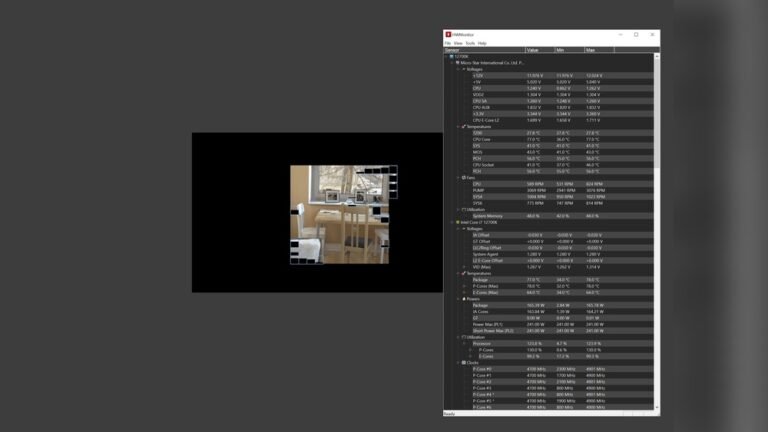
Many free tools show your GPU temperature clearly. Programs like MSI Afterburner and HWMonitor are popular choices. They update temperature numbers in real time. You see how hot the GPU gets during games or tasks. Some tools also show fan speed and usage. They help you understand how your GPU works under stress. These tools are easy to install and use. Watching GPU heat often helps catch problems early.
Improving Airflow And Cooling
Good airflow inside your computer case is key. Fans should bring fresh air in and push hot air out. Make sure cables do not block airflow paths. Cleaning dust from fans and vents improves cooling too. Adding extra case fans can lower temperatures. Using a better CPU cooler or GPU cooler helps as well. Sometimes, reapplying thermal paste between GPU and cooler is needed. Cooler parts keep your GPU safe and working fast. Simple changes in airflow and cooling make a big impact.
When To Worry About Gpu Overheating
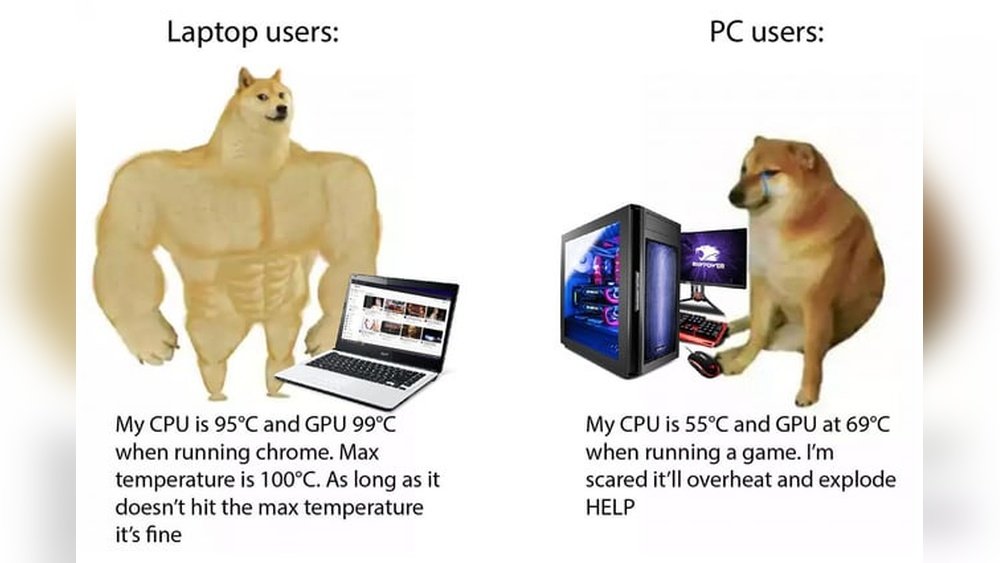
When to worry about GPU overheating is a common question among PC users. Graphics cards often run hot during heavy use like gaming or video editing. A temperature of 70°C is usually safe for most GPUs. But knowing signs of trouble helps avoid damage and keeps your PC running well.
Signs Of Excessive Heat
High GPU temperature can cause several problems. Your computer may suddenly shut down without warning. You might notice slow performance or screen flickering. The fan could become very loud as it tries to cool the GPU. Sometimes, the system might freeze or crash during tasks. These are red flags that your GPU is too hot.
Preventive Measures
Keep your PC clean inside. Dust blocks airflow and raises temperature. Make sure fans work properly and replace any broken ones. Use software to monitor GPU temperature regularly. Avoid placing your PC in tight spaces with poor ventilation. Lowering graphics settings in games can reduce heat. Installing additional cooling, like extra fans, helps keep the GPU cool.

Credit: sysprobs.com
Frequently Asked Questions
Is 70°c A Safe Temperature For A Gpu?
Yes, 70°C is generally safe for most GPUs during normal use. Modern GPUs can handle temperatures up to 85-90°C without issues. However, keeping it below 75°C helps maintain longevity and performance.
What Happens If Gpu Temperature Reaches 70°c?
At 70°C, a GPU operates efficiently without thermal throttling. This temperature indicates moderate workload and proper cooling. Prolonged exposure above 85°C can reduce GPU lifespan and cause performance drops.
How To Keep Gpu Temperature Below 70°c?
To keep GPU under 70°C, ensure good airflow inside your case. Clean dust from fans regularly and consider aftermarket cooling solutions. Lowering graphics settings can also reduce heat output during gaming or heavy tasks.
Can 70°c Cause Permanent Damage To A Gpu?
No, 70°C won’t cause permanent damage. GPUs are designed to tolerate this temperature safely. Damage usually occurs at sustained temperatures above 90°C or due to poor cooling and overheating.
Conclusion
A GPU temperature of 70°C is generally safe. Many graphics cards can handle this heat during normal use. Still, keep your PC clean and well-ventilated. Regularly check your GPU’s temperature to avoid problems. Cooling helps your GPU run smoothly and last longer.
If temperatures rise too high, your computer may slow down. Stay aware of your device’s limits for best performance. In short, 70°C is not too hot but monitor it often.