Is World of Warcraft Cpu Or Gpu Intensive: Ultimate Performance Guide
Are you wondering whether World of Warcraft puts more strain on your CPU or your GPU? If you want smooth gameplay and the best experience, knowing which part of your computer does most of the heavy lifting is crucial.
This can help you decide where to invest your money—should you upgrade your processor or your graphics card? Keep reading, and you’ll get clear answers that make choosing the right hardware easier and boost your gaming performance. Don’t let lag or stuttering hold you back in Azeroth.
Let’s find out what really powers your World of Warcraft adventure.
Game Performance Basics
Understanding game performance helps you enjoy World of Warcraft without lag. It depends mostly on two parts of your computer: the CPU and the GPU. Each part does different jobs to make the game run smoothly. Knowing how WoW uses your CPU and GPU can help you get better gameplay.
Both CPU and GPU work together. The CPU handles the game’s logic and rules. The GPU deals with the visuals you see on screen. A balance between them is key for good performance. Let’s look at how WoW uses each part.
How Wow Uses Cpu
The CPU controls the game’s calculations and actions. It processes player commands, NPC behaviors, and game rules. It also manages the world’s events and physics. WoW needs a strong CPU for many players and complex battles. The CPU handles game updates and background tasks too. A fast CPU reduces lag during gameplay.
How Wow Uses Gpu
The GPU creates all the images and effects you see. It draws characters, environments, and spells in the game. WoW uses the GPU to show textures, shadows, and lighting. High-quality graphics need a powerful GPU. The smoother the visuals, the better the gaming experience. A good GPU helps maintain steady frame rates.

Credit: softwareg.com.au
Cpu Demands In Wow
The CPU plays a big role in running World of Warcraft smoothly. The game needs a good processor to handle many tasks at once. These tasks include managing the game world, tracking player movements, and controlling NPC actions. The better the CPU, the smoother the gameplay feels.
WoW is known for large game zones and complex activities. These parts put different levels of stress on the CPU. Understanding these demands helps players choose the right hardware for their setup.
Impact Of Game Zones And Activities
Different zones in WoW vary in CPU demands. Busy cities and battlegrounds need more CPU power. Many players and NPCs are active in these places.
Raids and dungeons also increase CPU load. These activities involve many players and complex enemy behaviors. The CPU must process all these actions quickly.
Outdoor zones with fewer players require less CPU power. The game world is simpler, so the processor has less to handle. This difference affects overall performance.
Role Of Core Count And Clock Speed
WoW benefits from both core count and clock speed. The game uses multiple cores but prefers faster cores.
Higher clock speed means faster data processing. This helps with real-time game actions and reduces lag.
Multiple cores allow WoW to run background tasks smoothly. But the game does not fully use many cores yet.
Choosing a CPU with high clock speed and good core count improves gameplay. The balance between these two factors is key for WoW performance.
Gpu Demands In Wow
The GPU demands in World of Warcraft (WoW) play a key role in the gaming experience. The game uses graphics to create detailed worlds and smooth animations. A strong GPU helps run WoW with better visuals and higher frame rates. Understanding these demands helps players choose the right hardware for their needs.
Graphics Settings And Resolution Effects
Graphics settings greatly impact the GPU load in WoW. Higher settings like shadows, textures, and effects require more GPU power. The resolution also affects performance. Playing at 1080p uses less GPU power than 4K. Players who want sharper images and better details must have a stronger GPU.
Importance Of Vram And Gpu Power
VRAM is the memory on the GPU that stores textures and data. WoW needs enough VRAM for smooth gameplay at high settings. A GPU with more VRAM can handle larger textures and more effects. GPU power affects how fast the game renders frames. A powerful GPU delivers better frame rates and less lag.
Balancing Cpu And Gpu For Wow
Balancing the CPU and GPU for World of Warcraft is key to smooth gameplay. WoW uses both processor and graphics card power to run well. Knowing how to balance these parts helps avoid lag and stutter during raids or battles. Proper balance also means better visuals without slowing down your system.
Finding The Right Hardware Mix
World of Warcraft needs a good CPU for game logic and a strong GPU for visuals. A mid-range CPU with multiple cores works well. The GPU should handle detailed textures and effects. Avoid weak parts that can bottleneck performance. Choose hardware that matches your play style and budget. Balanced parts give steady frame rates and good response times.
Adjusting Settings For Optimal Performance
Lowering some graphics settings reduces GPU load. Turning off shadows or lowering texture quality helps. Adjust CPU-heavy features like view distance and particle effects. Use the in-game settings to find a smooth balance. Test changes to see their effect on frames per second. Small tweaks can improve gameplay without losing too much visual quality.
Performance Bottlenecks
Performance bottlenecks slow down World of Warcraft gameplay. These occur when either the CPU or GPU cannot keep up with the game’s demands. Identifying the bottleneck helps improve game performance. It guides gamers on which hardware to upgrade or adjust.
Understanding common bottlenecks makes gameplay smoother. Both CPU and GPU have unique roles. Each can limit performance in different ways.
Common Cpu Bottlenecks
World of Warcraft uses the CPU for game logic, AI, and physics. A slow or old CPU may cause lag and stutter. High CPU usage often appears during large fights or crowded areas. The game relies on single-core performance, so fewer cores can limit speed. Background programs can also reduce CPU power. This leads to lower frame rates and delayed responses.
Common Gpu Bottlenecks
The GPU handles graphics, textures, and effects in World of Warcraft. A weak GPU struggles with high settings and resolutions. This causes low frame rates and visual stutter. VRAM limits can affect texture quality and loading times. Also, older GPUs may not support newer graphical features. This reduces the overall visual experience. Upgrading the GPU can improve smoothness and graphics quality.

Credit: www.reddit.com
Tips To Boost Wow Performance
Boosting World of Warcraft performance helps you enjoy smoother gameplay. Small changes can improve your experience greatly. Focus on both game settings and your system. This way, you get the best balance between visuals and speed.
Optimizing Game Settings
Lower graphics settings to reduce load on your CPU and GPU. Set texture quality to medium or low for better frame rates. Turn off shadows and reduce view distance for less stress on hardware. Disable unnecessary effects like bloom or motion blur. Use vertical sync carefully; it can limit your frame rate. Adjust resolution to match your monitor but try a lower one for faster gameplay. Keep your game updated to benefit from performance fixes.
System Tweaks And Upgrades
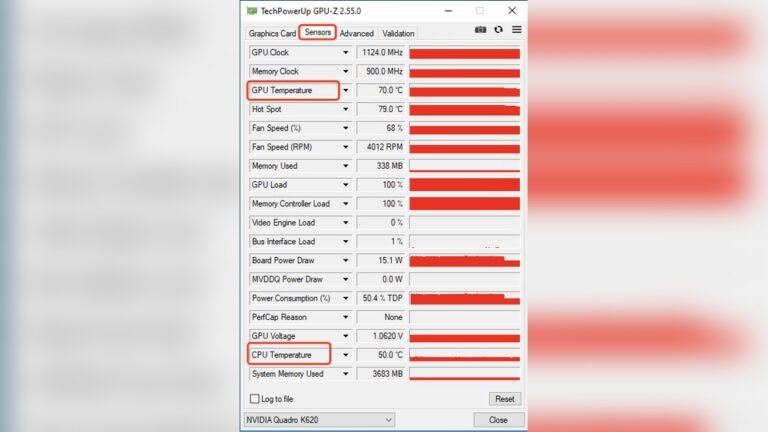
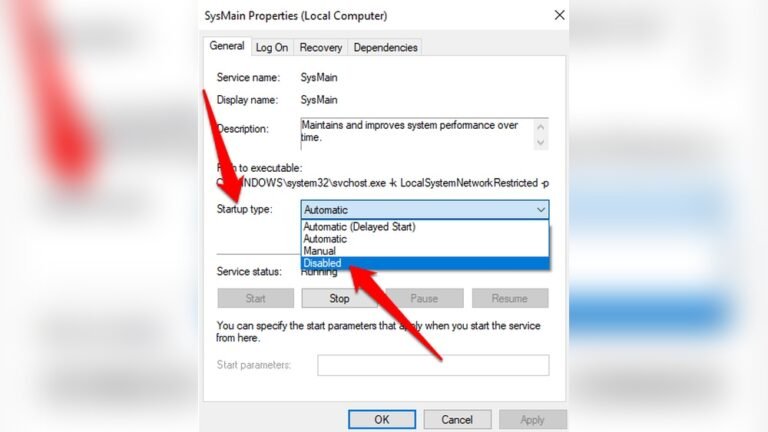
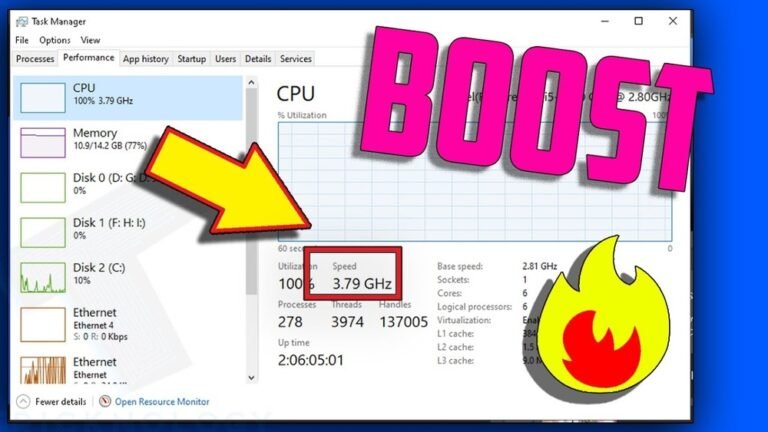
Update your graphics drivers to keep your GPU running well. Close background programs to free up CPU and memory. Upgrade your RAM if you have less than 8GB for smoother performance. Consider an SSD for faster loading times compared to a traditional hard drive. Monitor your CPU and GPU temperatures to avoid overheating. Clean your PC from dust to maintain proper airflow and cooling. Overclocking can help but needs caution and good cooling solutions.
Future Of Wow Performance
World of Warcraft continues to evolve with new patches and expansions. These changes affect how the game uses your computer’s CPU and GPU. Players want smooth gameplay without lag or stutter. Understanding future performance trends helps you prepare your system.
The game’s design may shift focus between CPU and GPU demands. Blizzard often improves graphics and adds complex game mechanics. Such updates can increase the load on your hardware. Staying informed about these changes keeps your game running well.
Upcoming Updates Impact
New expansions usually bring better graphics and more detailed environments. This means the GPU will need to work harder. At the same time, more complex game logic and AI can increase CPU use. Blizzard tries to balance these needs to keep performance steady.
Patch notes and developer previews give clues about resource demands. Players notice shifts in which hardware is more important. Some updates optimize the code to reduce CPU strain. Others add visual effects that push the GPU more.
Hardware Trends To Watch
Modern CPUs now have more cores and higher clock speeds. WoW benefits from stronger single-core performance but also uses multiple cores. GPUs continue to improve with better shaders and higher memory. These help render detailed worlds and smooth animations.
New technologies like ray tracing and DLSS may enter WoW. These features enhance visuals but need powerful GPUs. Watching hardware trends helps you choose the right upgrades. Balanced CPU and GPU power will keep WoW running smoothly in the future.

Credit: softwareg.com.au
Frequently Asked Questions
Is World Of Warcraft More Cpu Or Gpu Intensive?
World of Warcraft relies more on CPU power than GPU. Its gameplay and world rendering demand strong single-core CPU performance. However, a decent GPU is still needed for smooth graphics and effects, especially at higher resolutions and settings.
How Does Cpu Affect World Of Warcraft Performance?
CPU handles game logic, AI, and world streaming in World of Warcraft. A faster CPU reduces lag, improves frame rates, and enhances loading times. It is crucial for maintaining stable and smooth gameplay in crowded or complex scenes.
Does Upgrading Gpu Improve World Of Warcraft Graphics?
Upgrading the GPU enhances visual quality and frame rates in World of Warcraft. It improves textures, shadows, and effects, especially at high resolutions. However, without a strong CPU, GPU upgrades alone won’t fully optimize game performance.
What Cpu Specs Are Recommended For World Of Warcraft?
A quad-core CPU with a clock speed above 3. 5 GHz is ideal for World of Warcraft. Modern CPUs with good single-thread performance improve gameplay fluidity. Ensure your processor supports multitasking for better overall experience.
Conclusion
World of Warcraft demands both CPU and GPU power. The CPU handles game logic, quests, and many players. The GPU manages graphics, textures, and visual effects. For smooth gameplay, a balanced system is best. A strong CPU helps with large battles and AI.
A good GPU ensures crisp visuals and steady frame rates. Upgrading either part can improve your experience. Choose based on your current setup and budget. Enjoy the game without worrying too much about specs. Play smart, and the game will run well.