Is 60 Degrees Celsius Hot for a Gpu: Safe or Overheating?
Is 60 degrees Celsius hot for a GPU? If you’ve ever checked your graphics card’s temperature and wondered whether that number is safe or risky, you’re not alone.
Your GPU works hard to deliver smooth gaming, fast rendering, and crisp visuals—but too much heat can slow it down or even cause damage. Understanding what 60°C means for your GPU can help you protect your hardware and get the best performance without worry.
Keep reading to find out if your GPU’s temperature is something to watch or just a normal part of the process.

Credit: www.reddit.com
Typical Gpu Temperature Range
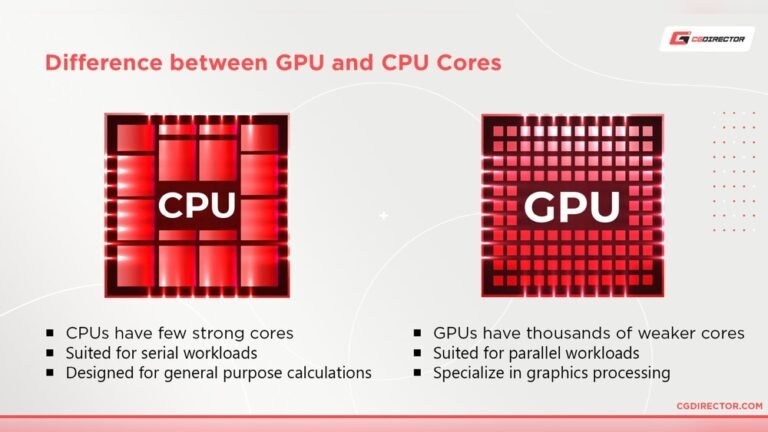
Understanding the typical temperature range of a GPU helps you know if 60 degrees Celsius is hot. GPUs run at different temperatures depending on what they are doing. These temperatures tell us how hard the GPU is working and if it is safe.
Idle Temperatures
Idle temperature means the GPU is not working hard. Usually, a GPU stays between 30°C and 45°C at idle. This range shows the GPU is cool and resting. A temperature of 60°C is high for idle. It might mean poor cooling or dust inside the computer.
Load Temperatures
Load temperature happens when the GPU is busy, like during gaming or video editing. Most GPUs run between 60°C and 85°C under load. A GPU at 60°C during load is normal and safe. It means the GPU is working well without getting too hot.
Factors Affecting Gpu Temperature
GPU temperature depends on many factors. These affect how hot or cool your graphics card runs. Knowing these helps keep your GPU safe and working well.
Cooling Solutions
Cooling methods impact GPU temperature a lot. Fans, heat sinks, and liquid cooling lower heat. Better cooling means the GPU stays cooler. Poor cooling causes higher temperatures and risk.
Ambient Room Temperature
Room temperature affects GPU heat too. A hot room makes it harder for the GPU to cool. Cooler rooms help keep the GPU temperature down. Airflow in the room also matters for cooling.
Workload Intensity
How hard the GPU works changes its temperature. Heavy gaming or video editing pushes the GPU more. This creates more heat and raises temperature. Light tasks keep the GPU cooler and safer.
Is 60°c Hot For A Gpu?
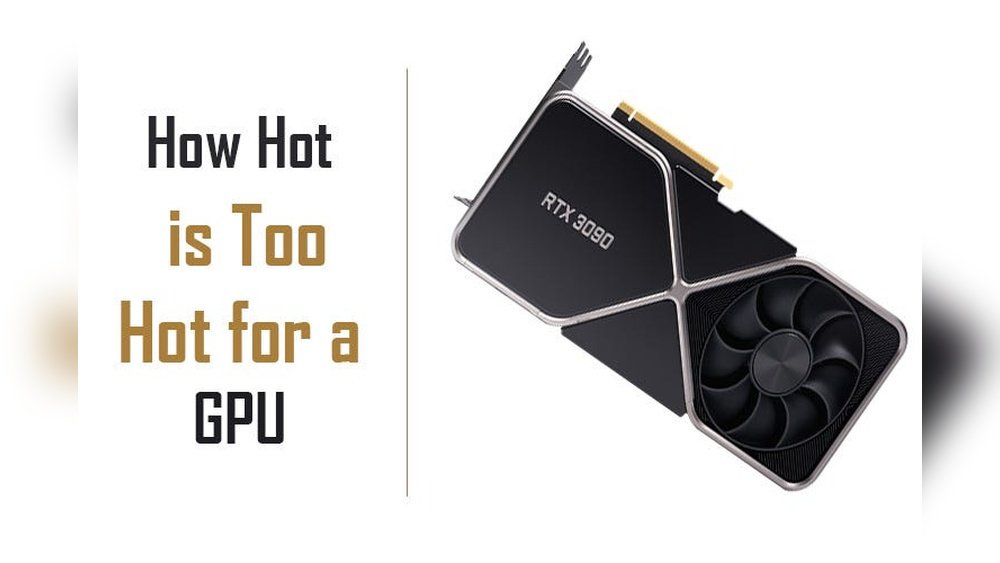
Is 60°C hot for a GPU? Many users worry about the temperature of their graphics card. A GPU’s temperature shows how hard it works. Knowing if 60°C is safe helps protect your PC. This temperature is common during gaming or heavy tasks.
GPUs have limits set by manufacturers. These limits keep the card safe. Let’s compare 60°C to those limits and see what users report.
Comparison With Manufacturer Limits
Most GPU makers set safe temperatures up to 85°C or higher. Nvidia and AMD often list 90°C as the max safe limit. Running at 60°C is well below these limits. This means the GPU is cool and safe. It is normal for the card to get warmer under load. Staying at 60°C keeps the GPU stable and healthy.
Temperature Benchmarks From Users
Many users report GPU temps between 50°C and 70°C during gaming. 60°C is near the middle of this range. It shows the card is working but not overheating. Some users see temps over 80°C, which is hotter but still okay briefly. 60°C means your cooling system works well. It is a good temperature for long use without damage.

Credit: www.reddit.com
Risks Of High Gpu Temperatures
High GPU temperatures can cause several problems. They affect the GPU’s health and how well it works. Keeping the GPU cool is important for a smooth computer experience. Understanding the risks helps protect your device and data.
Performance Throttling
When the GPU gets too hot, it slows down. This is called performance throttling. The GPU lowers its speed to cool down. This keeps the device safe but reduces performance. Games and apps may run slower or lag. It stops the GPU from working at full power.
Hardware Damage Possibility
High temperatures can damage the GPU parts. Heat breaks down materials inside the GPU. Over time, this causes permanent damage. It can lead to system crashes or hardware failure. Repair or replacement can be costly. Protecting the GPU from heat extends its life.
Maintaining Safe Gpu Temperatures
Keeping your GPU temperature safe is important for its performance and life. High temperatures can cause slowdowns and damage. A GPU running at 60 degrees Celsius is usually safe, but maintaining that level requires effort. Simple steps can help keep your GPU cool and running well.
Improving Airflow
Good airflow inside your computer case helps cool the GPU. Use extra fans to push hot air out and bring cool air in. Arrange cables neatly to avoid blocking airflow. Open cases or cases with vents improve air movement. Proper airflow lowers GPU temperature efficiently.
Cleaning Dust And Debris
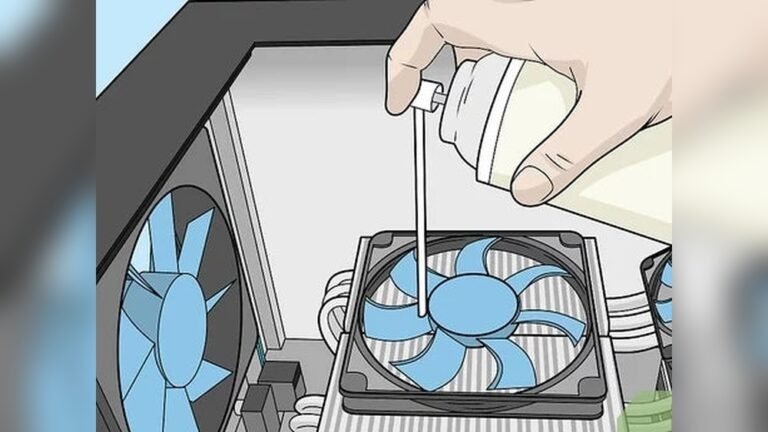
Dust buildup blocks airflow and traps heat. Clean your PC regularly to remove dust on fans, heatsinks, and vents. Use compressed air or a soft brush for cleaning. Keep the area around your PC clean to reduce dust intake. Regular cleaning helps keep GPU temperatures low.
Using Aftermarket Cooling
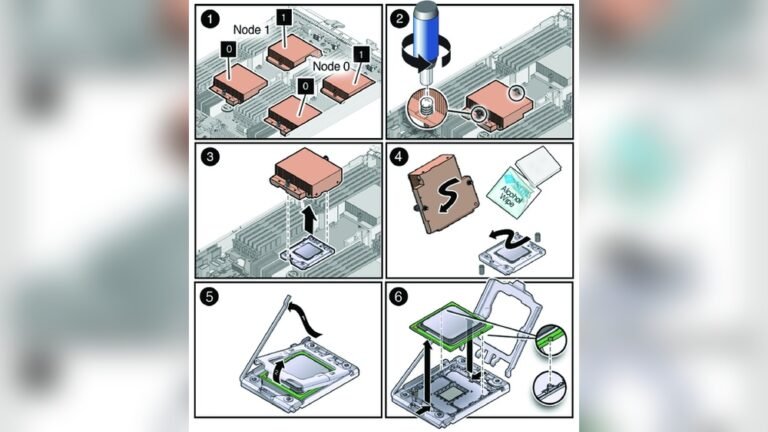
Stock GPU coolers are good but can be improved. Aftermarket coolers offer better cooling performance. Options include larger fans, liquid cooling, or hybrid coolers. These reduce GPU temperature more effectively. Installing aftermarket cooling can extend your GPU’s life and boost its performance.
When To Worry About Gpu Heat
GPU heat matters for your computer’s health and performance. Knowing when to worry helps you protect your device. Not all heat levels are dangerous. Some warmth is normal during use. But too much heat can cause problems. Watch your GPU closely to avoid damage.
Signs Of Overheating
Watch for sudden crashes or freezes. Your computer may shut down without warning. Fans running loudly or constantly is a red flag. You might see screen glitches or artifacts. Slow performance can also signal overheating. These signs show your GPU needs cooling help.
Temperature Thresholds
GPU temperatures vary by model and use. Most GPUs run safely under 85°C. 60°C is usually safe and normal. Temperatures above 90°C risk hardware damage. Keeping your GPU below 80°C is best. Use monitoring tools to check your GPU heat regularly.

Credit: medium.com
Frequently Asked Questions
Is 60 Degrees Celsius Hot For A Gpu?
No, 60°C is a normal operating temperature for most GPUs. It indicates the GPU is working efficiently without overheating. Temperatures below 70°C are generally safe for gaming and heavy tasks. Maintaining good airflow helps keep the GPU cool at this temperature.
Can 60°c Harm My Gpu’s Lifespan?
Running a GPU at 60°C will not harm its lifespan. This temperature is well within safe limits set by manufacturers. Consistently high temperatures above 85°C may reduce GPU longevity. Proper cooling ensures stable performance and extends the GPU’s life.
Should I Worry If My Gpu Hits 60°c?
No, reaching 60°C on a GPU is usually not a concern. Many GPUs operate safely between 40°C and 70°C during normal use. Monitoring temperatures above 80°C is more critical to prevent overheating issues. Use software tools to track your GPU’s temperature regularly.
How To Keep Gpu Temperature Around 60°c?
Ensure your PC case has good airflow and clean fans regularly. Using quality thermal paste and adequate cooling solutions helps maintain 60°C. Avoid overclocking if temperatures rise above this range. Proper ventilation and dust removal keep GPU temperatures stable.
Conclusion
A GPU temperature of 60 degrees Celsius is generally safe and normal. Most graphics cards work well under this heat. It shows your cooling system is doing its job. Still, keep your PC clean and ventilated. Watch for sudden temperature spikes or unusual noises.
These signs may mean a problem. Staying aware helps your GPU last longer. So, 60 degrees is not too hot for a GPU. Just keep an eye on it for best performance.