Is a Gpu a Video Card: Unraveling the Ultimate Tech Mystery
Have you ever wondered if a GPU and a video card are the same thing? If you’re trying to upgrade your computer or build a gaming rig, understanding this can save you time and money.
It’s easy to get confused because these terms are often used interchangeably. But knowing the difference can help you make smarter choices for your setup. Keep reading, and by the end, you’ll clearly see what each one does and how they impact your computer’s performance.
This knowledge might just change how you shop for tech forever.
Gpu Vs Video Card
Many people confuse a GPU with a video card. They seem similar but are not the same. Understanding the difference helps in choosing the right hardware. This section explains what makes a GPU and a video card unique.
Core Functions Of A Gpu
A GPU, or Graphics Processing Unit, is a chip inside the video card. It handles the heavy work of creating images and videos. The GPU processes many tasks at once, making graphics smooth and fast. It helps run games, videos, and 3D applications efficiently.
Components Of A Video Card
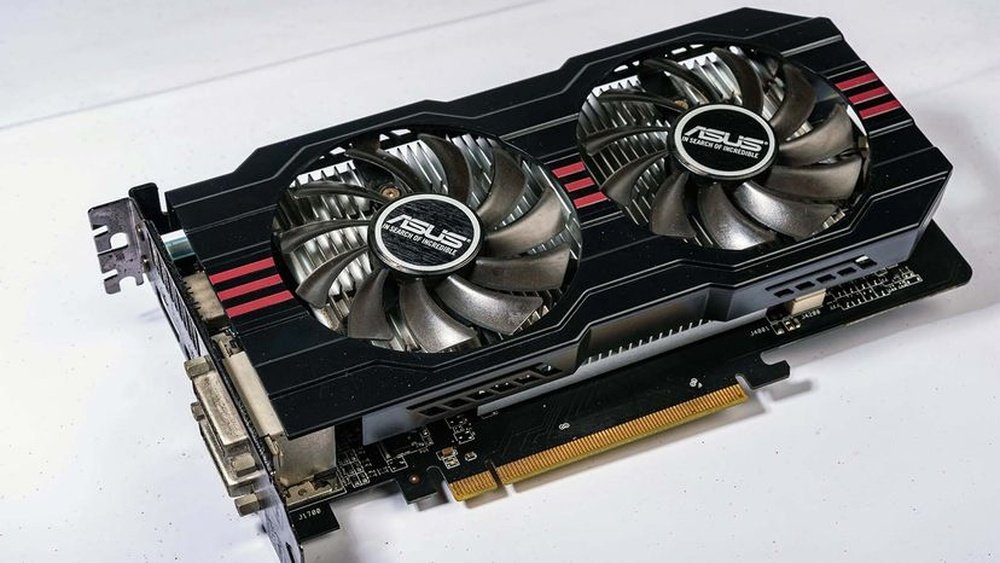
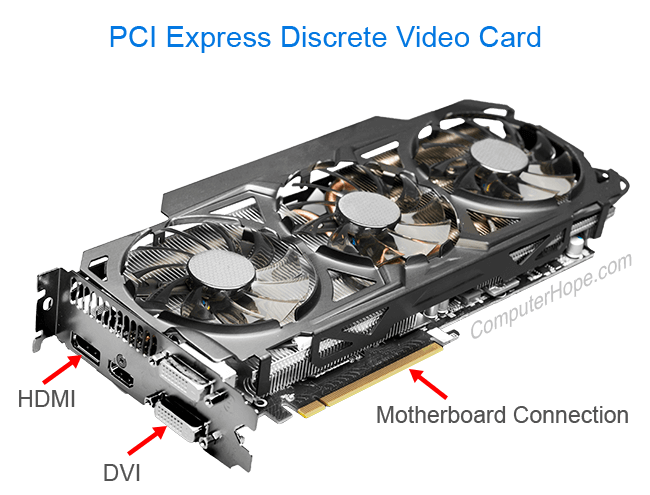
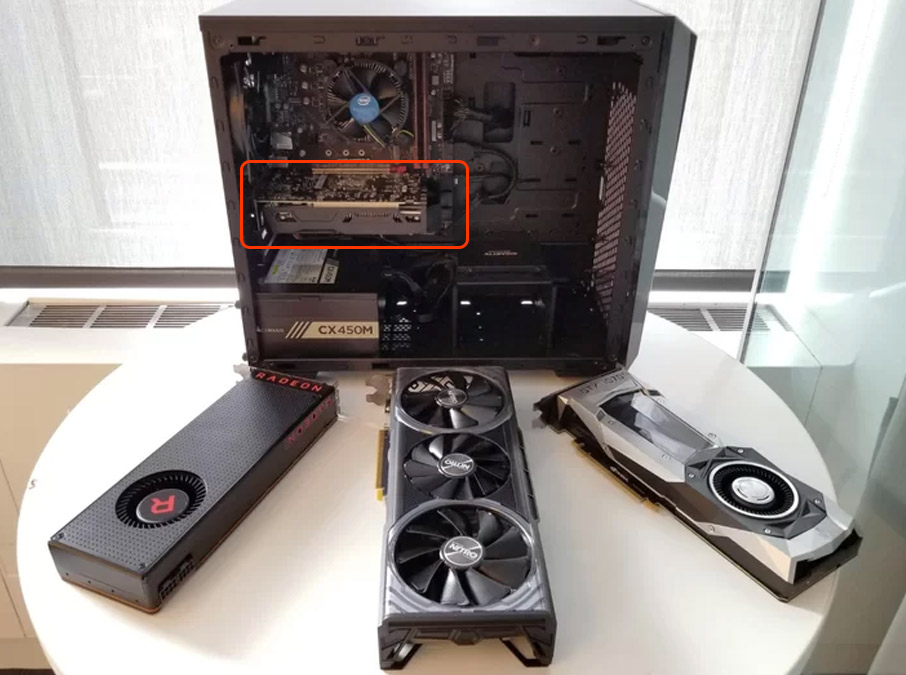
A video card includes the GPU and other parts. It has memory to store images temporarily. It also has a cooling system to keep the GPU from overheating. Video cards connect to the computer and send images to the monitor. They come with ports to attach screens and other devices.
How Gpu And Video Card Work Together
The GPU does the main work of graphics processing. The video card supports the GPU with memory and power. Together, they create and show images on the screen. Without the video card, the GPU cannot function properly. Both parts are needed for good graphics performance.
Credit: www.computerhope.com
Types Of Gpus
GPUs come in different types, each designed for specific uses. Understanding these types helps you choose the right one for your needs. Some GPUs are built into the computer, while others are separate parts. Some even connect externally for more power.
Integrated Gpus
Integrated GPUs are part of the computer’s main processor. They share memory with the CPU and do not have their own video memory. These GPUs are good for basic tasks like browsing and office work. They use less power and keep computers cooler.
Dedicated Gpus
Dedicated GPUs are separate cards installed inside the computer. They have their own video memory and processing power. These GPUs handle heavy tasks like gaming, video editing, and 3D design. They offer better performance but use more power and cost more.
External Gpus
External GPUs connect to a computer through ports like Thunderbolt. They add extra graphics power to laptops or small PCs. These GPUs are useful for users needing high performance without opening the computer. They offer flexibility and easy upgrades.
Video Card Features
A video card has several important features. These features affect how well it works for tasks like gaming, video editing, and everyday use. Understanding these features helps you choose the right card. Here are some key aspects of video cards to know about.
Memory And Cooling Systems
Video cards have their own memory called VRAM. It stores images and data for quick use. More VRAM helps with higher resolutions and better graphics. Cooling systems keep the card from getting too hot. Fans and heat sinks move heat away from the GPU chip. Good cooling helps the card run smoothly and last longer.
Output Interfaces
Output interfaces connect the video card to your monitor. Common ports include HDMI, DisplayPort, and DVI. These ports send video signals to screens. Different ports support different resolutions and refresh rates. Choosing the right interface ensures clear and smooth visuals.
Performance Factors
The GPU chip inside the card is the main power source. Its speed and number of cores affect performance. Clock speed shows how fast the GPU processes data. More cores mean better multitasking and graphics handling. Other factors like driver support and power consumption also matter.

Credit: www.nvidia.com
Choosing The Right Hardware
Choosing the right hardware is key for a good computer setup. The right parts help your system run smoothly. You need to think about what you will use the computer for. Different tasks need different hardware. This helps you avoid spending too much or too little.
Not all video cards or GPUs are the same. Some work better for games, while others fit professional work. Your budget also matters a lot. It guides which hardware you can afford. Let’s break down the main points.
Gaming Needs
Gaming requires a strong GPU for good graphics and speed. You want a video card that can handle high settings. Smooth gameplay means less lag and better fun. Look for a GPU with enough memory and power. This keeps games running without slowdowns.
Professional Use Cases
Professionals need GPUs for tasks like video editing and design. These jobs use more power and special features. Some GPUs support better color accuracy and faster rendering. Choose a video card that matches your software needs. This helps finish work faster and better.
Budget Considerations
Set a budget before choosing hardware. Video cards range from cheap to very expensive. Find a balance between price and performance. Avoid buying the most expensive if you do not need it. Good hardware is about value, not just cost.
Common Misconceptions
Many people confuse the terms GPU and video card. This causes wrong ideas about computer graphics and performance. Clearing these misconceptions helps to understand how computers work better. It also helps to make smarter choices when buying or upgrading parts.
Gpu And Video Card Are The Same
People often think a GPU and a video card are the same thing. The GPU is actually a chip inside the video card. It does the math and graphics tasks. The video card includes the GPU and other parts. These parts help the GPU work well and connect to the computer.
Gpu Alone Determines Performance
Many believe the GPU alone controls the speed and quality of graphics. The GPU is important, but other factors matter too. Video memory, cooling system, and power supply affect how well a card performs. A good GPU with poor support parts will not work at full power.
All Video Cards Are Equal
Not all video cards are the same. They differ in speed, size, and features. Some cards are made for gaming, others for simple tasks. Choosing the right video card depends on what you need. Buying any card without checking these differences can lead to problems.
Credit: support.cyberpowerpc.com
Future Of Gpus And Video Cards
The future of GPUs and video cards looks promising and full of new possibilities. These components will continue to evolve and shape many fields beyond just computers. Expect faster, smarter, and more energy-efficient devices to arrive soon. Their role in technology will keep growing as new uses appear.
Technological Advancements
GPUs are becoming more powerful with each generation. New designs focus on better speed and lower power use. Small chips pack more cores and memory than before. They support advanced graphics and complex calculations easily. Innovations like ray tracing improve image quality in games and media.
Impact On Gaming And Ai
Gaming benefits greatly from stronger GPUs and video cards. They allow smoother gameplay and richer visuals. Games become more realistic and immersive. AI also relies on GPUs for fast data processing. These chips help train smart models quickly and efficiently. Both fields push GPU technology forward rapidly.
Trends To Watch
Watch for GPUs integrating with cloud computing services. This trend makes high-end graphics accessible remotely. Expect more support for virtual and augmented reality. Video cards will improve to handle these new experiences. Energy efficiency will stay a key focus for manufacturers.
Frequently Asked Questions
What Is The Difference Between A Gpu And A Video Card?
A GPU is the chip that processes graphics. A video card includes the GPU plus memory, cooling, and connectors. The video card is a complete hardware component, while the GPU is just one part of it.
Can A Gpu Function Without A Video Card?
No, a GPU cannot work independently. It needs to be mounted on a video card or integrated into a motherboard. The video card supplies power, cooling, and connection interfaces required for the GPU to function.
Are Gpus And Video Cards Interchangeable Terms?
No, they are not interchangeable. A GPU is the processor inside the video card. The video card is the physical device installed in a PC. People often confuse them, but they serve different roles in graphics processing.
Does A Video Card Contain Only One Gpu?
Typically, yes. Most video cards contain a single GPU. However, some high-end or specialized cards may have multiple GPUs for increased performance. The video card also includes other components to support the GPU’s operation.
Conclusion
A GPU and a video card are not exactly the same. A GPU is the chip that processes graphics. A video card includes the GPU plus other parts like memory and cooling. Knowing this helps when choosing computer parts. This way, you get the right hardware for your needs.
Understanding these terms makes tech less confusing. Now, you can talk about GPUs and video cards with confidence. Simple but important differences matter a lot.